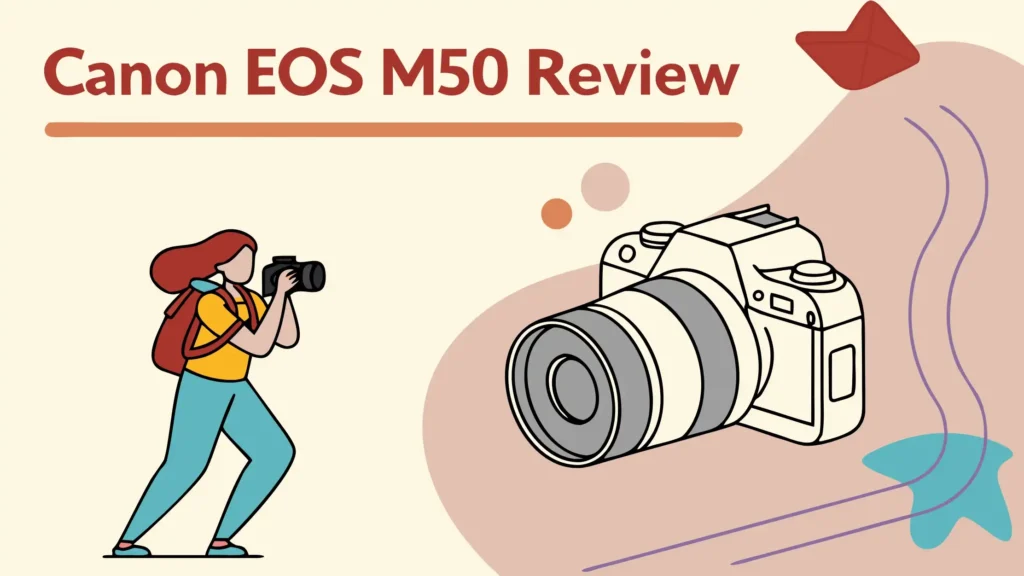
Canon EOS M50 Review: Is It Still Worth Buying?
The Canon EOS M50 has become one of the most talked about mirrorless cameras in recent years. This compact powerhouse offers impressive features that make it attractive to both beginners and experienced photographers.
Many photographers wonder if the Canon M50 can compete with more expensive cameras. The answer might surprise you. This camera packs professional features into an affordable package that doesn’t compromise on image quality.
From its 4K video capabilities to its intuitive touchscreen interface, the M50 has earned its place as a favorite among content creators and photography enthusiasts alike.
Key Takeaways
- 24.1MP APS-C sensor delivers sharp, detailed images with excellent color reproduction straight out of camera
- 4K video recording at 24fps makes it perfect for high-quality content creation and vlogging
- Dual Pixel CMOS autofocus provides fast, accurate focusing for both photos and videos
- Compact lightweight design weighs only 13.5 oz making it extremely portable for travel and daily use
- Vari-angle touchscreen flips out completely for easy selfies and low-angle shots
- Built-in WiFi and Bluetooth enables seamless image transfer and remote camera control via smartphone
Canon EOS M50 Overview and First Impressions

- Dual Pixel CMOS AF for fast, accurate autofocus that helps you get the photo you want right as the...
- 241 Megapixel APS C CMOS sensor and the DIGIC 8 Image Processor delivers incredible color, clear...
The Canon EOS M50 represents Canon’s commitment to making professional photography accessible to everyone. This mirrorless camera combines the image quality of larger DSLR cameras with the convenience of compact design. First-time users find the M50 surprisingly easy to operate, while experienced photographers appreciate its advanced manual controls.
The camera feels solid in your hands despite its lightweight construction. Canon has used high-quality materials that give confidence during extended shooting sessions. The grip design provides secure handling even with larger lenses attached. The button layout follows Canon’s traditional design philosophy, making it familiar to existing Canon users.
What sets the M50 apart from other cameras in its price range is the combination of features rather than any single standout element. You get excellent image quality, reliable autofocus, good video capabilities, and user-friendly controls all in one package. This makes it an ideal choice for photographers who want versatility without complexity.
Design and Build Quality Assessment
The M50’s design philosophy centers on portability without sacrificing functionality. Measuring just 4.6 x 3.5 x 2.3 inches, this camera fits easily in small bags and even large pockets. The black finish looks professional and resists showing fingerprints better than some competitors.
Build quality exceeds expectations for a camera at this price point. The magnesium alloy construction provides durability while keeping weight down. All buttons have a solid feel with good tactile feedback. The mode dial clicks positively into each position, and the control wheel spins smoothly with just the right amount of resistance.
Weather sealing is minimal compared to higher-end cameras, so you’ll want to be careful in wet conditions. However, the camera handles normal humidity and light dust without problems. The lens mount feels sturdy and shows no signs of wear even after frequent lens changes. Canon’s attention to detail shows in small touches like the textured grip and well-positioned thumb rest.
Camera Specifications and Technical Details
The Canon M50 uses a 24.1-megapixel APS-C CMOS sensor paired with Canon’s DIGIC 8 image processor. This combination delivers excellent image quality with good performance in various lighting conditions. The native ISO range extends from 100 to 25,600, with expanded settings reaching ISO 51,200.
Autofocus performance relies on Canon’s Dual Pixel CMOS AF system with 143 selectable AF points. This covers approximately 88% of the image area horizontally and 100% vertically. The system works well in both single-shot and continuous focusing modes.
Video specifications include 4K recording at 24fps and Full HD at up to 60fps. The camera also supports 120fps slow-motion recording at 720p resolution. Built-in image stabilization helps reduce camera shake, though it works better with compatible lenses that have optical stabilization.
Battery life provides approximately 235 shots per charge when using the LCD screen. This number increases to about 305 shots when using the electronic viewfinder primarily. The LP-E12 battery charges via USB, which is convenient for travel.
Image Quality Performance Analysis
Image quality from the M50 impresses both in good light and challenging conditions. The 24.1MP sensor captures plenty of detail for large prints and heavy cropping. Color reproduction follows Canon’s signature look with slightly warm tones that many photographers prefer over clinical accuracy.
Dynamic range performance is solid for an APS-C sensor. You can recover detail from shadows and highlights reasonably well, though not quite to the extent of full-frame cameras. RAW files provide good flexibility for post-processing with programs like Lightroom or Canon’s own DPP software.
Low-light performance remains usable through ISO 6400 with careful processing. Image quality at ISO 3200 and below is excellent with minimal noise. The DIGIC 8 processor does a good job of noise reduction without over-smoothing fine details.
Lens quality significantly affects overall image sharpness. The kit lens performs adequately but investing in better glass will show immediate improvements. Canon’s EF-M lens selection continues to grow, offering more choices for different shooting styles.
Autofocus System Capabilities
The Dual Pixel CMOS AF system represents one of the M50’s strongest features. Focus acquisition is fast and accurate in good light conditions. The system works well for both single-point focusing and zone-based focusing depending on your shooting needs.
Subject tracking performs admirably for moving subjects, though very fast action can sometimes challenge the system. Face detection and eye detection work reliably for portrait photography. The camera can detect and focus on eyes even when subjects are moving moderately.
Video autofocus operates smoothly without the hunting that plagues some mirrorless cameras. The system maintains focus well during recording, though you might notice slight focus breathing with certain lenses. Touch focusing on the LCD screen works quickly and intuitively.
Low-light autofocus functions down to -2 EV, which covers most indoor situations. However, performance does slow down noticeably in very dim conditions. Using the AF assist beam helps in close-range situations.
Top 3 Alternatives for Canon M50
When considering the Canon M50, several other cameras offer compelling alternatives depending on your specific needs and budget. Each of these options brings unique strengths that might better suit certain photographers or videographers.

- Advanced 24.2MP back Illuminated 35 millimeter full frame image sensor
- ISO 100 25600 (expandable to 51200). Lens compatibility: Sony E mount lenses
The Sony Alpha a6000 remains a strong competitor despite being older than the M50. Sony’s camera offers superior battery life and a more extensive lens selection through the E-mount system. The autofocus system is incredibly fast with 179 phase-detection points covering most of the sensor. However, it lacks 4K video recording and has a less intuitive menu system compared to Canon’s interface.

- High Image Quality: Canon EOS R50 4K digital camera features a 24.2 Megapixel CMOS (APS-C) sensor...
- High-Speed Continuous Shooting: Capture fast action with up to 12 fps with Electronic First Curtain...
The Canon EOS R50 represents the newer generation of Canon mirrorless cameras. It uses the RF mount system which provides access to Canon’s latest lenses. The R50 offers better autofocus performance and improved video features compared to the M50. However, it comes at a higher price point and the RF lenses are generally more expensive than EF-M options.

- Advanced Image Sensor Technology: The 26.1MP BSI APS-C X-Trans CMOS 4 image sensor and X-Processor 4...
- Accurate Auto-Focus Tracking and Face Detection: he new X-Processor 4 Quad Core-CPU offers fast and...
The Fujifilm X-T30 brings exceptional image quality and film simulation modes that many photographers love. Fujifilm’s color science is renowned for producing beautiful images straight out of camera. The X-T30 also offers more physical controls for manual shooting. The trade-off comes in the form of a steeper learning curve and different ergonomics that may not suit everyone.
Video Recording Features and Quality
Video capabilities make the Canon M50 particularly attractive to content creators and vloggers. The 4K recording at 24fps produces sharp, detailed footage suitable for professional work. The Full HD options include frame rates up to 60fps for smooth motion and 120fps for slow-motion effects.
Video autofocus works well during recording with smooth transitions between subjects. The Dual Pixel AF system helps create professional-looking focus pulls. However, 4K recording does introduce a 1.6x crop factor that effectively makes lenses longer than their marked focal length.
Audio recording quality is adequate through the built-in microphone for casual use. The camera includes a 3.5mm microphone input for external audio recording, which is essential for serious video work. Audio levels can be adjusted manually or set to automatic.
Image stabilization helps reduce camera shake, especially when shooting handheld video. The digital stabilization works well for static shots but can introduce slight cropping. Combining this with optically stabilized lenses provides the best results for smooth video footage.
LCD Screen and Electronic Viewfinder
The 3-inch vari-angle touchscreen is one of the M50’s most practical features. The screen flips out completely and rotates 180 degrees, making it perfect for selfies and vlogging. Touch sensitivity is excellent with accurate response to finger inputs.
Screen brightness remains visible in most outdoor conditions, though bright sunlight can still make it challenging to see details. The 1.04 million dot resolution provides sufficient detail for composition and menu navigation. Color accuracy on the LCD closely matches the final images.
The electronic viewfinder offers 2.36 million dots with good clarity and color reproduction. Eye relief is comfortable for glasses wearers, and the refresh rate is smooth enough to track moving subjects. The EVF automatically activates when you bring the camera to your eye.
Menu navigation through the touchscreen is intuitive and fast. You can change most settings without taking your eye away from the LCD. The quick menu provides access to commonly used settings with just a few taps.
Battery Life and Power Management
Battery performance is one area where the M50 shows its compact design limitations. The LP-E12 battery provides approximately 235 shots per charge when using the LCD screen primarily. This number can extend to about 305 shots when using the electronic viewfinder more frequently.
Video recording drains the battery more quickly, especially when shooting in 4K mode. You can expect about 1 hour and 15 minutes of continuous video recording on a full charge. The battery level indicator provides accurate information about remaining power.
Charging options include both in-camera charging via USB and external charging with the included charger. USB charging is convenient for travel but takes longer than the external charger. The camera can operate while plugged into power, which is useful for extended shooting sessions.
Power-saving features help extend battery life during long shooting days. The sleep mode activates quickly when the camera isn’t in use. WiFi and Bluetooth connectivity does impact battery life, so disabling these features when not needed helps preserve power.
Lens Options and Mount System
The Canon M50 uses the EF-M mount system, which offers a growing selection of native lenses. Current options include everything from ultra-wide angle to telephoto lenses. The 22mm f/2 pancake lens is particularly popular for its compact size and excellent image quality.
Lens selection includes both Canon and third-party options. Sigma and Tamron have introduced EF-M lenses that offer good value and performance. The kit lens (15-45mm f/3.5-6.3) provides adequate performance for beginners but upgrading to better glass shows immediate improvements.
EF lens compatibility is possible through Canon’s EF-EOS M adapter. This adapter maintains full autofocus and image stabilization functionality with EF and EF-S lenses. However, it does add bulk to the camera setup and somewhat defeats the compact advantage.
Focal length considerations include the 1.6x crop factor inherent to the APS-C sensor. This means a 50mm lens behaves like an 80mm lens on full-frame cameras. This crop factor can be advantageous for telephoto work but limiting for wide-angle photography.
WiFi and Connectivity Features
Built-in WiFi enables easy image transfer to smartphones and tablets through Canon’s Camera Connect app. The connection process is straightforward, though initial setup requires a few steps. Transfer speeds are reasonable for JPEG files but can be slow for large RAW files.
Bluetooth connectivity provides a constant low-power connection to your smartphone. This allows for remote camera control and automatic image transfer without manually connecting to WiFi each time. The GPS tagging feature uses your phone’s location data to embed coordinates in image files.
Camera Connect app functionality includes remote shooting control with live view display on your phone. You can adjust exposure settings, focus point, and trigger the shutter remotely. This is particularly useful for group photos, wildlife photography, and long exposures.
Image Browse/Remote feature lets you view and download images from the camera without removing the memory card. You can also delete unwanted images directly from your phone, helping manage storage space more efficiently.
Memory Card and Storage Options
The Canon M50 uses SD, SDHC, and SDXC memory cards with UHS-I compatibility. Card speed becomes important when recording 4K video or shooting continuous burst sequences. Class 10 or higher cards are recommended for best performance.
File format options include JPEG at various quality levels and 14-bit RAW files. RAW files from the M50 are approximately 24-26MB each, while maximum quality JPEGs are typically 8-12MB. Dual format recording allows you to save both RAW and JPEG simultaneously.
Storage capacity requirements vary based on shooting style. A 32GB card holds approximately 1,300 maximum quality JPEGs or 1,100 RAW files. Video recording uses storage much faster, with 4K footage consuming about 375MB per minute.
File organization options include custom folder creation and file numbering systems. The camera can create new folders automatically or manually as needed. Date-based organization helps keep images organized when transferring to computer storage.
User Interface and Menu System
Canon’s menu system on the M50 follows the company’s traditional layout that many photographers find familiar. The color-coded menu tabs help organize different types of settings logically. Touch navigation makes menu browsing faster than using only physical buttons.
Quick Control screen provides access to frequently adjusted settings without diving into full menus. You can customize which settings appear on this screen based on your shooting preferences. Function buttons can be programmed to access specific features quickly.
Automatic modes include Scene Intelligent Auto and various Creative Auto options that help beginners get good results without understanding technical details. Manual modes provide full control over exposure settings for more experienced users.
Custom functions allow personalization of camera behavior to match individual shooting styles. You can adjust button functions, exposure increments, autofocus behavior, and many other parameters to suit your preferences.
Low Light Photography Performance
ISO performance remains quite good through ISO 3200 with careful processing. Noise characteristics are fine-grained and respond well to noise reduction software. Color accuracy is maintained reasonably well even at higher ISO settings.
High ISO usability extends to about ISO 6400 for most applications, though this depends on output size and viewing conditions. Web-sized images look acceptable even at ISO 12800 in some situations. Print quality is best limited to ISO 3200 and below for larger prints.
Low-light autofocus performance is adequate for most indoor situations. The AF assist beam helps in very dark conditions when shooting close subjects. Manual focus with focus peaking assistance works well when autofocus struggles.
Night photography capabilities include bulb mode for exposures longer than 30 seconds. In-body image stabilization helps with handheld shots in dim light, though a tripod is still recommended for sharp results at slow shutter speeds.
Portrait Photography Capabilities
Portrait-specific features include reliable face detection and eye detection autofocus. The system works well for both single subjects and multiple people in the frame. Skin tone reproduction follows Canon’s traditionally pleasing color science.
Depth of field control is good with faster aperture lenses, though the APS-C sensor doesn’t provide quite the same background blur as full-frame cameras. Portrait mode in the camera applies subtle skin smoothing effects that many users appreciate.
Flash photography options include the built-in pop-up flash and hot shoe compatibility with Canon Speedlite flashes. Flash exposure compensation is easily accessible for fine-tuning flash output. Red-eye reduction works effectively when needed.
Studio photography compatibility includes PC sync terminal accessibility through adapters and wireless flash triggering through compatible systems. Color temperature consistency makes the M50 suitable for professional portrait work.
Travel Photography Experience
Compact size makes the M50 an excellent travel companion that doesn’t add significant weight to luggage. Battery life limitations require carrying spare batteries for extended shooting days. USB charging capability means you can charge from power banks or laptop computers.
Weather protection is minimal, so care is needed in wet or dusty conditions. Lens selection for travel benefits from the 22mm f/2 pancake lens for its compact size and excellent image quality. Image stabilization helps with handheld shots in various lighting conditions.
WiFi connectivity enables immediate sharing of travel photos to social media or cloud storage. GPS tagging through smartphone connection helps remember photo locations. Silent shooting modes are useful in quiet environments like museums or churches.
Durability for travel use has proven reliable for most users, though the camera benefits from protective cases during transport. International charging is simplified by the USB charging option that works with various power adapters.
Comparison with Other Canon Cameras
Canon M50 vs M50 Mark II differences are relatively minor, with the newer model offering improved autofocus and better video features. Live streaming capability is the main addition in the Mark II version. Price differences may make the original M50 a better value for many users.
Canon M50 vs EOS R50 comparison shows the newer R50 offering better performance but at a higher price point. RF mount system in the R50 provides access to newer lenses but at higher costs. Autofocus improvements in the R50 are significant for video work.
Canon M50 vs Rebel series DSLRs shows advantages in size, weight, and video capabilities for the M50. Lens selection is broader for the DSLR system, but the mirrorless advantages often outweigh this consideration. Battery life is better in the DSLR cameras.
Canon M50 vs higher-end mirrorless cameras reveals expected differences in build quality, weather sealing, and advanced features. However, image quality differences are often smaller than the price differences might suggest.
Accessories and Add-Ons Worth Considering
Essential accessories for M50 owners include extra LP-E12 batteries due to the camera’s limited battery life. Fast SD cards improve performance, especially for video recording. Lens protectors and LCD screen protectors help maintain the camera’s condition.
Tripod compatibility works well with lightweight travel tripods that match the camera’s compact philosophy. Camera straps and wrist straps provide security during handheld shooting. Camera cases offer protection during storage and transport.
External flash options include Canon’s Speedlite series and third-party alternatives. Microphone accessories improve audio quality for video recording. Lens filters for the various EF-M lenses expand creative possibilities.
Smartphone integration accessories include remote shutter releases and smartphone mounts for using your phone as an external monitor. Power bank compatibility with USB charging makes extended shooting more practical.
Software and Image Processing
Canon’s DPP software provides comprehensive RAW processing capabilities specifically optimized for Canon cameras. Color profiles and lens corrections are automatically applied based on camera and lens combinations. Batch processing capabilities help handle large numbers of images efficiently.
Third-party software compatibility includes full support in Adobe Lightroom, Capture One, and other professional image editing programs. RAW file quality provides good latitude for exposure corrections and color adjustments.
In-camera processing options include various Picture Styles that affect JPEG output. Creative filters provide artistic effects that can be applied during shooting or to existing images. RAW processing can be done in-camera for basic adjustments.
Workflow integration with Canon’s Cloud service and various social media platforms streamlines the process from capture to sharing. Automatic backup options help protect important images.
Pros and Cons Summary
Advantages of the Canon M50 include excellent image quality for the price point, user-friendly interface that appeals to beginners, good video capabilities including 4K recording, and compact size that makes it highly portable. Autofocus performance is reliable for most shooting situations.
Disadvantages include limited battery life that requires carrying spares, minimal weather sealing that limits outdoor use in harsh conditions, small lens selection compared to other mount systems, and 4K video crop that affects lens focal lengths.
Value proposition remains strong for photographers wanting professional image quality in a compact package. Learning curve is gentle for beginners while still offering advanced features for experienced users. Long-term usability is good with ongoing firmware updates and lens releases.
Competition from other manufacturers is fierce, but the M50 holds its own through Canon’s color science, reliable performance, and comprehensive feature set that appeals to a broad range of users.
Frequently Asked Questions
Is the Canon M50 good for beginners?
Yes, the Canon M50 is excellent for beginners. The camera offers automatic shooting modes that produce good results without technical knowledge. The intuitive touchscreen interface makes menu navigation easy. Guided modes help new photographers learn about different settings and techniques. The compact size is less intimidating than larger DSLR cameras.
Can the Canon M50 shoot professional quality photos?
Absolutely. The 24.1MP APS-C sensor produces images with sufficient resolution and quality for professional work. Color accuracy and dynamic range meet professional standards. Many working photographers use the M50 as a backup camera or for specific situations where size matters. Print quality is excellent up to large sizes.
How does the Canon M50 perform in low light?
The M50 performs well in low light for its class. Usable ISO range extends to about 6400 with good processing. Autofocus works reliably in dim conditions with the AF assist beam. Image stabilization helps with handheld shots at slower shutter speeds. Noise characteristics are manageable with proper post-processing.
Is the Canon M50 worth buying in 2024?
Yes, the Canon M50 remains a solid choice in 2024. While newer cameras offer improved features, the M50 provides excellent value for money. Price reductions make it even more attractive. Image quality hasn’t become outdated, and software support continues. For many users, the M50 still meets all their photography needs.
What lenses work best with the Canon M50?
The 22mm f/2 pancake lens is highly recommended for its compact size and excellent image quality. The 32mm f/1.4 provides good portrait capabilities. For versatility, the 18-150mm covers a wide range of focal lengths. Third-party options from Sigma and Tamron offer good value. EF lens compatibility through adapters expands options significantly.
Does the Canon M50 have image stabilization?
The Canon M50 has digital image stabilization for video recording but no in-body stabilization for still photos. Optical image stabilization is available with compatible IS lenses. Electronic stabilization helps reduce camera shake in video mode. For best results with still photography, use optically stabilized lenses or proper shooting technique.
The Canon EOS M50 continues to be a compelling choice for photographers and content creators who value portability, ease of use, and excellent image quality. While it may not have every advanced feature found in more expensive cameras, it delivers where it matters most for its target audience. Whether you’re just starting your photography journey or need a reliable backup camera, the M50 offers impressive performance in a compact, affordable package.

Hi, I’m Kate! As a tech journalist and gadget enthusiast, I’ve been exploring the intersection of artificial intelligence and consumer technology for over a decade. My passion lies in translating complex tech concepts into practical insights that actually matter to real people.
Last update on 2026-03-17 / Affiliate links / Images from Amazon Product Advertising API