Canon PowerShot V10 Review 2026: Should You Buy It?
The Canon PowerShot V10 arrived as Canon’s bold bet on pocket vlogging. It ditched the traditional compact camera shape. It chose a vertical, phone-like body with a built-in kickstand and stereo microphones.
But here we are in 2026. New cameras have launched. Smartphones keep getting better. So the big question is simple. Does the Canon PowerShot V10 still deserve your money in 2026?
This review will give you a clear, honest picture of what this camera does well and where it falls short.
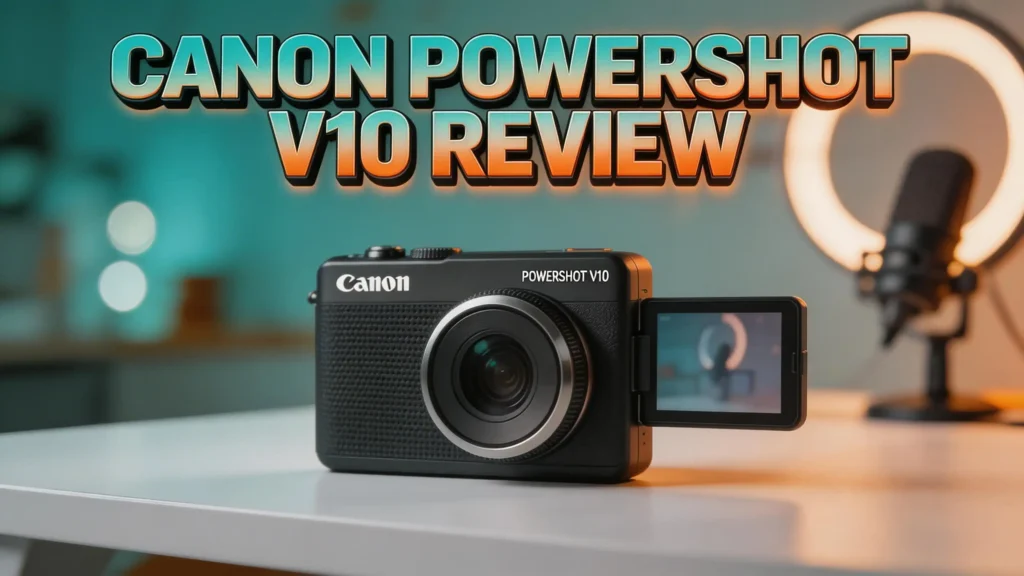
Key Takeaways
- The Canon PowerShot V10 features a 1-inch CMOS sensor and a fixed 19mm equivalent f/2.8 wide-angle lens. This combination delivers sharp 4K video and decent low-light results for a camera this small.
- Its vertical design sets it apart from every other vlogging camera on the market. The built-in 30-degree kickstand means you can place it on any flat surface and start recording instantly.
- Battery life remains a weakness. The non-removable battery delivers roughly 50 minutes of 4K recording. Heat buildup can shut the camera down even sooner during extended sessions.
- Audio quality from the built-in stereo microphones is surprisingly good. It captures clear, rich sound for a camera of this size.
- Autofocus uses a contrast-detection system instead of phase detection. This means occasional focus hunting, especially during fast movements.
- At its current price point in 2026, the V10 competes with options like the Sony ZV-1F, DJI Osmo Pocket 3, and Sony ZV-1 II.
Canon PowerShot V10 Overview

- Compact Powerhouse: Canon PowerShot V10 vlogging camera features a sleek, pocket-sized design;...
- Versatile Vlogging Camera: Incredible low-light capabilities with a 15.2-megapixel 1-inch...
The Canon PowerShot V10 launched in mid-2023 as Canon’s first purpose-built vlogging camera. Canon did not recycle an existing compact camera body. Instead, the company designed the V10 from the ground up. The result is a pocket-sized, vertically oriented camera that weighs just 7.4 ounces.
It measures about 3.5 by 2.5 by 1.4 inches. You can slide it into a jeans pocket without any trouble. The body uses a gunmetal gray plastic shell. Canon offers two color options: matte black or silver top plates.
At its core, the V10 packs a 20.1-megapixel 1-inch back-illuminated CMOS sensor. This sensor is far larger than what you find in most smartphones. It pairs with a fixed 6.6mm f/2.8 lens, which gives an equivalent focal length of 19mm for video. This makes it excellent for self-recording at arm’s length.
The camera records 4K video at 30fps and 24fps. It also shoots 1080p at up to 60fps. A 2-inch flip-up touchscreen, USB-C port, micro HDMI output, and 3.5mm mic input round out the package.
Design and Build Quality
The V10’s design is its strongest feature. Most vlogging cameras copy the traditional compact camera shape. The V10 breaks that mold completely. It uses a tall, narrow body that feels like holding a thick remote control or an old Flip Video camera.
This shape works brilliantly for handheld recording. Your fingers wrap naturally around the body. The large red record button sits right below the lens. You can start and stop clips easily whether you hold the camera facing you or away from you.
The integrated 30-degree kickstand folds out from the back. It turns any desk, table, or shelf into a recording station. This small detail removes the need for a tripod in many situations. It saves you money and bag space.
Build quality is adequate for the price. The plastic body does not feel premium, but it is light and sturdy enough for daily use. There is no weather sealing or water resistance, though. Keep this camera away from rain and dust.
Video Quality and Performance
The V10 delivers sharp, colorful 4K video that looks great on YouTube, Instagram, and TikTok. The 1-inch sensor captures more light and detail than smartphone sensors. You notice this gap most in low-light environments and scenes with high dynamic range.
Canon’s color science shines here. Skin tones look natural and warm. The camera renders greens and blues with a pleasing richness. You get 14 built-in color filters ranging from subtle to dramatic. Tasty Cool and Bright Amber are popular choices among content creators.
All footage records in H.264 format with 8-bit 4:2:0 color. You can choose between Standard and Light IPB quality. This is fine for social media and YouTube uploads. However, professional editors may want 10-bit color or a flat log profile. The V10 offers neither.
Digital stabilization is effective for walking shots. It does crop the frame slightly. You cannot use stabilization and skin smoothing at the same time, which is a frustrating limitation.
Audio Quality
Audio is a strong point for the Canon PowerShot V10. The two large stereo microphones sit on the top plate. They capture clear, detailed sound. Voices come through crisp and natural during indoor recordings.
Outdoor performance is solid too, though wind noise can be an issue. Canon does not include a windscreen in the box. You will need to buy one separately or pick up the SmallRig Cage Kit, which includes a windscreen and mounting accessories.
The camera also features a 3.5mm microphone input. This lets you connect external microphones like a Rode Wireless Go II lavalier system. If you record interviews or need better audio isolation, this port is essential.
For a camera this small, the built-in audio quality rivals or beats many larger cameras in its price range. It outperforms most smartphone microphones by a noticeable margin.
Top 3 Alternatives for Canon PowerShot V10

- Ultra-wide 20mm lens gets it all in the frame, even at arm’s length
- Large 1” sensor and F2 lens, for low-light and defocusing backgrounds

- Capture Stunning Footage - Osmo Pocket 3 features a 1-inch CMOS sensor and records in 4K resolution...
- Effortlessly Frame Your Shots - Get the ideal composition with Osmo Pocket 3's expansive 2-inch...

- Ultra-wide 18-50mm1 zoom lens gets it all in the frame
- Large 1.0-type sensor for professional results even in low-light
Autofocus System
The V10’s autofocus is functional but not outstanding. It uses a contrast-detection system rather than the faster phase-detection systems found in more expensive cameras. This means the camera sometimes hunts for focus during quick movements.
Face tracking works reasonably well. The camera locks onto your face and follows it across the frame. But it occasionally loses track and briefly shifts focus to the background. This “focus flutter” lasts only a moment, but it is noticeable in finished footage.
For product reviews, the V10 uses a movable focus box. You tap the screen to set your focus point. It works, but it lacks the dedicated product showcase mode that Sony includes in its ZV cameras. Sony’s system automatically shifts focus from your face to a product held in front of the camera.
In good light, autofocus is reliable for most situations. In dim conditions, it struggles more. If you need fast, consistent autofocus, the DJI Osmo Pocket 3 or Sony ZV-1 II are better choices.
Battery Life and Charging
Battery life is the V10’s biggest weakness. The built-in, non-removable battery delivers about 50 minutes of 4K recording in controlled tests. Real-world use often falls shorter than that.
Heat buildup is a real concern. During tabletop recording sessions, the camera can overheat and shut down after roughly 23 minutes of continuous 4K capture. Handheld recording generates even more heat because your palm adds warmth to the body.
You cannot swap in a fresh battery because the battery is sealed inside the camera. This means you must stop and recharge during long shoots. The good news is that USB-C charging is fast. A PD-rated charger fills the battery from near-empty to full in about 30 minutes.
For short vlogs, social media clips, and quick updates, the battery is adequate. For longer projects, you will need to plan around charging breaks. Carrying a portable power bank is a smart workaround.
Screen and User Interface
The V10 features a 2-inch touchscreen with 460k-dot resolution. It flips up over the top plate so you can monitor yourself while recording. The screen is small but functional.
Brightness is sufficient for most outdoor conditions. However, the display becomes invisible through polarized sunglasses when you turn the camera sideways for vertical video. This is a real annoyance if you wear polarized lenses regularly.
The user interface is simple and beginner-friendly. Out of the box, the camera defaults to automatic mode. You press the record button and the V10 handles exposure, focus, and white balance. A brightness slider lets you adjust exposure without diving into manual settings.
Touch controls are responsive. You can tap to set focus points, swipe through menus, and select color filters. Physical buttons on the back handle power, playback, and menu access. The combination of touch and buttons feels natural after a few minutes of use.
Connectivity and Streaming
The Canon PowerShot V10 offers solid connectivity options. It connects to smartphones via Bluetooth and Wi-Fi through the Canon Camera Connect app. The app is available for both Android and iOS devices.
You can transfer files wirelessly, use your phone as a remote control, and even live stream directly to Facebook, YouTube, or a custom RTMP URL. File transfers for 4K clips take a while. A 30-second 4K video takes about 2.5 minutes to send. A compressed 1080p transfer of the same clip takes only 30 seconds.
The USB-C port doubles as a webcam connection. The V10 supports UVC/UAC plug-and-play. You can connect it to your computer and use it in Zoom, Google Meet, or Microsoft Teams without installing any extra software. The wide-angle lens and stereo mic make it a capable webcam.
A micro HDMI output lets you send a clean video signal to an external recorder or monitor. This adds flexibility for more advanced setups.
Photo Quality
The V10 is a video-first camera. Its photo capabilities are limited but still usable. It captures 20.1-megapixel JPEG images with solid sharpness and good color reproduction.
Resolution tests show around 2,800 lines at f/4, which is strong for a 1-inch sensor compact. The 19mm equivalent lens captures wide scenes with natural-looking perspective. It works well for travel snapshots, environmental portraits, and group shots.
The camera offers only automatic exposure for photos. You cannot adjust aperture, shutter speed, or ISO manually for stills. There is also no Raw file support. This limits how much you can edit photos after the fact.
Colors tend to lean warm and saturated straight out of camera. There is only one color profile for photos, unlike the 14 video filters. If you need a dedicated photo camera, look elsewhere. But for quick social media images between video clips, the V10 is perfectly capable.
Skin Smoothing and Color Filters
Canon includes a Skin Smoothing feature that digitally softens wrinkles and blemishes. It operates at five intensity levels from +1 to +5. The default +3 setting is quite aggressive. It can make skin look unnaturally smooth, almost like a beauty filter on a phone app.
The +1 setting offers a subtle touch-up that looks more natural on camera. The +5 setting pushes the effect to an extreme that most creators will find too heavy. Experiment with the levels to find what works for your skin and lighting conditions.
One major limitation: you cannot use skin smoothing and digital stabilization together. This forces a frustrating choice. You either get smooth skin or stable footage, but not both at the same time.
The 14 video color filters provide creative flexibility. Options range from warm and cinematic (Bright Amber, Sepia Tone) to cool and modern (Clear Light Blue, Story Teal & Orange). The Retro Green filter creates a desaturated, vintage look that suits specific creative projects.
Who Should Buy the Canon PowerShot V10 in 2026?
The V10 is an excellent fit for beginner vloggers who want a step up from smartphone video. If you record short daily vlogs, YouTube updates, or social media clips, this camera delivers better image quality and audio than your phone.
It suits creators who value portability above all else. The pocket-friendly size and built-in kickstand make it ideal for travel vloggers, food bloggers, and lifestyle creators. You can grab it, flip out the stand, and start recording in seconds.
The V10 also works well as a secondary camera for established creators. Use it as a B-roll camera, a behind-the-scenes recorder, or a dedicated webcam for live streams and video calls.
However, it is not the right choice for everyone. If you need long recording sessions, swappable batteries, advanced autofocus, or professional color grading tools, other cameras serve you better. The DJI Osmo Pocket 3 offers superior stabilization. The Sony ZV-1 II offers zoom and better autofocus. Consider your priorities before buying.
Canon PowerShot V10 vs. Sony ZV-1F
These two cameras compete directly in the entry-level vlogging space. Both use 1-inch sensors and fixed wide-angle lenses. Both target content creators who want something better than a smartphone.
The V10 wins on design. Its vertical shape is more comfortable for handheld recording. The built-in kickstand is a genuine advantage over the ZV-1F, which often needs an external grip or tripod. The V10 is also lighter and more pocketable.
The ZV-1F fights back with a faster f/2.0 lens. This captures more light in dim conditions and produces stronger background blur. Sony also includes a Background Defocus button and S-Log support. These features matter for creators who want more creative control.
Autofocus performance is similar on both cameras. Both use contrast detection and occasionally hunt for focus. The V10 seems to drift slightly less often, but neither camera matches the autofocus speed of phase-detection systems.
Audio quality is close, with the V10 holding a slight edge thanks to its larger stereo microphones. Price-wise, the V10 typically costs less than the ZV-1F, giving it a value advantage in 2026.
Canon PowerShot V10 vs. DJI Osmo Pocket 3
This comparison pits two very different approaches against each other. The V10 is a traditional sensor-and-lens camera. The DJI Osmo Pocket 3 is a gimbal-stabilized camera with a 1-inch sensor mounted on a motorized 3-axis stabilizer.
The Pocket 3 wins hands down for stabilization. Its mechanical gimbal produces buttery-smooth footage during walking, running, and movement. The V10’s digital stabilization cannot compete with this level of smoothness.
The Pocket 3 also records 4K at up to 120fps, making it superior for slow-motion content. Its ActiveTrack face and subject tracking is faster and more reliable than the V10’s contrast-detection autofocus.
The V10 has advantages too. Its stereo microphones produce better audio. It offers a 3.5mm mic input that the Pocket 3 lacks in its base configuration. The V10 also works as a plug-and-play webcam, which the Pocket 3 does not support as easily.
Price is a factor. The DJI Osmo Pocket 3 costs significantly more. If budget is tight and you do not need gimbal-level stabilization, the V10 remains a strong choice.
Final Verdict: Canon PowerShot V10 Review 2026

- Compact Powerhouse: Canon PowerShot V10 vlogging camera features a sleek, pocket-sized design;...
- Versatile Vlogging Camera: Incredible low-light capabilities with a 15.2-megapixel 1-inch...
The Canon PowerShot V10 remains a smart entry point for vlogging in 2026. Its unique vertical design, built-in kickstand, excellent audio, and sharp 4K video make it a compelling package. For the price, few cameras offer this level of convenience and portability.
The weaknesses are real, though. Limited battery life, overheating during long sessions, and contrast-detection autofocus are genuine drawbacks. These issues have not changed since launch. If Canon releases a V20 with phase-detection autofocus and a larger battery, it could address every major complaint.
For now, the V10 earns a solid recommendation for casual and beginner content creators. It does exactly what it promises. It puts quality video and audio in your pocket. If you need more power, longer battery life, or advanced features, the Sony ZV-1 II or DJI Osmo Pocket 3 are worth the extra investment.
Frequently Asked Questions
Is the Canon PowerShot V10 good for YouTube in 2026?
Yes. The V10 records sharp 4K video with natural colors and clear audio. It handles short-form YouTube content, vlogs, and talking-head videos very well. For longer recordings, battery life may require you to charge between takes.
Can the Canon PowerShot V10 take photos?
The V10 captures 20.1-megapixel JPEG photos. Image quality is decent for social media posts and casual snapshots. However, it lacks Raw support, manual exposure for stills, and zoom capability. It is a video-first camera.
Does the Canon PowerShot V10 have image stabilization?
Yes. It offers digital stabilization for video. This mode crops the frame slightly but reduces shake during handheld recording. There is no optical image stabilization. You cannot use digital stabilization and skin smoothing at the same time.
How long does the Canon PowerShot V10 battery last?
The built-in battery provides about 50 minutes of 4K recording. Continuous recording may cause the camera to overheat and shut down after roughly 20 to 25 minutes. USB-C fast charging fills the battery in about 30 minutes.
Can I use the Canon PowerShot V10 as a webcam?
Yes. The V10 supports UVC/UAC plug-and-play over USB-C. You can connect it directly to a computer and use it in Zoom, Google Meet, Teams, and other video conferencing apps without installing additional software.
Is the Canon PowerShot V10 worth buying over a smartphone in 2026?
The V10 offers a larger sensor, better audio, and more consistent video quality than most smartphones. If you create regular video content and want a dedicated camera that fits in your pocket, it is a worthwhile upgrade. For occasional casual recording, your smartphone may be sufficient.

Hi, I’m Kate! As a tech journalist and gadget enthusiast, I’ve been exploring the intersection of artificial intelligence and consumer technology for over a decade. My passion lies in translating complex tech concepts into practical insights that actually matter to real people.
Last update on 2026-03-23 / Affiliate links / Images from Amazon Product Advertising API