HP M22f FHD Monitor Review 2026: Still Worth Buying?
The HP M22f FHD monitor has earned a strong reputation as a reliable budget pick for home offices, students, and casual gamers. It packs a 21.5 inch IPS panel, a 75Hz refresh rate, and AMD FreeSync support at a price that rarely climbs above $130.
In 2026, plenty of new monitors have entered the market, so the big question is whether the M22f still holds its ground.
This review breaks down its design, picture quality, performance, and real world value. By the end, you will know if this monitor fits your desk and your budget.
Key Takeaways
- The HP M22f offers a 21.5 inch Full HD IPS panel with sharp 1920×1080 resolution and 178 degree wide viewing angles.
- It supports a 75Hz refresh rate and AMD FreeSync for smoother visuals during light gaming and video playback.
- The monitor uses 300 nits brightness and a 99% sRGB color gamut, which works well for office tasks and content viewing.
- It includes HDMI 1.4 and VGA ports, but it lacks DisplayPort, USB hubs, and built in speakers.
- The price stays budget friendly, often between $90 and $130, making it ideal for first time buyers and dual monitor setups.
- Build quality feels light yet sturdy, with a 3 sided micro edge bezel and slim profile that suits modern desks.
What is the HP M22f FHD Monitor?

- Step up to the best: No matter where you stand, an HP IPS monitor delivers clear, vivid images. IPS...
- Share the panoramic view: Vibrant detail from practically any position with consistent color and...
Last update on 2026-07-24 / Affiliate links / Images from Amazon Product Advertising API
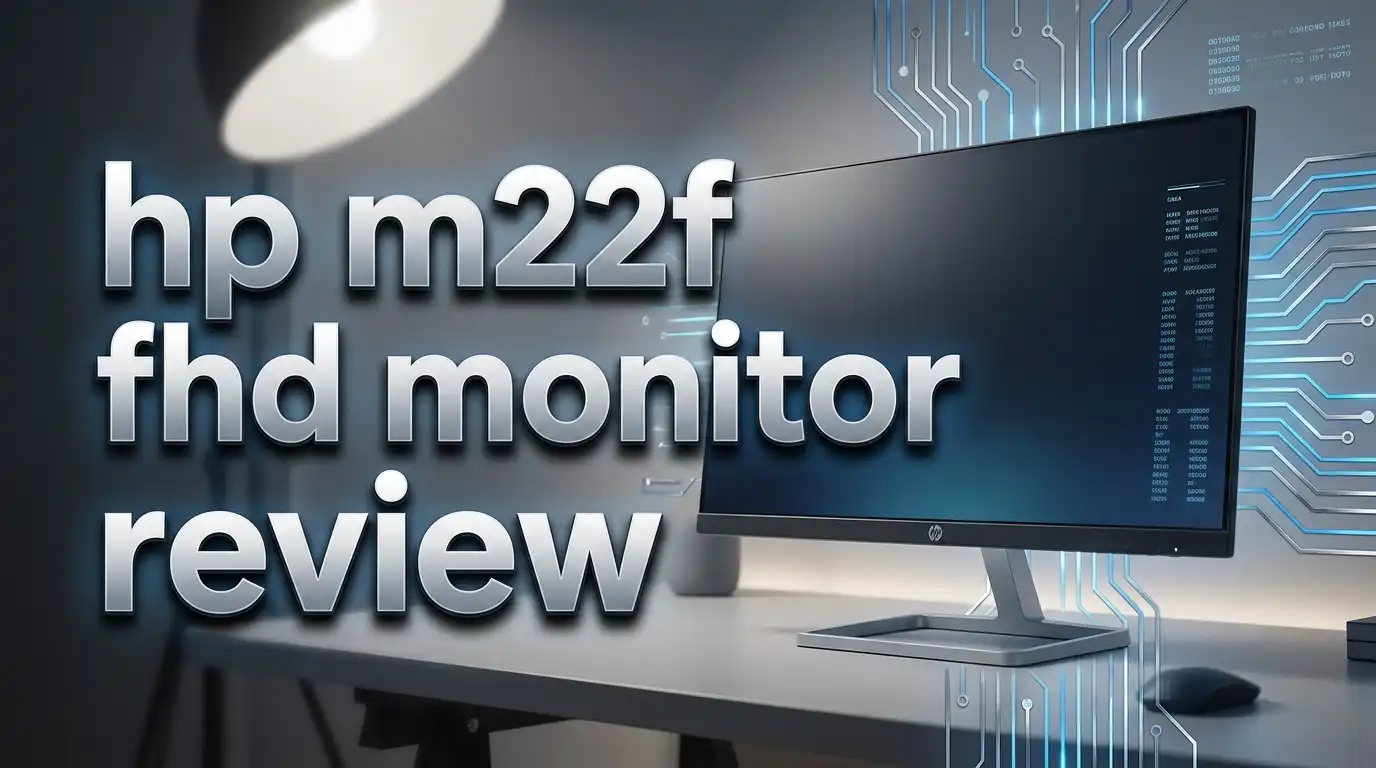
The HP M22f is a 21.5 inch Full HD monitor built for everyday computing. HP launched it as part of its M Series lineup, which targets home users, students, and small business owners. The screen offers a clean look with thin bezels on three sides and a small chin at the bottom.
It runs on an IPS panel, so colors stay accurate from any angle. The display delivers 1920 x 1080 resolution at a pixel density of 102 PPI. That is sharper than most 24 inch FHD monitors. The refresh rate goes up to 75Hz, which feels smoother than the standard 60Hz panels.
HP designed it for plug and play use. You connect it through HDMI or VGA, plug in the power cable, and start working in minutes. There are no software hassles or driver downloads needed.
Design and Build Quality
The HP M22f looks far more premium than its price suggests. The silver and black finish gives it a clean, modern feel that fits both home and office desks. The stand is small, so it does not eat up desk space.
The three sided micro edge bezel makes the screen look almost frameless. This design works great if you want to pair two M22f units side by side for a dual monitor setup. The thin bezels reduce visual gaps between displays.
It weighs only around 4.4 pounds, which makes it easy to move. The build uses sturdy plastic that does not flex or creak. The tilt range goes from negative 5 degrees to positive 25 degrees. There is no height adjustment, swivel, or pivot, but the included VESA mount support fixes that issue. You can attach it to any 100×100 mount.
Display and Picture Quality
The screen is the strongest part of this monitor. The IPS panel produces vivid colors and consistent brightness. HP claims 99% sRGB color coverage, which matches what most reviewers measured. That is great for photo editing, design previews, and video streaming.
Brightness peaks at 300 nits, which works fine in normal indoor lighting. The screen has an anti glare coating, so reflections are not a problem near windows. The contrast ratio sits at 1000:1 static, with a dynamic ratio of 10,000,000:1.
Text looks crisp at 21.5 inches. The 102 PPI pixel density keeps spreadsheets, code, and documents readable without scaling. Black levels are average for an IPS panel, but they hold up well during movies and dark gaming scenes. Color accuracy stays consistent even when you view the screen from the side.
Top 3 Alternatives for HP M22f FHD Monitor

- 24 inch Full HD (1920 x 1080) IPS display
- Ultra slim bezel. DAS Mode-Yes
Last update on 2026-07-24 / Affiliate links / Images from Amazon Product Advertising API

- Exceptional Visuals: Experience top-notch image quality with the FT45 Series 22-inch monitor...
- Sleek Bezel Design: Enjoy an immersive visual experience with an almost bezel-less design that...
Last update on 2026-07-24 / Affiliate links / Images from Amazon Product Advertising API

- IMPRESSIVE PICTURE QUALITY: The FT45 Series features an IPS panel for premium picture quality, with...
- ULTRA THIN BEZELS: Text and graphics are beautifully presented in a 3-sided bezel-less frame, so you...
Last update on 2026-07-24 / Affiliate links / Images from Amazon Product Advertising API
Refresh Rate and Gaming Performance
The HP M22f is not a gaming monitor, but it handles casual gaming better than most expect. The 75Hz refresh rate is a clear step up from 60Hz panels. Games feel smoother during scrolling and fast camera pans.
AMD FreeSync support helps reduce screen tearing and stuttering. If you pair the monitor with an AMD graphics card or a recent Nvidia GPU with FreeSync compatibility, the experience improves a lot. The supported FreeSync range runs from 48Hz to 75Hz.
The response time is rated at 5ms gray to gray, which is decent for an IPS panel at this price. Fast paced shooters may show slight motion blur, but story driven games, RPGs, and esports titles like Valorant or Rocket League run well at low to medium settings. For competitive gaming, you should consider a 144Hz panel instead.
Connectivity and Ports
The HP M22f keeps connectivity simple. You get one HDMI 1.4 port and one VGA port at the back. HDMI handles modern laptops and consoles, while VGA supports older office PCs. There is also a standard power connector.
The lack of DisplayPort, USB hub, and audio out is a clear limitation. If your laptop only has USB C or DisplayPort, you will need an adapter. There are no built in speakers either, so you must use external speakers or headphones plugged into your PC.
For most home users, this simple layout is enough. The HDMI port supports plug and play with most PCs, laptops, gaming consoles, and streaming devices. Cable management is easy because of the simple port count. Just route one HDMI cable and one power cord, and your desk stays clean.
Eye Comfort and Low Blue Light Mode
Long work hours can strain your eyes. HP added a low blue light mode to the M22f to ease this issue. You can turn it on through the on screen menu. It reduces blue light output, which helps during late night reading or long writing sessions.
The monitor also has flicker free technology. This means the backlight stays steady instead of flickering at low brightness levels. Reviewers report that eye fatigue is minimal even after eight hour work shifts.
The IPS panel adds another comfort layer. Wide viewing angles mean you do not have to sit perfectly centered. You can lean back, tilt your chair, or share the screen with a coworker without the colors washing out. The anti glare coating also reduces eye irritation in bright rooms. These features make the M22f a solid choice for students and remote workers who spend long hours staring at the screen.
Setup Process and Ease of Use
Setting up the HP M22f takes less than five minutes. The box includes the monitor, stand base, stand neck, power cable, and HDMI cable. You snap the stand together, attach it to the back of the panel, and tighten one screw.
Once you place it on the desk, you connect the power cable and HDMI cord. The monitor turns on automatically when it detects a signal. There is no driver disc, no app, and no account login needed.
The on screen menu uses physical buttons under the bottom bezel. The buttons are small but responsive. You can change brightness, contrast, color presets, and input source without trouble. The default settings look good for most users, so most people never touch the menu after setup. HP keeps things simple, which is why this monitor works great for older users or first time buyers.
Power Consumption and Energy Efficiency
The HP M22f is energy efficient for its size. It draws around 20 watts during normal use and less than 0.5 watts in standby mode. That is lower than many older 22 inch monitors and helps lower your power bill over time.
The monitor carries Energy Star certification. It also meets EPEAT environmental standards. HP uses recycled plastics in parts of the chassis, which appeals to eco minded buyers.
The LED backlight stays cool during use. There is no fan inside, so the monitor runs completely silent. After hours of use, the back panel feels only slightly warm. This low heat output is helpful in small rooms or shared workspaces. If you keep your PC running long hours, the M22f will not add much to your monthly electricity cost.
Who Should Buy the HP M22f?
The HP M22f fits a clear set of users. Students will love the low price and clear text rendering for note taking and online classes. Home office workers will appreciate the eye comfort features and the easy setup process.
Casual gamers who play story driven games, indie titles, or older AAA games will find 75Hz and FreeSync more than enough. The monitor also suits dual monitor setups because of its thin bezels and matching design.
It is not the best fit for competitive gamers, video editors, or designers who need 4K resolution or 144Hz refresh rates. If you need a monitor for Photoshop color grading or 3D rendering, look at higher end options. But if your daily tasks involve email, browsing, Zoom calls, Office apps, and light entertainment, the HP M22f hits a sweet spot in price and quality.
Pros and Cons of HP M22f
Every monitor has strengths and weaknesses. The HP M22f is no different. Here is a clear breakdown of what works and what does not.
Pros include the sharp IPS panel, accurate sRGB color coverage, and 75Hz refresh rate with FreeSync. The thin bezel design looks modern, and the low blue light mode protects your eyes. The price stays competitive, often under $130. VESA mount support adds flexibility for arm or wall mounting.
Cons include the limited port selection. There is no DisplayPort, USB hub, or audio out. The stand only tilts and does not adjust for height. There are no built in speakers, so you must use external audio. The 5ms response time is decent but not ideal for fast paced esports. Some users may also find the 21.5 inch size small if they are upgrading from a 24 inch or 27 inch panel.
HP M22f Price and Where to Buy
The HP M22f is available at most major retailers. You can find it on Amazon, Best Buy, Walmart, and the official HP store. The price ranges from $79 on sale to $139 at full price in 2026. Best Buy often runs deals around back to school season and Black Friday.
Amazon usually has the fastest shipping and the largest review pool for buyer confidence. The product comes with a standard one year HP warranty, which covers panel defects and hardware faults.
If you buy two units for a dual monitor setup, you can sometimes find bundle discounts at HP.com. Refurbished units are also available through HP Renew at lower prices. For most buyers, a new unit from Amazon or Best Buy offers the best balance of price, return policy, and warranty support.
Final Verdict on the HP M22f FHD Monitor
The HP M22f remains one of the best budget IPS monitors you can buy in 2026. It offers strong color accuracy, a 75Hz refresh rate, and FreeSync support at a price that beats most rivals. The build feels solid, and the low blue light mode makes long sessions comfortable.
It is not perfect. The lack of DisplayPort, no height adjustment, and no built in speakers hold it back from being a true all rounder. But these are expected trade offs at this price point.
If you need a reliable second screen, a student monitor, or a starter display for your home office, the HP M22f delivers solid value. It hits the basics right and skips the extras you may not need. For under $130, you get an IPS panel that punches above its weight class. The HP M22f earns a strong recommendation for budget buyers in 2026.
Frequently Asked Questions
Is the HP M22f good for gaming?
The HP M22f handles casual gaming well thanks to its 75Hz refresh rate and AMD FreeSync support. It is not built for competitive esports, but it runs most single player and indie titles smoothly. Fast paced shooters will show slight motion blur due to the 5ms response time.
Does the HP M22f have built in speakers?
No, the HP M22f does not include built in speakers. You will need to use external speakers, headphones, or your laptop’s speakers. The monitor also lacks a 3.5mm audio out jack, so audio must be routed through your PC.
Can I mount the HP M22f on a wall?
Yes, the HP M22f supports VESA 100×100 mounting. You can attach it to a monitor arm, desk mount, or wall mount. This adds flexibility since the included stand only offers tilt adjustment.
What is the refresh rate of the HP M22f?
The HP M22f has a 75Hz refresh rate, which is higher than the standard 60Hz on most budget monitors. It also supports AMD FreeSync between 48Hz and 75Hz for smoother visuals during gaming and video playback.
Does the HP M22f support HDMI?
Yes, the HP M22f includes one HDMI 1.4 port and one VGA port. The HDMI port supports HDCP, so you can stream protected content from services like Netflix and Disney Plus without issues.
Is the HP M22f good for office work?
The HP M22f is excellent for office work. The IPS panel delivers sharp text, the low blue light mode reduces eye strain, and the anti glare coating cuts reflections. The 21.5 inch size fits easily on most office desks.
How long is the HP M22f warranty?
HP offers a standard one year limited warranty on the M22f. This covers manufacturing defects and panel issues. Some retailers also offer extended protection plans for an extra fee at checkout.

Hi, I’m Kate! As a tech journalist and gadget enthusiast, I’ve been exploring the intersection of artificial intelligence and consumer technology for over a decade. My passion lies in translating complex tech concepts into practical insights that actually matter to real people.