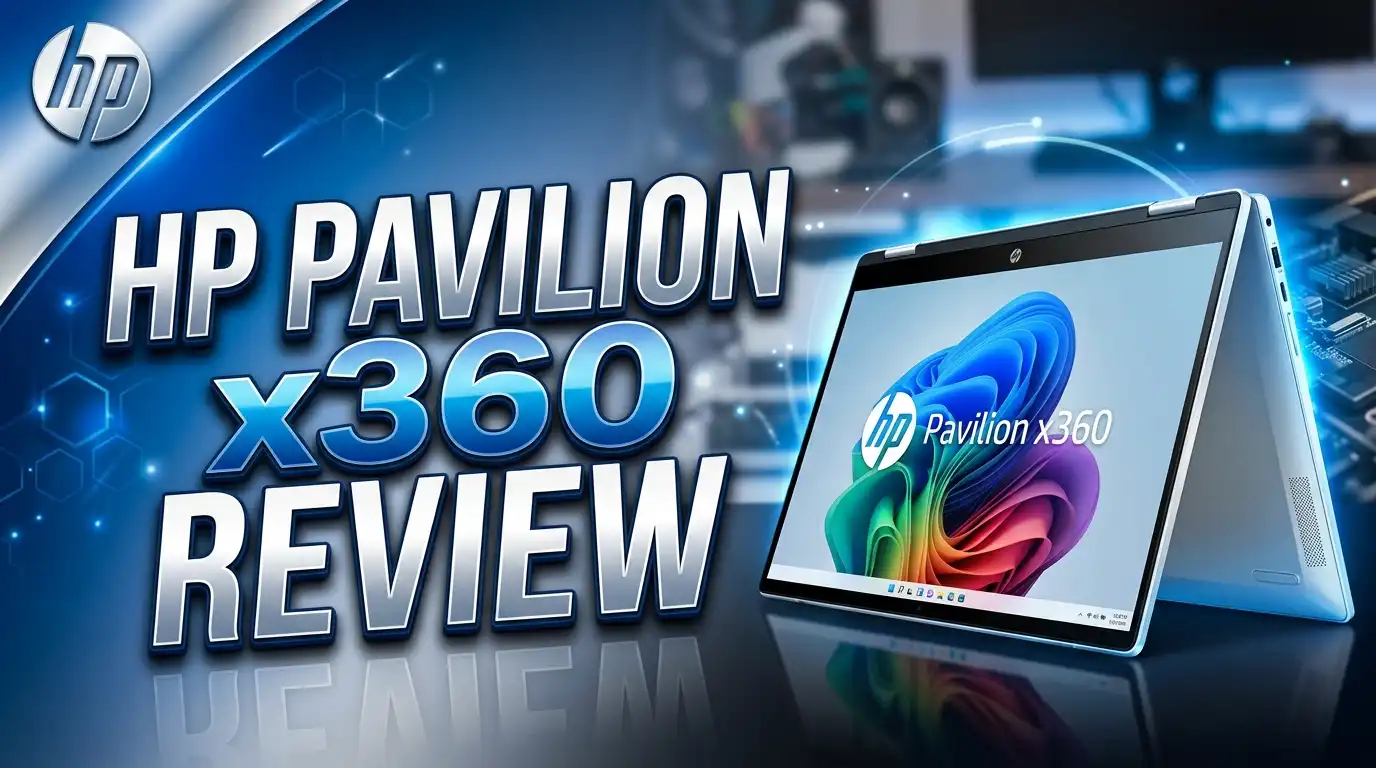
HP Pavilion x360 Review 2026: Best Budget 2-in-1 Laptop?
Are you looking for a laptop that works as both a productivity tool and an entertainment device without costing a fortune?
The HP Pavilion x360 has been a fan favorite for years, and in 2026, it still holds its ground as one of the most capable and affordable 2-in-1 convertible laptops on the market.
But does it truly deliver? We took a deep dive into its design, performance, display, battery life, and more to give you the most honest review possible.
Keep reading to find out if the HP Pavilion x360 deserves a spot in your bag in 2026.
In a Nutshell
- Versatile 360-degree hinge that lets you switch between laptop, tablet, tent, and stand modes easily, making it one of the most flexible budget laptops available today.
- 14-inch FHD IPS touchscreen with vibrant colors, wide viewing angles, and a responsive touch layer that works well with both fingers and a stylus pen.
- Intel Core 7 processor options with Intel Iris Xe Graphics provide enough power for everyday productivity, multitasking, light photo editing, and even casual gaming.
- Up to 11+ hours of battery life with HP Fast Charge technology that gets you to 50% in just 45 minutes, making it a reliable companion for long days.
- Sustainability-focused design using ocean-bound plastic and recycled materials, making it a thoughtful choice for eco-conscious buyers.
- Competitive pricing that makes this 2-in-1 one of the best value-for-money options in its category, especially for students and everyday users.
What Is the HP Pavilion x360?

- 【Processor】Intel Core 5 120U (10-Core) Processor, Microsoft Windows 11 Home.
- 【Graphics & Video】14" Touchscreen IPS Edge-to-Edge Glass Micro-Edge FHD (1920 x 1080) 300-Nits...
Last update on 2026-07-24 / Affiliate links / Images from Amazon Product Advertising API
The HP Pavilion x360 is a 2-in-1 convertible laptop that has been part of HP’s popular Pavilion lineup for many years. The device is built around a 360-degree rotating hinge that lets you flip and fold the screen into different positions depending on what you need.
It sits in the mid-range segment of the laptop market, offering a solid mix of features at a price point that does not break the bank. The 14-inch version is the most popular model, and it comes in several configurations with different processor, RAM, and storage options.
In 2026, the latest version ships with Intel Core 3, Core 5, or Core 7 processors, up to 16GB of RAM, and SSD storage up to 1TB. This makes it a genuinely capable machine for a wide range of everyday use cases.
HP has also updated the design with thinner bezels, a refreshed keyboard deck, and improved audio tuning in collaboration with Bang and Olufsen.
HP Pavilion x360 Design and Build Quality
The HP Pavilion x360 features a clean and modern design that looks premium despite its mid-range price tag. The laptop comes in a natural silver finish with a slim profile and a smooth aluminum lid that feels solid to the touch.
The 360-degree hinge is the star of the show. It operates smoothly without wobbling, and you can flip it all the way back to convert the device into a full tablet. The build feels sturdy and well-assembled, which is impressive for a laptop in this price category.
The chassis uses a mix of recycled plastic and aluminum, giving it a good balance between weight and durability. It weighs around 3.5 pounds, which is light enough to carry in a backpack without much discomfort.
The screen bezels are noticeably thin on three sides, giving it a modern look that helps maximize the display area. Overall, HP has done a great job making this feel like a higher-end product than its price suggests.
Top 3 Alternatives for HP Pavilion x360

- 🤖 Next-Gen Intel AI Performance: Powered by the Intel Core Ultra 5 226V processor with integrated...
- 🌟 Vivid 600-Nit OLED Display: 14" PureSight OLED (1920x1200) with 100% sRGB/P3, Dolby Vision, and...
Last update on 2026-07-24 / Affiliate links / Images from Amazon Product Advertising API
The Lenovo Yoga 7i 2025 is a premium 2-in-1 powered by Intel Core Ultra 5 226V with a stunning 600-nit OLED touchscreen display. It offers Wi-Fi 7, a longer battery life, and a more refined build. It costs more than the Pavilion x360 but delivers a noticeably sharper display experience.

- Display and Graphics:Experience visual brilliance and vivid clarity on this 14" LED-backlit IPS...
- Memory and Storage:Elevate your performance with 24GB of lightning-fast DDR5 SDRAM operating at...
Last update on 2026-06-03 / Affiliate links / Images from Amazon Product Advertising API
The Dell Inspiron 14 2-in-1 2025 is another strong alternative with a 1920×1200 IPS touchscreen, Intel Core 7 150U processor, and a solid build. Dell’s software ecosystem and customer support are well-regarded, making this a reliable choice for professionals and students alike.

- The elegant slate design lets this tablet fit comfortably in your hands
- 13" screen area is sufficient to showcase digital content
Last update on 2026-07-24 / Affiliate links / Images from Amazon Product Advertising API
The Microsoft Surface Pro 9 offers a premium tablet-first experience with a detachable keyboard. It is powered by Intel Core i7 and features a stunning PixelSense display. It is ideal for users who want a device that leans more toward tablet use with the option to attach a keyboard when needed.
HP Pavilion x360 Display Quality
The HP Pavilion x360 comes with a 14-inch Full HD (1920 x 1080) IPS touchscreen that delivers clear, bright, and colorful visuals. The display uses an anti-glare coating that reduces reflections, which is helpful when you are working near a window or under bright lighting.
Color accuracy is good for everyday use, covering a solid portion of the sRGB color space. Viewing angles are wide and consistent, meaning the image stays clear even when you tilt the screen significantly.
The touch response is fast and precise, which makes tablet mode and stylus input feel natural. HP’s micro-edge bezel design keeps the screen-to-body ratio high, making everything feel more immersive.
Brightness goes up to about 250 nits, which is adequate for indoor use but can feel a little dim in direct sunlight. For students, remote workers, and everyday users, the display checks all the right boxes without any glaring issues.
HP Pavilion x360 Performance and Processor
The HP Pavilion x360 ships with multiple processor options in 2026, including the Intel Core 3 100U, Core 5 120U, and Core 7 variants. The mid-range Core 5 model handles everyday computing tasks with ease, from browsing and document editing to video calls and streaming.
The Intel Iris Xe Graphics integrated into these processors handles light creative work surprisingly well. You can do basic photo editing in apps like Lightroom and even run light games without major issues.
With 16GB of RAM, multitasking stays smooth even when you have a dozen browser tabs open alongside productivity apps. The SSD storage options ensure fast boot times and quick file access, which makes day-to-day use feel snappy and responsive.
It is not a machine for heavy video editing or 3D rendering, but for the vast majority of users, the performance is more than adequate for the price.
HP Pavilion x360 Keyboard and Touchpad Experience
The HP Pavilion x360 features a full-size backlit keyboard that provides a comfortable typing experience with reasonable key travel and good tactile feedback.
The backlighting has two levels and works well in dim environments, making it a practical feature for late-night study sessions or flights.
The keyboard layout is standard and intuitive, with dedicated media keys and a number row that includes function shortcuts for brightness, volume, and screen toggle. The touchpad is generously sized and supports Windows multi-touch gestures smoothly.
Pinching to zoom, two-finger scrolling, and three-finger swipes all register accurately and feel natural. The touchpad surface has a smooth, matte texture that your fingers glide across easily.
One minor drawback is that the keyboard layout can feel slightly cramped on the right side, but this is a common trade-off for 14-inch laptops and is something most users adapt to quickly.
HP Pavilion x360 Battery Life and Charging
Battery life is one of the strongest selling points of the HP Pavilion x360 in 2026. HP rates the device at up to 11 hours and 15 minutes of battery life under typical usage conditions, and real-world testing confirms that you can comfortably get through a full workday on a single charge.
Streaming video, browsing, and light productivity will keep you going for around 8 to 10 hours depending on screen brightness and background tasks. HP Fast Charge technology is a standout feature, bringing the battery from zero to 50% in approximately 45 minutes.
This is a lifesaver when you forgot to charge overnight and need a quick top-up before heading out. The laptop charges via a barrel connector, and the included adapter is compact and easy to travel with.
Compared to similarly priced competitors, the Pavilion x360 holds its own very well in the battery department.
HP Pavilion x360 Audio Quality
HP has partnered with Bang and Olufsen to tune the speakers on the Pavilion x360, and the result is noticeably better audio than what you typically get on budget laptops.
The dual speakers fire downward through grilles on the bottom of the laptop, and while this is not ideal placement, the sound still projects well enough for personal use.
The audio profile is balanced, with clear mids and decent high frequencies that make voice-heavy content like podcasts, video calls, and YouTube videos sound clean. Bass is limited, as is expected from slim laptop speakers, but HP Audio Boost helps add some warmth to the sound.
For video calls and casual music listening, the speakers perform better than most competitors at this price point. If you need richer audio for movies or music, a pair of headphones or external speakers will always be the better choice, but you will rarely feel the need to reach for them during everyday tasks.
HP Pavilion x360 Ports and Connectivity
The HP Pavilion x360 offers a well-rounded selection of ports that covers most connectivity needs without requiring a dock or dongle for daily tasks. You get a USB Type-C port for data transfer and charging, two USB Type-A ports for older peripherals, an HDMI port for connecting to external displays, a headphone and microphone combo jack, and a microSD card reader.
Wi-Fi 6 support keeps wireless connections fast and stable even in crowded environments like coffee shops, offices, and university campuses. Bluetooth 5.0 is included for connecting wireless mice, keyboards, headphones, and other peripherals.
The USB-C port supports fast data transfer and can also be used for charging, which gives you flexibility with charging accessories. The only thing that feels missing is a Thunderbolt 4 port, which is understandable given the price point. Overall, the connectivity package on the Pavilion x360 is practical and sufficient for most users.
HP Pavilion x360 Webcam and Security Features
The HP Pavilion x360 includes an HP Wide Vision HD camera positioned at the top of the screen, along with dual-array digital microphones that help reduce background noise during video calls.
The camera captures at 720p resolution, which is standard for budget laptops and produces clear enough footage for Zoom, Teams, and Google Meet calls.
The microphones do a good job of picking up your voice clearly while minimizing ambient noise, which is helpful in noisy environments. However, the lack of a physical camera shutter is a minor concern for privacy-conscious users.
On the security front, the laptop does not include a fingerprint reader on all base configurations, which means some users will rely on PIN or password login unless they opt for a higher-tier configuration.
Windows Hello facial recognition is supported on models with the IR camera variant, offering a convenient and contact-free login option. HP also pre-installs McAfee Personal Security for added protection.
HP Pavilion x360 Sustainability and Environmental Credentials
HP has made a genuine commitment to sustainability with the Pavilion x360, and it shows in the materials and certifications attached to this laptop.
The speaker enclosure uses ocean-bound plastic, and the keyboard deck and bezel incorporate recycled plastic content, reducing the device’s overall environmental footprint.
The laptop carries an ENERGY STAR certification and is EPEAT Silver registered, which means it meets recognized standards for energy efficiency and responsible manufacturing. The packaging is made from recycled and recyclable materials, further reducing waste.
For buyers who care about the environmental impact of their tech purchases, these credentials make the Pavilion x360 a more conscientious choice than many of its competitors. It is a small but meaningful step from HP to make its mainstream laptops more responsible products.
HP Pavilion x360 Pros and Cons
Pros:
- Flexible 360-degree hinge with four useful usage modes that suit a wide range of tasks and environments.
- Good battery life of over 11 hours with HP Fast Charge support that tops up quickly in a short amount of time.
- Crisp FHD IPS touchscreen with wide viewing angles and responsive touch input for both finger and stylus use.
- Clean, modern design with thin bezels and a premium-looking finish that punches above its price class.
- Solid connectivity including Wi-Fi 6, Bluetooth 5.0, USB-C, HDMI, and a microSD card reader in one package.
Cons:
- Screen brightness peaks at around 250 nits, which may feel dim when used outdoors in bright sunlight.
- No fingerprint reader on base configurations, which limits quick biometric login to higher-spec models.
- The downward-firing speakers, while tuned well by B&O, could benefit from a better placement for louder sound projection.
- No Thunderbolt 4 support, which may matter for users who work with high-speed docking stations or external GPUs.
Who Should Buy the HP Pavilion x360?
The HP Pavilion x360 is a great fit for a specific type of user, and knowing whether you match that profile will help you make the right decision. It is an ideal laptop for students who need a versatile device that handles note-taking, research, online classes, and entertainment all in one.
Remote workers and home office professionals who need a reliable machine for productivity tasks, video calls, and document work will find this laptop completely capable. The touchscreen and pen support also make it appealing to casual creative users who like to sketch, annotate documents, or interact with apps in a tablet-like way.
Frequent travelers will appreciate the lightweight build and strong battery life. If you are a power user who needs to run heavy software like 3D rendering tools, professional video editing apps, or high-end gaming, you will likely want to look at a more powerful machine. But for everyone else, the Pavilion x360 delivers tremendous value.
Is the HP Pavilion x360 Worth Buying in 2026?
After a thorough review of everything the HP Pavilion x360 has to offer, the answer is a confident yes for most buyers. It delivers a strong combination of versatility, performance, display quality, and battery life at a price point that makes it accessible to a wide audience.
No laptop at this price is perfect, and the Pavilion x360 has a few trade-offs like limited screen brightness and the absence of a fingerprint reader on base models. But these are minor issues compared to the overall value this machine offers.
HP has refined the Pavilion x360 year after year, and in 2026, it remains one of the smartest purchases you can make in the budget 2-in-1 laptop category.
If you want a capable, flexible, and well-built laptop without spending a premium price, the HP Pavilion x360 deserves serious consideration.
Frequently Asked Questions
Is the HP Pavilion x360 good for students?
Yes, the HP Pavilion x360 is an excellent laptop for students. It offers a versatile 360-degree hinge for tablet-style note-taking, a responsive touchscreen, long battery life, and solid everyday performance at an affordable price. The lightweight build also makes it easy to carry between classes.
Does the HP Pavilion x360 support a stylus pen?
Yes, the HP Pavilion x360 is compatible with the HP MPP 2.0 Tilt Pen, which is sold separately. The touchscreen supports natural writing and drawing, making it useful for digital note-taking, sketching, and annotating documents.
How long does the HP Pavilion x360 battery last?
HP rates the Pavilion x360 at up to 11 hours and 15 minutes of battery life. In real-world usage with mixed tasks like browsing, streaming, and productivity work, most users can expect between 8 and 10 hours on a single charge.
Can the HP Pavilion x360 run games?
The HP Pavilion x360 can handle light and casual gaming thanks to Intel Iris Xe Graphics. It is not designed for demanding AAA titles, but games like Minecraft, Stardew Valley, and older titles run fine. For serious gaming, a dedicated GPU laptop would be a better choice.
What is the difference between the HP Pavilion x360 and HP Envy x360?
The HP Envy x360 sits above the Pavilion x360 in HP’s lineup. The Envy x360 typically offers a more premium build quality, better display options including OLED, higher-end processors, and more features like a built-in fingerprint reader. The Pavilion x360 is more budget-friendly and targets everyday users, while the Envy x360 is aimed at more demanding users.
Does the HP Pavilion x360 come with Windows 11?
Yes, the HP Pavilion x360 ships with Windows 11 Home pre-installed. It also comes with a 30-day trial of Microsoft 365, giving you access to Word, Excel, PowerPoint, and other productivity apps right from the start.
Is the HP Pavilion x360 good for video calls and remote work?
Yes, the HP Pavilion x360 handles video calls well. The HP Wide Vision HD camera paired with dual-array digital microphones provides clear video and reduced background noise during Zoom, Teams, or Google Meet calls. Wi-Fi 6 also ensures a stable and fast wireless connection for remote work.

Hi, I’m Kate! As a tech journalist and gadget enthusiast, I’ve been exploring the intersection of artificial intelligence and consumer technology for over a decade. My passion lies in translating complex tech concepts into practical insights that actually matter to real people.