Google Nest Cam Indoor Review: Live Up To The Hype?
Want a smart way to watch your home? The Google Nest Cam Indoor might be your answer. This little camera packs big features into a sleek design.
It offers 2K HDR video for sharp, clear pictures. You get a 145 degree field of view, so you see more of your room at once.
Night vision helps you keep watch even in the dark. The camera also supports 2 way audio, so you can talk to family or pets from anywhere.
What makes this camera stand out? Its AI powered alerts spot people and animals right away. Plus, new Gemini AI integration lets you search your camera history with ease.
It also connects smoothly with Google Home, so voice control is just a command away.
Curious if this camera fits your smart home needs? Let’s explore its features, performance, and how it compares to other options. We will help you decide if this device deserves a spot in your home.
In a Nutshell
Here is a quick summary of what you need to know about the Google Nest Cam Indoor.
- Wide Coverage: The camera offers a 145 degree field of view. This helps you see more of your room without blind spots.
- Smart Recognition: It uses face recognition to tell familiar faces from strangers. This adds an extra layer of awareness to your home.
- Gemini AI Search: You can search through your recorded history using Gemini AI. Finding a specific moment becomes quick and easy.
- Subscription Needed: Many advanced features need a subscription plan. Without it, you miss out on the camera’s full potential.
- No Color Night Vision: Night vision works well, but it stays in black and white. Some rivals now offer color options after dark.
- Response Time Concerns: Some users report slow response times during live viewing. This can be frustrating during urgent moments.
- Wired and Steady: This model relies on a wired connection for constant power. It also stores up to 10 days of continuous recording.
Overall, this camera blends smart features with a sleek look. Just weigh the subscription needs before you decide.
Video Quality and Resolution
The Google Nest Cam Indoor delivers sharp, detailed video that captures every important moment in your space. The 2K HDR video recording means you get crisp images with excellent color accuracy and contrast. This resolution works great for identifying faces, reading expressions, and spotting details from across the room.
The 145 degree field of view covers a wide area without needing multiple cameras. You see more of your room with one device, which makes monitoring easier and more practical for most homes.
When darkness falls, the night vision kicks in automatically. The camera switches to infrared mode and keeps recording clearly. You’ll notice the video becomes black and white at night, which is standard for this type of technology. The low light performance is solid, so you won’t miss activity even in dim conditions.
One thing to know: the video quality depends on your internet speed. A strong WiFi connection ensures you get the best possible image. Slow internet can cause pixelation or lag during playback.
The camera records continuously when plugged in, thanks to its wired power connection. This means you get 10 days of continuous 24/7 recording capability stored in the cloud. You can rewind and review footage from the past week and a half without gaps.
The AI processing enhances your footage too. The system analyzes video in real time to detect people and animals. This smart analysis helps reduce false alerts from shadows or moving plants.
For live viewing, the app streams video directly to your phone. You can watch what’s happening right now or pull up recorded clips anytime. The interface is straightforward, so checking your camera takes just a few taps.
Overall, the video quality meets the needs of most homeowners who want clear, reliable indoor monitoring.

- Meet the smarter, sharper wired Google Nest Cam Indoor; with 2K HDR video and Gemini, it knows what...
- With an Advanced subscription to Google Home Premium, know more about what’s happening with...

Last update on 2026-10-26 / Affiliate links / Images from Amazon Product Advertising API
Design and Installation
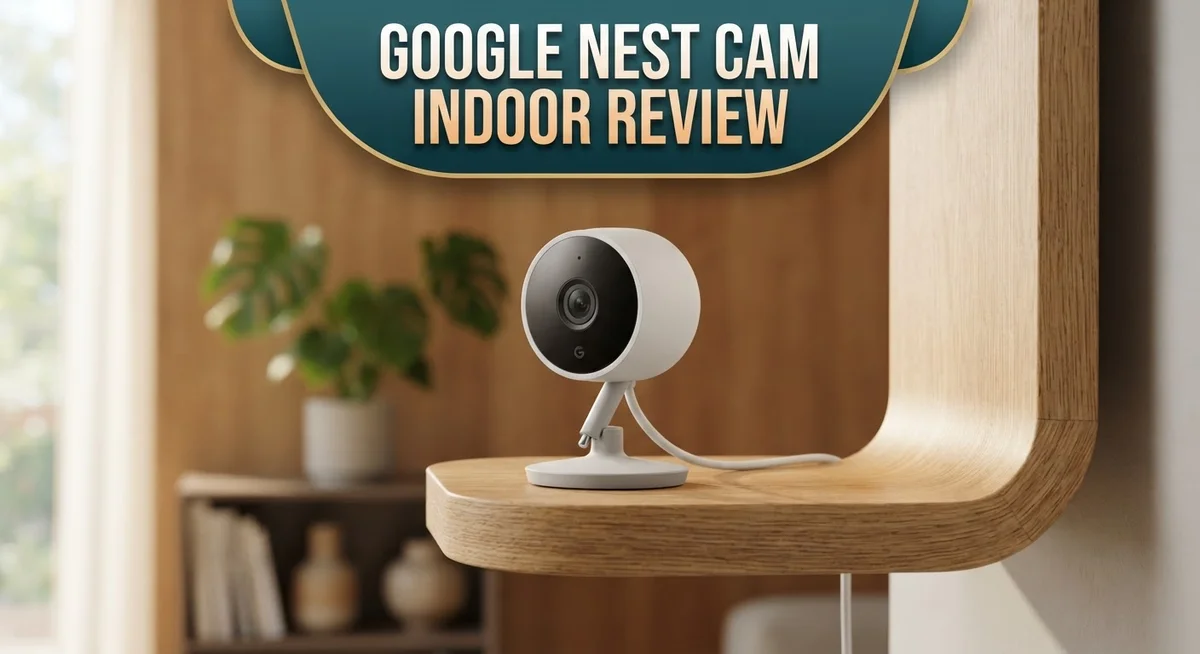
The Google Nest Cam Indoor features a modern, compact design that blends seamlessly into any room. Its sleek white finish and small profile mean it won’t dominate your shelf or desk. You can mount it on a wall or place it on a flat surface without drawing attention.
The installation process is straightforward. You don’t need special tools or technical skills to get started. Simply plug the camera into a power outlet near your desired location. The wired connection ensures constant power and stable operation. No batteries to replace or charge.
Next, download the Google Home app on your phone. Open the app and add a new device. The camera will appear in your setup options. Follow the on screen prompts to connect it to your WiFi network. The whole process typically takes just a few minutes.
Once connected, position the camera to capture the area you want to monitor. The 145 degree field of view gives you broad coverage, so you won’t need multiple angles in most rooms. Adjust the viewing angle by rotating the camera base if you’re using it on a surface.
The wired design means you’ll need an outlet within reach of your desired location. This is the main installation consideration. Plan your setup around available power sources in your home. Some users run the cable along baseboards or through cable management solutions for a cleaner look.
Google Home integration happens automatically once setup is complete. Your camera syncs with your other smart home devices right away. Voice commands let you access live video through your speakers or displays. The camera pairs smoothly with your existing Google ecosystem, whether you use Nest speakers, smart displays, or other Google devices.
AI Features and Smart Detection
Google Nest Cam Indoor uses artificial intelligence to understand what’s happening in your space. The camera doesn’t just record video. It actively identifies people, animals, and other motion to send you smart alerts.
Face recognition is one of the standout AI features here. The camera learns who lives in your home and who visits. When a stranger appears, you get notified right away. This means fewer false alarms about family members moving around.
The Gemini AI integration changes how you search your footage. Instead of scrolling through hours of video, you can ask questions. Want to find when your package arrived? Ask Gemini. Need to see when your pet knocked over a plant? Search for it instantly. This searchable history saves you real time.
Person and animal detection work automatically. The camera distinguishes between a person walking through your living room and your dog running past. You choose which alerts matter to you. Some users want notifications for people only. Others prefer to know about animals too. You control these settings in the app.
The AI processing happens on Google’s servers, not on the camera itself. This means the camera sends video data to process detections. Your internet connection matters here. Faster speeds mean quicker alerts and smoother AI responses.
Response times can vary based on your setup. Some users report delays between what happens and when you get notified. Network speed and server load both affect this timing. In real world use, most alerts arrive within seconds, though some take longer.
The AI learns your home’s patterns over time. It gets better at spotting what’s normal and what’s unusual. This learning process means fewer irrelevant alerts as weeks pass. The more the camera watches, the smarter it becomes about your specific space.
Top 3 Alternatives
Wyze Cam v3

- 1080p Color Night Vision: See more clearly at night in full color. An improved sensor and lens lets...
- Indoor/Outdoor Home Security Camera: Capture moments indoors and outdoors with IP65 weather...
Last update on 2026-10-26 / Affiliate links / Images from Amazon Product Advertising API
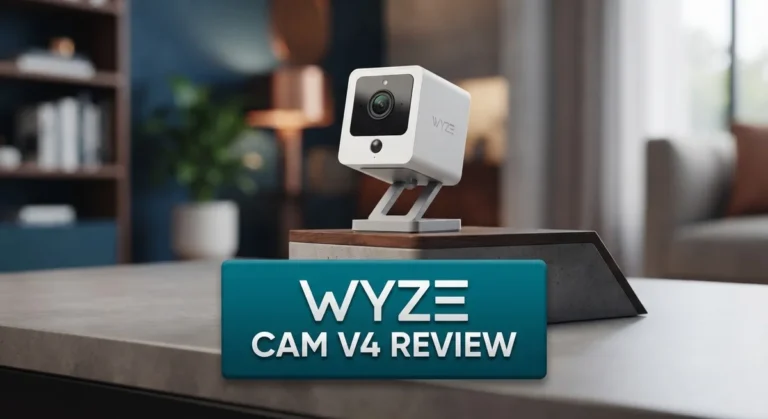
The Wyze Cam v3 offers clear night vision with its advanced infrared technology. You get a 1080p resolution that captures sharp details during the day and night. The camera includes two-way audio, so you can speak through it and hear what’s happening in your space.
This camera works with your smartphone app for live viewing from anywhere. It supports cloud storage and local storage options, giving you flexibility. The motion detection feature sends alerts to your phone when activity occurs.
Arlo Essential Indoor

- Leave No Blindspots with Plug-In Pan & Tilt: 2K indoor security to monitor your furry friends in...
- Custom Alerts That are Important to You: Create specific notifications when your dog jumps on the...
Last update on 2026-10-26 / Affiliate links / Images from Amazon Product Advertising API
The Arlo Essential Indoor delivers reliable monitoring with its 1080p HD video quality. The camera offers color night vision, which means you see details even in low light instead of just black and white footage.
Two-way talk lets you communicate through the device. The motion and sound detection features work together to catch important events. You can integrate this camera with other smart home systems easily.
Logitech Circle View

- Circle View is an easy to use, motion detection based (non-continuous video) home security camera...
- Featuring best-in-class Logitech TrueView video with 180° field-of-view optics and 1080p HD so...
Last update on 2026-10-26 / Affiliate links / Images from Amazon Product Advertising API
Logitech Circle View provides simple setup and straightforward operation. The 1080p video captures what you need to see with good clarity. Night vision works automatically when the room gets dark.
The camera sends notifications to your phone when it detects motion. You can save video clips to the cloud or review them in the app. The magnetic mount makes placement quick and easy without complicated installation steps.
All three options give you solid indoor security with different features that match various needs and preferences.
Night Vision and Low-Light Performance
The Google Nest Cam Indoor performs admirably in low light environments. The camera switches to night vision mode automatically when darkness falls. You get clear, monochrome footage that lets you see what matters most in your space.
The infrared sensors work efficiently. They illuminate the area without drawing attention. Objects remain visible even in complete darkness. The contrast is strong enough to identify people and distinguish between different activities happening in your room.
Black and white imagery is the standard here. The camera does not offer color night vision. This means you lose color information when lighting drops. Most homeowners find this acceptable for security purposes. You can still identify faces, movements, and objects clearly.
Low light performance depends on several factors. Your room’s ambient light plays a role. Windows, hallway lights, and nearby lamps all affect the image quality. The camera performs best when some light exists in the space. Pure darkness produces the sharpest results from the infrared system.
The 2K HDR capability helps during twilight hours. This feature captures more detail during dim lighting conditions. Shadows appear less harsh. Bright spots don’t wash out important details. This technology bridges the gap between daylight and full darkness nicely.
One thing to remember: internet speed affects your viewing experience. When you check the live feed on your phone, the app streams video directly. A slow connection may cause lag or reduced quality. This matters more during night viewing when you need immediate clarity.
The continuous recording works around the clock. Your wired connection ensures the camera stays powered. This means night vision recording happens automatically every single night. You never miss activity in darkness.
The AI features work during low light too. Person and animal detection continue functioning. Face recognition processes the footage. These intelligent alerts help you stay informed about what happens when you’re not watching.
Integration with Google Home and Voice Control
The Google Nest Cam Indoor connects directly to your Google Home ecosystem. This means you get seamless voice control right out of the box. Simply say commands like “Hey Google, show me the living room” and the camera feed appears on any compatible display.
Voice commands work for multiple actions. You can ask Google to turn recording on or off, adjust settings, or get a quick status update. The integration feels natural because everything speaks the same language within your Google Home setup.
Live viewing through voice is particularly useful when you’re busy. You don’t need to unlock your phone or open an app. Just speak, and your smart display shows what the camera sees instantly.
The Google Home app serves as your command center. You manage all camera settings from one place alongside your other smart home devices. Notifications come through the same app, so alerts don’t get lost in different platforms.
Multiple user access makes household management easier. Family members can view the camera feed, receive alerts, and control settings based on permissions you set. Everyone stays informed about what happens in your home.
Automation routines work with this camera too. You can create rules like “when I leave home, start recording” or “turn on notifications during nighttime hours.” These routines run automatically without you lifting a finger.
The voice control system understands context. If you have multiple Nest cameras, Google knows which one you’re asking about based on your phrasing. This prevents confusion and saves you time.
Compatibility extends beyond Google devices. The camera works with other smart home platforms through IFTTT integration. This flexibility means you’re not locked into Google’s ecosystem alone.
Response times for voice commands are generally quick. Your smart display updates within seconds of your request. This responsiveness makes the experience feel intuitive and natural.
Subscription Model and Pricing
Google Nest Cam Indoor requires a subscription to unlock its most powerful features. The subscription model works like this: basic cloud storage and recording come free, but advanced capabilities need a paid plan.
The free tier gives you live viewing and basic alerts. You can access your camera through the Google Home app anytime. Two-way audio works without paying extra. However, cloud recording and AI-powered detection require an upgrade.
The paid subscription unlocks continuous 24/7 recording capability. This means your footage stays safe in the cloud for up to 10 days. You don’t lose important moments if something happens while you’re away. The AI features like person and animal detection also activate with a subscription.
Google offers different subscription tiers to fit various needs. Some plans cover one camera, while others protect your entire home setup. You can cancel anytime, so there’s no long-term commitment required. The subscription renews monthly unless you pause it.
Gemini AI integration comes exclusively with paid plans. This feature lets you search your video history using natural language. Instead of scrolling through footage manually, you simply ask what happened. The searchable history makes finding specific moments incredibly fast.
Many users feel the subscription model creates frustration. The camera itself performs well, but accessing core features requires ongoing payments. Some competitors offer better free options, which influences purchasing decisions. Others find the subscription worthwhile for the AI capabilities and cloud storage.
You should consider how many cameras you plan to install. Single camera subscriptions cost less than whole home plans. If you have multiple rooms to monitor, bundled subscriptions offer better value. Think about whether continuous recording matters for your security needs.
The subscription system integrates smoothly with Google Home. Payments process automatically through your Google account. You manage everything from one dashboard, making it simple to track active subscriptions and switch plans when needed.
Pros and Cons
Pros
- AI detects people and animals automatically, so you get smart alerts instead of every shadow
- Gemini AI lets you search your video history using plain language instead of scrubbing through hours of footage
- Setup takes minutes with no special tools or professional installation needed
- The 145 degree field of view captures most of your room without blind spots
- Voice commands through Google Home let you check live feeds hands free
Cons
- Advanced features like continuous 24/7 recording require a paid subscription beyond the camera purchase
- Night vision only shows black and white footage, not color
- Some users report slow response times when triggering live views or receiving alerts
- The subscription pricing model feels restrictive compared to competitors offering more in their free tier
Who Should Buy It
This camera works best for people who want smart home security without complexity. If you live in an apartment or smaller home, the 145 degree field of view covers most rooms effectively. You get clear visibility without installing multiple cameras everywhere.
Families benefit greatly from this setup. Parents can check on kids, pets, or babysitters from anywhere. The two way audio lets you communicate instantly. Voice commands through Google Home make checking feeds quick and hands free when your hands are full.
You should consider this camera if you already use Google Home devices. The integration feels natural and seamless. You control everything from one app. If you’re invested in Google’s ecosystem, adding this camera makes sense.
Renters find this option appealing because setup requires no drilling or permanent installation. The wired connection means you just plug it in near an outlet. You can take it with you when you move.
People who want AI powered alerts will appreciate the automatic detection system. It spots people and animals, then sends you smart notifications. You skip the frustration of false alerts from shadows or leaves.
However, this camera isn’t ideal if you need color night vision. The black and white footage works fine for most situations, but some users want more detail in darkness. If that matters to you, look elsewhere.
Skip this if you dislike subscriptions. Advanced features require a paid plan. The free tier gives you live viewing and basic alerts, but continuous recording and Gemini AI search need an upgrade. You should budget for ongoing costs beyond the initial purchase.
This camera fits people who value simplicity and integration over maximum features. You get reliable performance, smart alerts, and easy setup. If those priorities match your needs, this camera delivers solid results.
Final Verdict
The Google Nest Cam Indoor stands out as a strong pick for anyone who wants smart home security. Its clean design and sharp video quality make it easy to trust in any room.
Reliability matters most for a security camera, and this device delivers steady performance most of the time. A few users noticed lag, but daily use remains smooth for most buyers.
If you already own Google Home gadgets, this camera fits right into your setup. It talks to your other devices without extra hassle or confusing steps.
Competitors exist, and some cost twice as much for similar features. This camera holds its own against pricier rivals by offering solid video quality and smart alerts.
Gemini AI integration adds real value for tech lovers who want a smarter way to review footage. This feature alone can make the camera worth exploring further.
Still, some limits exist. The lack of color night vision might bother buyers who want full detail after dark. Response delays during peak moments could frustrate those who need instant alerts.
This camera works well for casual home monitoring rather than high stakes security needs. Think of it as a helpful extra set of eyes, not a full security system replacement.
Simplicity wins here. Setup takes minutes, and the design blends into any space without fuss. That ease of use often outweighs small technical hiccups for everyday users.
In short, this camera suits people who value a smooth experience over a long list of extra features. It handles the basics well and adds smart touches that many will appreciate.
Choose this camera if you want simple, smart monitoring that connects easily with your existing smart home. Skip it if you need flawless night color or lightning fast alerts every single time.
Frequently Asked Questions
Does the Google Nest Cam Indoor work with my existing smart home setup?
Yes, it integrates smoothly with Google Home devices. You can use voice commands to view live feeds, arm or disarm recording, and receive alerts. If you use other Google services, the camera syncs automatically. Non-Google devices may face compatibility limits, so check your specific system first.
What happens if my internet goes down?
The camera stops streaming and recording. It needs a constant wired connection to function. Without internet, you lose access to live views and cloud storage. Local backup options are limited, so a reliable connection matters for this device.
Can I use this camera outdoors?
No. This model is rated for indoor use only. Outdoor conditions like rain, extreme heat, and humidity will damage it. Google makes separate outdoor cameras if you need external monitoring. Keep this one inside your home.
How much storage do I get for recorded footage?
The camera offers 10 days of continuous 24/7 recording capability with a paid subscription. Without a subscription, you get limited cloud storage for clips and snapshots. The searchable history feature powered by Gemini AI works best with an active plan. Check your subscription tier to see exact storage limits.
Is the night vision good enough to see faces?
Night vision captures clear black and white footage. You can identify people and objects, but faces appear less detailed than in daylight. The camera lacks color night vision, so nighttime footage looks grayscale. For facial recognition features, better lighting helps the AI perform more accurately.

Hi, I’m Kate! As a tech journalist and gadget enthusiast, I’ve been exploring the intersection of artificial intelligence and consumer technology for over a decade. My passion lies in translating complex tech concepts into practical insights that actually matter to real people.