
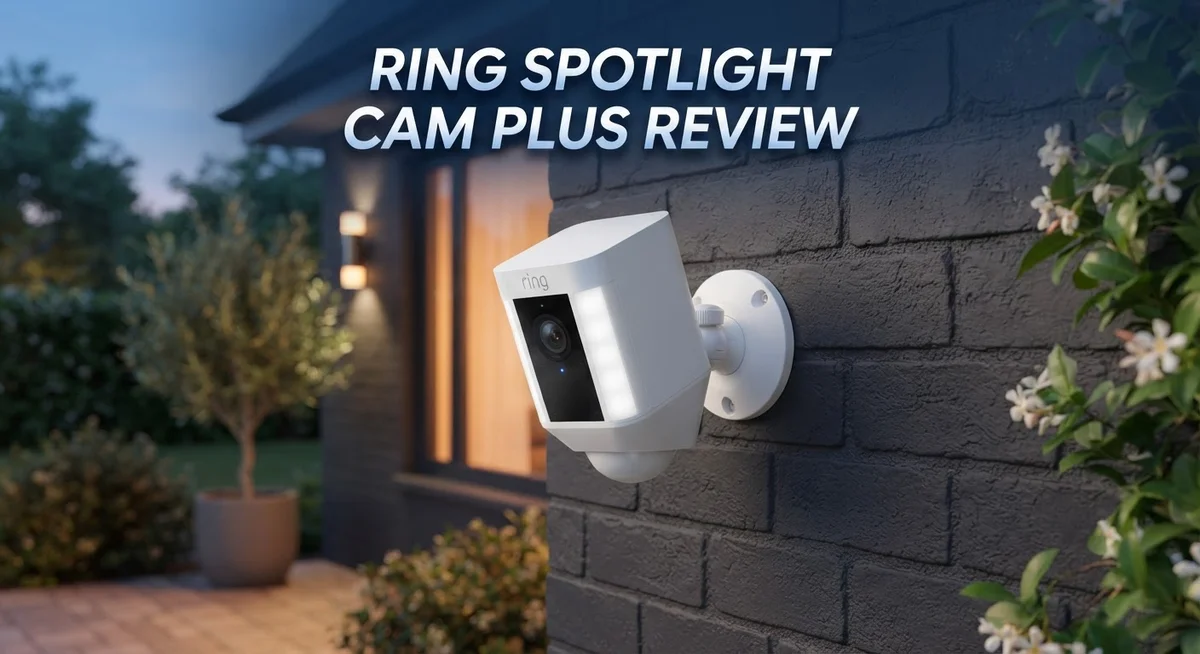
Ring Spotlight Cam Plus Review 2026: Should You Try This?
Home security matters. You want to see who is at your door. You want clear video, day or night.
The Ring Spotlight Cam Plus promises to deliver that. It offers 1080p video and ultra bright LED night vision. This camera works both indoors and outdoors. It runs on a rechargeable battery, so you skip messy wires.
But does it truly stand out? Many smart cameras flood the market today. Some buyers report battery life issues. Others miss support for HomeKit or Google Assistant.
This review digs into real performance. We look at video quality and installation ease. We also check battery reliability and app performance.
You deserve a camera that works when you need it. We compare the Spotlight Cam Plus to top competitors like Google Nest and Reolink. You will learn where this Ring camera shines. You will also learn where it falls short.
By the end, you will know if this camera fits your home. Let’s explore what makes the Ring Spotlight Cam Plus worth considering.
In a Nutshell
- Sharp 1080p video captures clear footage, even in low light.
- Ultra bright LEDs boost night vision, so you spot activity after dark easily.
- Installation stays simple. Most owners set up the camera in just a few minutes.
- Battery life sparks mixed reviews. Some enjoy long stretches, while others recharge more often.
- This camera skips HomeKit and Google Assistant integration, so Apple and Google users face limits.
- You must pair it with Ring Protect for cloud storage, since there is no on board memory.
- The maker warns against cleaning the lens directly, which may affect long term durability outdoors.
- The 2 pack bundle lets you cover multiple doors or corners at once.
- Next to Google Nest, this camera handles the basics well but lacks advanced package detection AI.
- App glitches surface sometimes, yet regular updates aim to smooth out those hiccups.
Key Features and Specifications
The Ring Spotlight Cam Plus gives you a solid foundation for home security with 1080p video resolution. This clarity level lets you identify faces and details during daylight hours. When the sun sets, the ultra bright LED system kicks in to illuminate your property without relying on infrared alone.
The camera runs on a rechargeable battery, which means you skip the hassle of running wires to your entry points. Both indoor and outdoor mounting work, giving you flexibility in placement. You can position it above a doorway, on a side gate, or near a window.
One standout feature is the 2 pack option. This bundle lets you protect multiple zones at once. Cover your front door and back patio simultaneously without buying separate units.
The wireless design sounds convenient, but battery longevity sparks real concern among users. Some report weeks of solid performance. Others drain their batteries in days. This inconsistency depends on activity levels, temperature, and how often the LEDs activate. You should expect to recharge every few weeks under normal use, though heavy motion detection may speed this up.
Storage presents another consideration. The camera has no on board memory. All footage goes to the cloud, which requires a Ring Protect subscription. This adds an ongoing cost beyond the camera itself. Without it, you lose access to recorded events.
Smart home integration has limits here. The Spotlight Cam Plus skips HomeKit and Google Assistant support. If you use Apple or Google ecosystems, you cannot control this camera through those platforms. You must use the Ring app exclusively.
One quirk worth noting: the manufacturer warns against direct lens cleaning. Aggressive scrubbing or harsh chemicals can damage the optical surface. Gentle wiping only, or consider leaving it as is.
Compared to Google Nest cameras, the Spotlight Cam Plus handles basic monitoring well. It lacks advanced AI features like package detection. For straightforward motion alerts and clear footage, it performs. For intelligent scene recognition, you may want alternatives.

- Look in anytime – Watch over your home or business day or night in wide-angle, 1080p HD video with...
- Stop intruders in their tracks – With 2 motion-activated LED spotlights that turn on when they...

Last update on 2026-10-24 / Affiliate links / Images from Amazon Product Advertising API
Video Quality and Night Vision Performance
The Ring Spotlight Cam Plus delivers crisp 1080p video that captures clear details during daylight hours. You get good color accuracy and sharp edges on faces and objects. The resolution holds up well for identifying visitors at your door or tracking movement across your yard.
Night vision performance stands out as a major strength. The ultra bright LED lights activate automatically when darkness falls. These LEDs flood your entry area with light, which means you see activity clearly without relying solely on infrared. Many users praise how visible the footage becomes after sunset. The brightness level helps deter potential intruders too, since the lights signal an active camera presence.
However, the night vision quality depends heavily on LED brightness rather than advanced sensor technology. Google Nest cameras use superior low light sensors and AI processing to capture details with less artificial lighting. If you prefer a more natural night vision approach, competitors may serve you better.
The camera’s video feed stays smooth during playback. You can zoom and pan through the app without noticeable lag. Footage clarity remains consistent whether you review clips from earlier today or last week.
One practical concern emerges with outdoor durability. The manufacturer warns against direct lens cleaning, which limits your maintenance options. Dust and dirt buildup over time could gradually reduce video quality. You must use extreme care when wiping the lens, if you clean it at all.
Battery life directly impacts video consistency. The rechargeable battery powers the camera, but user reports vary widely. Some owners report solid performance over weeks, while others see rapid drain. This inconsistency means your night vision LEDs may consume power faster than expected, especially if they activate frequently.
The camera also requires Ring Protect cloud service for video storage and playback. Without this subscription, you lose access to recorded footage. This means night vision footage only exists temporarily unless you pay for cloud backup.
Overall, the Spotlight Cam Plus handles basic night monitoring competently through bright LED lighting. The 1080p resolution captures usable details after dark. Yet the lack of advanced low light sensors and the cleaning restrictions present real limitations for long term outdoor use.
Installation and Setup
Getting the Ring Spotlight Cam Plus up and running takes minimal effort. The wireless design means you avoid drilling holes or running power cables through your walls. Most users report the process feels straightforward and quick.
Mounting the camera happens in just a few steps. You pick a location near your entry point, use the included bracket, and secure it with the provided screws. The bracket adjusts to point the lens exactly where you need it. No special tools or technical knowledge required.
The battery installation is equally simple. Ring includes a rechargeable battery pack that slides into the camera body. Once inserted, you connect the camera to your home Wi-Fi network using the Ring app. The app walks you through each step with clear prompts and visual guides.
Pairing with your phone takes under five minutes. Download the Ring app, create or log into your account, and select “Add Device.” The app searches for your new camera and connects it to your network. You’ll then set up motion detection zones and customize notification settings directly in the app.
One helpful tip: position your camera within 20 to 30 feet of your Wi-Fi router. A weak signal can cause connection drops or delayed alerts. If your router sits far from your entry point, consider a Wi-Fi extender to strengthen the signal.
Testing the camera comes next. The app lets you view the live feed, test the two way audio, and trigger the LED lights manually. This ensures everything works before you finalize placement.
The setup process feels user friendly for most people. However, some users report occasional app glitches during the initial connection. If your camera fails to connect, try restarting both your router and phone. Ring’s support team offers live chat help if you hit any snags.
Battery charging happens through a USB cable included in the box. Ring recommends charging the battery fully before first use. Depending on activity levels, you’ll recharge every few weeks to a few months.
Top 3 Alternatives
Wyze Cam Spotlight

- Crystal Clear 2K HD + Color Night Vision: Capture and stream video in vivid 2K HD clarity, even in...
- 160° Wide-Angle View + 270° PIR Motion Detection: Upgraded camera and sensors give you double the...
Last update on 2026-10-24 / Affiliate links / Images from Amazon Product Advertising API
The Wyze Cam Spotlight works well if you want a simple security camera with a bright light. It connects to your WiFi and sends alerts to your phone when motion happens. The spotlight turns on automatically to scare away intruders or help you see what’s outside. You can watch live video anytime from your smartphone. The camera records in 1080p, which gives you clear footage. Installation is easy since you just mount it on your wall or corner. The app lets you adjust settings quickly without confusion.
Reolink PoE Spotlight

- INCREDIBLE 12MP UHD IMAGE -- Mind-blowing 12MP PoE home security camera system becomes affordable...
- FULL COLOR NIGHT VISION -- The Spotlight of the 12MP outdoor surveillance cameras enables a full...
Last update on 2026-10-24 / Affiliate links / Images from Amazon Product Advertising API
The Reolink PoE Spotlight uses Power over Ethernet, meaning one cable handles both power and data. This setup reduces clutter and looks cleaner on your wall. The camera delivers 4K video quality, so you catch more details in your footage. It works 24/7 without WiFi issues since it connects directly to your network. You get reliable performance even during bad weather. The spotlight feature is powerful and reaches far distances. This camera suits people who want professional-grade security without complicated setup steps.
Logitech Circle View

- Circle View is an easy to use, motion detection based (non-continuous video) home security camera...
- Featuring best-in-class Logitech TrueView video with 180° field-of-view optics and 1080p HD so...
Last update on 2026-10-24 / Affiliate links / Images from Amazon Product Advertising API
Logitech Circle View offers smart home integration that works with popular systems like Apple HomeKit and Google Home. You control the camera through voice commands or your phone app. The camera records video continuously and stores it in the cloud. Night vision works automatically when it gets dark outside. Two-way audio lets you talk to people through the camera. The design looks modern and fits most home styles. This option works best if you already use smart home devices and want everything connected together.
Battery Life and Power Management
The Ring Spotlight Cam Plus runs on a rechargeable battery system, which eliminates the need for hardwired power connections. This wireless approach offers genuine convenience for homeowners who want flexible camera placement. You simply charge the battery using the included USB cable whenever it depletes.
Battery life remains the most talked about concern with this camera. Some users report solid longevity that stretches several weeks between charges, while others experience noticeably shorter intervals. This inconsistency stems from several factors that affect real world performance.
LED brightness consumes significant power. The ultra bright night vision LEDs drain your battery faster than passive infrared sensors would. If you keep the LEDs running constantly or live in an area with frequent motion alerts, expect more frequent charging sessions. Heavy usage patterns directly shorten your time between charges.
Weather conditions also play a role in battery performance. Cold temperatures reduce battery efficiency, meaning winter months may require more frequent charging. Sunny locations with minimal motion alerts typically see longer battery intervals compared to high traffic areas.
Ring offers a charging dock accessory that simplifies the recharge process. Instead of removing the battery entirely, you can dock the camera to charge it in place. This setup keeps your security running while allowing you to power up the battery simultaneously.
Motion sensitivity settings impact battery drain significantly. Higher sensitivity levels trigger more frequent recordings, which consumes additional power. Adjusting these settings to match your actual security needs helps extend battery life between charges.
The camera continues recording during battery operation without interruption. You won’t experience downtime while waiting for a charge, unlike some competing systems. This reliability matters when protecting your home during peak activity hours.
Monitoring your battery level through the Ring app keeps you informed about remaining runtime. The app sends notifications before the battery reaches critical levels, giving you time to plan a charging session. This proactive approach prevents unexpected camera downtime that could compromise your security coverage.
Cloud Storage and Smart Home Integration
The Ring Spotlight Cam Plus connects exclusively to Ring’s ecosystem. This means you get access to Ring’s cloud storage features and app controls. However, HomeKit and Google Assistant support are not available, which limits smart home flexibility for users invested in those platforms.
Cloud storage works through Ring Protect, a subscription service that stores your video footage. Without this subscription, your camera cannot save recordings to the cloud. The camera has no local storage or SD card slot, so cloud access becomes mandatory if you want to keep footage beyond live viewing.
The Ring app handles all your camera management. You can view live feeds, adjust motion detection settings, and receive alerts through your phone. The app also lets you control LED brightness and check battery levels. Some users report occasional app lag or connectivity hiccups, though these issues vary by network quality.
Integration with other Ring devices works smoothly. If you own Ring doorbells or other Ring cameras, they all connect through the same app and ecosystem. This creates a unified monitoring experience across multiple locations. Automation features let you set rules based on time of day or motion detection patterns.
Smart home compatibility remains limited compared to competitors. Google Nest cameras work with Google Home and offer superior AI features like package detection. Aqara cameras integrate with Apple HomeKit for iOS users. The Spotlight Cam Plus focuses primarily on Ring’s own ecosystem without these broader smart home connections.
Battery status updates arrive through the Ring app in real time. You receive notifications when battery levels drop below certain thresholds. This helps you plan charging sessions before your camera goes offline. The app also shows recent activity clips and lets you adjust detection zones for different areas.
For users already committed to Ring products, the cloud storage integration feels natural and straightforward. For those using other smart home platforms, the lack of compatibility becomes a significant drawback. Your choice depends on whether Ring’s ecosystem matches your existing smart home setup.
Pros and Cons
Pros
- Crystal clear 1080p video captures fine details during day and night monitoring
- Ultra bright LED lights illuminate dark areas without needing infrared, so you see colors at night
- Wireless setup means no drilling or electrical work required anywhere on your property
- Battery lasts weeks between charges for most users under normal conditions
- Works seamlessly with other Ring devices you may already own
Cons
- Battery life varies wildly depending on LED usage and weather, leaving some owners frustrated
- Ring Protect subscription is mandatory for cloud video storage and playback
- No support for HomeKit or Google Assistant limits smart home flexibility
- App occasionally freezes or fails to load live footage, creating frustrating delays
- Manufacturer specifically warns against cleaning the lens, which collects dust and reduces image quality over time
Who Should Buy It
The Ring Spotlight Cam Plus works best for homeowners who already use Ring products. If you own Ring doorbells, chime systems, or other cameras, this device fits naturally into your setup.
You should buy this camera if you want easy wireless installation. No electrician visits. No drilling into walls. Mount it anywhere outdoors in minutes and start monitoring immediately.
This camera suits people who prioritize clear nighttime video. The ultra bright LEDs show colors at night instead of grainy infrared footage. You see faces, license plates, and details clearly after dark.
Consider this model if you’re comfortable with cloud storage subscriptions. Ring Protect is mandatory for saving and replaying videos. You’ll need an active subscription to use the footage later.
The Spotlight Cam Plus appeals to users who don’t need smart home flexibility. If you only use Ring devices and skip Google Assistant or HomeKit, this limitation won’t bother you. However, if you want voice control through Alexa or Google, this camera still works but has fewer integration options than competitors.
You’re a good fit if battery maintenance doesn’t stress you. Check the Ring app regularly. Recharge when needed. Some users report weeks between charges. Others charge more frequently depending on LED usage and weather. This unpredictability matters if you forget maintenance tasks.
This camera makes sense for people who want a secondary monitoring solution. Use it alongside your Ring doorbell or as extra coverage for side yards and back patios. It complements existing Ring systems well.
Skip this camera if you demand on device storage or local recording options. Everything goes to the cloud. No footage saves locally on the device itself.
Don’t buy this if you want HomeKit or Google Assistant support. You’ll feel frustrated with limited smart home options. Competitors offer better ecosystem compatibility.
The Ring Spotlight Cam Plus shines for Ring loyalists who value wireless convenience and excellent night vision. It’s less ideal for people building mixed brand smart home systems or those seeking maximum integration flexibility.
Final Verdict
The Ring Spotlight Cam Plus delivers what it promises. You get clear video, simple setup, and reliable night vision. These basics work well for most homes.
This camera fits a specific type of buyer. If you already own Ring devices, this camera slots right into your setup. Your existing routine stays the same.
Battery performance remains the biggest question mark. Some users praise the long charge cycles. Others report quick drain, especially in cold weather or high traffic areas. Your results may vary based on your location and usage habits.
Think about your smart home goals before buying. This camera stays locked into the Ring ecosystem. If you use Alexa, that connection feels natural. If you rely on Google Assistant or Apple HomeKit, you will hit a wall here.
Storage is another factor to weigh. This camera skips onboard storage completely. All your footage depends on cloud access through a subscription plan.
Compare this camera against real alternatives before deciding. Google Nest cameras offer smarter AI features like package detection. Reolink and Aqara give you more flexibility with storage options. UniFi models target users who want advanced network integration.
Cleaning care matters too. The manufacturer warns against typical cleaning methods. Harsh weather or dust buildup could shorten your camera’s lifespan without proper care.
Who should walk away with this camera? Homeowners who want straightforward outdoor monitoring will find good value here. Renters who need a temporary, wireless solution also benefit from easy installation.
Who should look elsewhere? Buyers who want deep smart home integration need different options. Users demanding local storage without subscriptions should also skip this model.
Every camera involves tradeoffs. The Ring Spotlight Cam Plus focuses on core security functions rather than smart features. It handles basic monitoring tasks well.
Your final decision depends on your priorities. Match your needs against these strengths and limits. That comparison will guide you toward the right choice for your home.
Frequently Asked Questions
Does the Ring Spotlight Cam Plus work without a Ring Protect subscription?
The camera records video, but you won’t be able to save or watch it later without Ring Protect. Cloud storage requires the subscription. Local storage options don’t exist on this model, so the subscription becomes essential for keeping footage.
Can I use this camera with Apple HomeKit or Google Home?
No. The Spotlight Cam Plus only works with Ring’s ecosystem. HomeKit and Google Assistant support are not available. If you rely on these platforms, you’ll need to look at other brands instead.
How often do I need to recharge the battery?
Battery life depends on LED usage and weather conditions. Some owners report weeks between charges. Others see much shorter periods, especially if the LEDs run constantly. Cold weather and frequent motion detection drain the battery faster. You should expect to recharge every few weeks on average, but results vary widely.
Is the video quality good enough for identifying people?
Yes. The 1080p resolution captures clear details during the day and night. The ultra-bright LEDs illuminate the area well, making faces and license plates visible. The nighttime performance is one of the camera’s strongest features.
What happens if I try to clean the camera?
The manufacturer warns against standard cleaning methods. You risk damaging the lens and electronics. Gentle wiping with a soft cloth is safer than using water or cleaning products. Check the manual before attempting any maintenance.

Hi, I’m Kate! As a tech journalist and gadget enthusiast, I’ve been exploring the intersection of artificial intelligence and consumer technology for over a decade. My passion lies in translating complex tech concepts into practical insights that actually matter to real people.