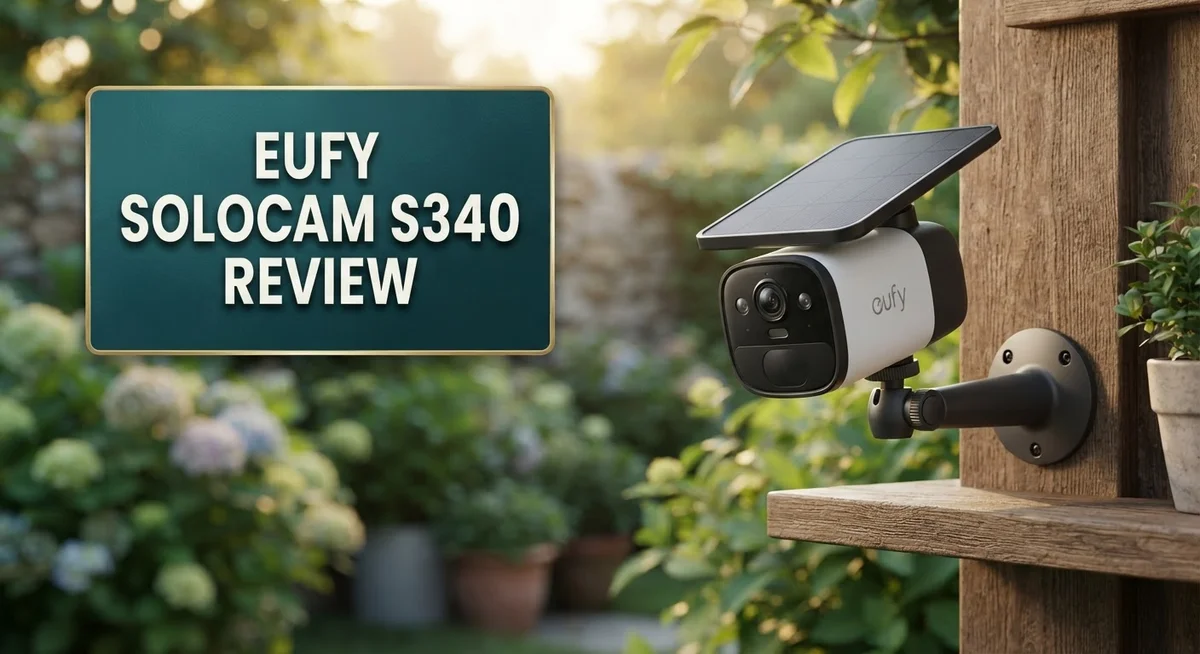
Eufy SoloCam S340 Review 2026: Should You Buy This?
Want a home security camera that watches every angle? The Eufy SoloCam S340 might be your answer.
This camera packs dual lenses and 360° pan/tilt coverage. It leaves no blind spots around your home.
The S340 captures sharp 3K resolution video. With 8× hybrid zoom, you can spot details from far away.
This camera earned an “Excellent” rating from PCMag. Rapid Reviews gave it a solid 4.5 out of 5 stars.
But does it truly deliver on all these promises? We tested the Eufy SoloCam S340 to find out.
This review covers everything you need to know. We explore its features, performance, and a few drawbacks too.
By the end, you will know if this camera fits your home. Let’s jump into the details together.
In a Nutshell
Here is the quick rundown of what makes the Eufy SoloCam S340 stand out and where it falls short.
- No monthly fees. You get onboard AI and local storage without paying extra for cloud plans.
- Smart zoom power. The 8x hybrid zoom and f/1.6 aperture help capture clear details even in low light.
- Reliable range. This camera picks up motion within a 40 to 50 foot range around your home.
- Simple app control. The companion app makes setup and daily navigation genuinely easy for most users.
- Motion tracking works well. Pan and tilt speed keeps pace with movement, so you rarely miss a moment.
- Winter weak spot. Solar charging and battery life can dip in cold weather, so plan backup power for winter months.
- Browser access is limited. Windows users may find fewer viewing options compared to the mobile app experience.
- Mechanical limits exist. The pan/tilt system has some physical constraints that affect full coverage in tight spaces.
Compared to alternatives like Google Nest or other Eufy models such as the E30 and E42, the S340 holds its own with strong AI features and flexible power options.
Key Features and Specifications
The Eufy SoloCam S340 combines dual camera technology with impressive pan and tilt capabilities. This setup gives you 360 degree coverage without blind spots around your property.
The camera records in 3K resolution, which means sharper details than standard 1080p systems. You see faces, license plates, and package labels with real clarity. The f/1.6 aperture works hard in dim lighting conditions, so dusk and dawn footage stays usable.
8x hybrid zoom lets you magnify distant objects without losing image quality. This feature proves useful when you need to inspect something far from the camera’s position. The 135 degree field of view captures wide areas, reducing the number of cameras you might otherwise need.
Power management stands out as a major strength. The camera runs on solar panels plus rechargeable batteries, so you skip running cables to your home. This combination keeps the camera active year round in most climates. You simply mount it and let the sun do the work.
Local storage protects your privacy. Footage stays on the device instead of uploading to cloud servers. The onboard AI analyzes video directly on the camera, detecting people, vehicles, and packages without sending raw data elsewhere.
Connectivity uses direct Wi Fi, meaning the camera talks to your phone and home network without needing extra hubs. Setup happens through the companion app, which users consistently praise for its straightforward design.
Motion tracking automatically follows movement across your yard. The pan and tilt motors respond quickly, so the camera keeps subjects centered in frame. This reduces the chance of missing important activity.
The 40 to 50 foot capture range covers most residential lots effectively. You get useful detail at this distance, not just vague shapes. The combination of zoom, aperture, and resolution makes distant monitoring practical.
No monthly subscription fees apply. You get all core features without recurring charges, making this a complete system right out of the box. The camera balances performance with simplicity, delivering solid security coverage for homeowners who want straightforward operation.

Last update on 2026-10-24 / Affiliate links / Images from Amazon Product Advertising API
Video Quality and Camera Performance
The Eufy SoloCam S340 delivers impressive image clarity in real world conditions. The 3K resolution captures fine details like facial features and license plates from 40 to 50 feet away. This level of sharpness makes a real difference when you review footage later or need to identify someone.
Low light performance stands out as a genuine strength. The f/1.6 aperture pulls in plenty of light during dusk and dawn hours. You get usable video even when outdoor lighting fades, which most budget cameras struggle with. The 8x hybrid zoom helps you read details without grainy, pixelated results.
Motion tracking works smoothly in practice. The pan and tilt motors respond quickly to movement across your yard. The camera follows action without jerky pauses or lag. This means you capture complete footage of visitors, packages, or animals instead of partial clips.
The 135° field of view eliminates common blind spots. Combined with 360° pan/tilt coverage, you monitor your entire property without gaps. The dual camera setup ensures you catch activity from multiple angles without switching between devices.
Color accuracy remains consistent throughout the day. Daytime footage shows natural whites and skin tones. Night mode activates automatically and produces clear black and white video. You can identify people and objects reliably instead of seeing blurry silhouettes.
One limitation appears during extended cloud cover or winter months. Solar charging slows significantly, which affects battery performance over time. Users in darker climates may need to manually charge the battery more often than those in sunny regions.
The onboard AI processes video locally, so motion detection triggers happen instantly. You receive alerts quickly without waiting for cloud processing. This speed advantage means faster response times when something happens at your home.
Overall, the S340 produces video quality that matches or exceeds cameras costing significantly more. The combination of sharp 3K resolution, reliable low light performance, and responsive motion tracking makes this camera a practical choice for homeowners who want clear, detailed footage without complicated setup processes.
Power and Installation
The Eufy SoloCam S340 runs on a dual power system that sets it apart from wired alternatives. You get both solar panels and a rechargeable battery built into the unit. This combination means you skip the hassle of running cables through your walls or across your yard.
Solar charging happens automatically during daylight hours. The battery stores energy so the camera keeps working at night and on cloudy days. Most users report solid performance during spring and summer months when sunlight is abundant.
Winter performance dips noticeably. Extended cloud cover and shorter days reduce solar output significantly. The battery drains faster in cold weather, which is a real limitation if you live in a climate with harsh winters. You may need to manually recharge the battery more often during these periods.
Installation takes just a few minutes for most homeowners. The camera mounts directly to your wall, roof, or fence without requiring an electrician. You attach the bracket, slide the camera into place, and secure it with the included hardware. No special tools needed.
Connecting to Wi-Fi happens through the Eufy app on your smartphone. The camera communicates directly with your home network, so you don’t need a separate hub or base station. The app walks you through each step with clear prompts and visual guides.
Positioning matters for solar efficiency. Point the solar panel toward the south in the Northern Hemisphere to maximize charging. Shade from trees or buildings reduces solar intake, so choose a location with good sunlight exposure.
The camera powers on immediately after installation. You can start viewing live footage and adjusting settings right away. Pan and tilt controls respond instantly through the app, letting you aim the camera exactly where you need it.
Battery status displays in the app so you know when recharging is needed. The whole setup process typically takes under 15 minutes from unboxing to live monitoring. No technical experience required.
Top 3 Alternatives
Reolink Argus 3 Pro

- 5MP SUPER HD & COLOR NIGHT VISION: With 2560×1440 high resolution, this solar security camera...
- 100% WIRE-FREE & EASY INSTALLATION: No complicated tools or cords required—this camera can be...
Last update on 2026-10-24 / Affiliate links / Images from Amazon Product Advertising API
The Reolink Argus 3 Pro offers wireless security monitoring with solid 2K resolution and night vision capabilities. This camera works well for outdoor spaces where you want reliable footage without complex installation. It features a rechargeable battery that lasts several months between charges.
The device connects to your home network easily. You get cloud storage options plus local recording on a microSD card. Motion detection triggers alerts on your phone, so you stay informed about activity around your property.
TP-Link Tapo C420S1

- Feature-Rich, Wire-Free Security - The C425 camera addresses common security camera challenges with...
- Wire-Free & Versatile Installation - This IP66 weatherproof camera offers hassle-free, wire-free...

Last update on 2026-10-24 / Affiliate links / Images from Amazon Product Advertising API
The TP-Link Tapo C420S1 brings affordable outdoor surveillance to your home security setup. This wired camera delivers 2K video quality with a 110-degree field of view. Night vision works effectively in complete darkness.
Smart features include person detection, which reduces false alerts from animals or passing cars. The camera integrates with the Tapo app for easy viewing from anywhere. You can set up activity zones to monitor only specific areas of your yard or driveway.
Wyze Cam Pro

- 2K Full HD with Color Night Vision - Clear and detailed footage that captures every important...
- Two-Way Audio - Communicate with anyone on the other end of the camera, whether it's to say hello to...
Last update on 2026-10-24 / Affiliate links / Images from Amazon Product Advertising API
The Wyze Cam Pro provides budget-friendly security with solid performance. This wired option captures 1440p video and includes color night vision, letting you see details even after dark. The camera mounts easily on walls or ceilings.
Person detection technology helps distinguish humans from other motion. The device works with Wyze’s simple app interface. You get local storage through microSD cards and optional cloud backup. This camera suits homeowners who want basic outdoor monitoring without expensive equipment or complicated setup processes.
360° Coverage and Pan/Tilt Capabilities
The 360° pan and tilt system lets you monitor your entire property without dead zones. The dual cameras work together to eliminate the common problem of blind spots that plague single camera setups.
You get complete horizontal rotation plus vertical tilt movement. This means the camera can swivel left and right across your yard while also tilting up and down to capture different angles. The motors respond quickly when motion triggers, so you won’t miss important activity.
The 135° field of view covers a wide area with each camera position. Combined with the 8× hybrid zoom, you can zoom in on distant details while keeping the broader scene in view. This balance matters when you need both wide coverage and close up clarity.
Motion tracking automatically follows moving objects across your property. When someone walks through your yard, the camera pans and tilts to keep them centered in the frame. This feature works smoothly in real world conditions and captures better footage than stationary cameras.
The mechanical pan and tilt system has some limitations you should know about. The motors move at a standard speed rather than racing across your yard. For most homeowners, this feels responsive enough, but users expecting lightning fast movement might notice the pace.
The 40 to 50 foot capture range means the camera sees most residential lots effectively. At maximum zoom, you can identify faces and read details from significant distances. The combination of wide field of view plus zoom capability gives you flexibility in monitoring different areas.
Positioning the camera matters for optimal coverage. Mount it on a corner or high point of your home to maximize the 360° rotation benefit. This placement lets the pan and tilt system reach the most important zones without obstructions.
The onboard AI processes video locally, so motion detection and tracking happen instantly without cloud delays. Your camera makes decisions about what matters, triggering alerts faster than systems that send footage to remote servers first.
App Interface and Local Storage
The Eufy app makes it easy to control your camera from anywhere. You launch the app on your phone and see live video instantly. The interface shows clear buttons for recording, zooming, and adjusting settings without cluttering the screen.
Local storage is a major advantage of this camera. Video saves directly to the onboard storage instead of relying on cloud servers. This means your footage stays private and accessible even if your internet goes down temporarily.
The app lets you manage storage settings quickly. You can choose how long to keep recordings before the camera overwrites old footage. This flexibility helps you balance storage space with how much history you want to keep.
Playback features work smoothly in the app. You scroll through past recordings by date and time. The timeline shows motion events so you can jump straight to important moments instead of watching hours of empty footage.
The camera supports local network access, which means you don’t always need an internet connection to view your feed. This adds an extra layer of reliability for your security setup. You can check on your property even during internet outages.
Push notifications arrive on your phone when motion triggers. These alerts come fast because the onboard AI processes video locally. You get notified about activity in seconds, not minutes.
One limitation exists for Windows users. Browser access on Windows computers has fewer features compared to the mobile app. Mac users and smartphone owners get the full experience without restrictions.
The app stores your preferences across devices. Settings you adjust on one phone sync automatically to other devices. This consistency makes switching between phones or tablets seamless.
Storage management happens automatically once you set your preferences. The camera handles old file deletion without manual intervention. You focus on monitoring your property while the system handles the technical details behind the scenes.
Pros and Cons
Pros
- Sharp 3K video with 8× hybrid zoom captures fine details across your property
- Solar and battery power eliminate wiring hassles and installation complexity
- No monthly subscription fees keep your security costs low
- Motion tracking automatically follows moving objects without cloud delays
- Pan and tilt system rotates 360° horizontally to cover your entire yard with no blind spots
Cons
- Winter performance drops noticeably due to shorter days and cloud cover reducing solar output
- Windows browser access is limited compared to the mobile app experience
- Mechanical pan and tilt system has speed constraints that may affect tracking smoothness
Who Should Buy It
The Eufy SoloCam S340 works best for homeowners who want security without monthly bills or complicated wiring. If you hate subscriptions and prefer keeping your video data local, this camera fits your needs perfectly.
You should buy this camera if you own a single story home or a property where one elevated spot covers most of your yard. The 360° pan and tilt system means you won’t miss activity in any direction. One camera handles what might require multiple fixed cameras elsewhere.
This model suits people who live in areas with decent sunlight. The solar charging keeps your system running without plugging in cables or replacing batteries constantly. You gain true independence from the power grid during daylight hours.
The S340 appeals to tech savvy users who want local AI processing. Your motion detection happens instantly on the camera itself, not in some distant cloud server. No cloud delays means faster alerts when something moves on your property.
If you prefer mobile app control over browser access, this camera delivers. The app interface is straightforward and responsive. You can manage everything from your phone without frustration.
Buyers who value privacy should consider this option. Your video stays on the camera’s local storage or your own network storage. Eufy doesn’t hold your footage on their servers unless you choose cloud backup separately.
The 3K resolution and 8× hybrid zoom appeal to people who want to see fine details. You can read license plates and faces from across your yard.
However, skip this camera if you live somewhere with long, dark winters or frequent cloud cover. Solar performance drops significantly in those conditions, and you’ll rely heavily on battery power. Also avoid this model if you need Windows browser access as your primary viewing method. The mobile app is where this camera shines, so iOS or Android users get the full experience.
This camera suits homeowners seeking a balance between capability and simplicity. You get professional security features without the professional installation costs or monthly service contracts.
Final Verdict
The Eufy SoloCam S340 stands out as a smart pick for outdoor security. It combines sharp video quality with smart automation features that many homeowners actually need.
PCMag rated this camera as “Excellent.” Rapid Reviews gave it 4.5 out of 5 stars. Both ratings reflect real performance, not just marketing claims.
This camera fits best into homes with clear sightlines and steady sun exposure. It handles wide yards, driveways, and entry points with ease. The dual camera setup gives you flexibility that single lens cameras cannot match.
Compared to Google Nest, this model skips ongoing fees entirely. That single factor makes it attractive to buyers who want lasting security without extra monthly costs. Within the Eufy lineup itself, the S340 sits above models like the E30 and E42 in terms of coverage and zoom power.
The camera does have some rough edges. Mechanical pan and tilt speed can lag behind fast moving subjects. Winter months bring weaker solar charging, which means battery life needs closer attention during shorter days.
Still, these drawbacks feel minor next to what the camera delivers. Local AI processing keeps your footage private and fast. You get clear video without depending on cloud servers or slow uploads.
If you want a camera that handles most security needs without complex setup, this one delivers. It suits people who value control, privacy, and simple maintenance over flashy extras.
Buyers comparing this against generic 24/7 security systems will notice a clear difference. The S340 offers smarter automation and cleaner footage without the bulk of traditional setups.
In short, the Eufy SoloCam S340 earns its strong reviews through consistent daily performance. It is not perfect in every climate or setup, but it covers the basics well and adds smart features on top.
For most homeowners looking for dependable outdoor coverage, this camera makes a solid case for itself.
Frequently Asked Questions
Does the SoloCam S340 require a subscription?
No. This camera uses local AI processing and stores footage on your device. You get full access to all features without paying monthly fees. That’s a major difference from cloud based systems.
Can I use this camera in winter?
Yes, but performance drops. Solar charging slows down during short winter days and cloudy weather. The battery still works, yet you may need to charge it more often. If you live somewhere with long dark winters, plan for extra maintenance.
What’s the zoom quality like?
The 8× hybrid zoom captures fine details from 40 to 50 feet away. You can read faces and license plates at that distance. The 3K resolution keeps images sharp even when you zoom in.
How does the 360° coverage work?
The dual cameras and pan/tilt system rotate horizontally to cover your entire yard. There are no blind spots. The camera automatically tracks motion across your property without cloud delays.
Is the mobile app easy to use?
Yes. The app is straightforward and responsive. Browser access on Windows is limited, so mobile control works best. Most users find setup simple enough to complete in minutes.
How does this compare to other Eufy models?
The S340 sits above the E30 and E42 in the lineup. It offers better zoom and resolution. The S4 is another option, yet the S340 delivers superior image quality for most users.

Hi, I’m Kate! As a tech journalist and gadget enthusiast, I’ve been exploring the intersection of artificial intelligence and consumer technology for over a decade. My passion lies in translating complex tech concepts into practical insights that actually matter to real people.