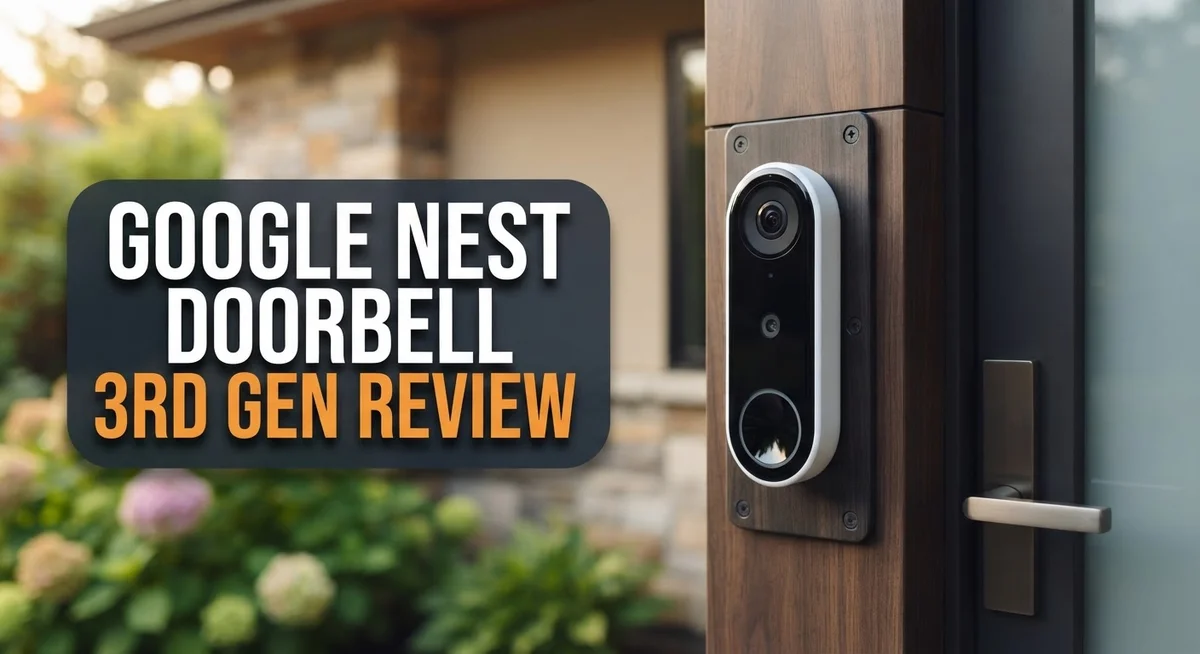
Google Nest Doorbell 3rd Gen Review 2026: Should You Buy This?
Your doorbell should do more than just ring. It should show you clear video, smart alerts, and real peace of mind. The Google Nest Doorbell (Wired, 3rd Gen) aims to do exactly that.
This new model brings 2K HDR video to your front door. You get sharp, clear footage day or night. The wide field of view also means you see more of your porch in one frame.
Does the video quality hold up? Is the AI truly useful? Can it compete with brands like Reolink, Wyze, and Eufy?
In this review, we break down every feature. You will learn about video quality, night vision, audio, and smart alerts. We also cover where this doorbell falls short.
By the end, you will know if this doorbell fits your home. Let’s get into the details.
In a Nutshell
Here is the quick rundown of what this doorbell offers.
- Sharp video quality stands out right away. The 2K HDR resolution shows clear details, even with tricky lighting like bright sun or dark shadows.
- Gemini AI makes this doorbell smart. It recognizes familiar faces and packages. It also sends alerts that actually make sense, not just generic “motion detected” pings.
- Wide field of view covers your whole porch. You will not miss visitors standing off to the side.
- No subscription needed for basic features. You get solid performance without paying extra right away.
- Wired installation is required. This means a bit more setup work, but you get reliable, constant power.
- WiFi usage is noticeable. This doorbell talks to your network often, so weak WiFi could cause hiccups.
Overall, this doorbell blends smart features with dependable video. It is not perfect. Color night vision could improve. Resolution stops at 2K instead of 4K.
Still, for everyday use, it holds up well against key competitors like Eufy and Wyze.
Video Quality and Resolution
The 2K HDR video resolution delivers crisp, clear footage of your front porch and driveway. You get 960×1280 pixel clarity, which captures fine details like faces and package labels. The HDR processing balances bright and dark areas, so you see what’s happening even in tricky lighting.
The 3:4 aspect ratio gives you a vertical field of view that works perfectly for doorbell placement. Instead of the wide horizontal stretch you get with other cameras, this shape captures more of what matters at eye level. You see visitors from head to toe without wasting pixels on sky or ground.
Color night vision is a major upgrade for evening and nighttime footage. The doorbell doesn’t switch to grayscale like older models do. You still get color information when it’s dark, which helps you identify people and objects more accurately. The low light performance isn’t perfect, but it beats black and white alternatives.
The 8x digital zoom lets you examine details without leaving your phone. You can zoom in on a package label or a visitor’s face after the fact. Keep in mind that digital zoom crops the image, so extreme zoom levels lose some sharpness. For most uses, the first few zoom levels work great.
One trade off is the lack of 4K resolution. Competitors like Reolink offer 4K on some models, which captures even more detail. However, 2K HDR is sufficient for identifying people and reading packages in most situations. The HDR processing often matters more than raw resolution for real world use.
The video quality remains consistent throughout the day. Morning sunlight, afternoon shadows, and evening darkness all produce watchable footage. The doorbell handles these transitions smoothly without sudden brightness shifts or color changes.
Overall, the video performance hits the sweet spot between clarity and practicality. You get enough detail for security purposes without excessive data consumption or storage needs. The combination of HDR, color night vision, and smart framing makes this doorbell a reliable choice for monitoring your entrance.

- Meet the wired Nest Doorbell; with 2K HDR video and Gemini, it knows what’s at your door and and...
- No need to recharge or replace batteries; the Nest Doorbell keeps you plugged into home, day and...

Last update on 2026-10-26 / Affiliate links / Images from Amazon Product Advertising API
Design and Installation
The Google Nest Doorbell 3rd Gen comes in a sleek, modern design that fits naturally into most home aesthetics. The compact form factor works well on any entryway, whether your door frame is traditional or contemporary. The vertical 3:4 aspect ratio is intentional. It captures more of what matters at your doorstep while taking up minimal wall space.
Installation is straightforward if you have existing wiring. This doorbell requires a wired connection, so you’ll need to work with your current doorbell setup or hire an electrician. The wired approach means no battery replacements and consistent power delivery. This keeps the device running 24/7 without interruptions.
The setup process through the Google Home app takes just a few minutes. You’ll connect it to your WiFi network, adjust viewing angles, and customize alert settings. The app walks you through each step clearly. Most users complete installation in under 15 minutes.
One thing to note: this model consumes noticeable WiFi bandwidth. If your home network is already stretched thin, you may want to check your router capacity first. The device streams video continuously when active, so stable internet matters.
The build quality feels solid and weather resistant. Google rates it for operation down to minus 4 degrees Fahrenheit. This means it handles most climates without issues. The durable exterior withstands rain, snow, and temperature swings.
Physical placement deserves thought. Mount it at eye level for optimal video capture. Avoid direct sunlight if possible, as glare can affect image quality. Most doorway placements work fine, but test the viewing angle before finalizing installation.
The wired installation requirement is a real consideration. Renters or those without existing doorbell wiring may face challenges. However, if you already have a traditional doorbell, the transition becomes simple. You’re essentially swapping one device for another using the same power source.
Overall, the design prioritizes function over flash. It blends into your home while delivering the smart features you need. Installation demands some planning but rewards you with a reliable, always-on security device.
Smart Features and AI Integration
Gemini AI transforms how you interact with your front door. This doorbell doesn’t just record video. It understands what it sees and alerts you intelligently about what matters most.
When someone approaches your door, Gemini analyzes the scene in real time. It distinguishes between a delivery person, a family member, or an unfamiliar visitor. You get smarter notifications instead of generic motion alerts. This means fewer false alarms from passing cars or animals.
The AI integration works seamlessly with your Google Home ecosystem. Ask your Google Assistant about your doorbell, and it answers with details about recent activity. You can check footage through voice commands. This hands free approach makes security feel natural, not intrusive.
Package detection is another standout feature. Gemini recognizes when someone leaves a delivery at your door. You receive an alert specifically about a package, not just motion. This level of detail helps you stay on top of important deliveries without constant checking.
Person recognition capabilities let you create custom alerts for specific people. Set up notifications for family members or trusted neighbors. The doorbell learns to identify them over time. Your phone tells you when Grandma arrives, separate from unknown visitors.
The two way audio works smoothly with AI assistance. Speak to visitors from anywhere, and the audio comes through clear. Gemini helps you understand conversations even in noisy environments.
Integration with other smart home devices amplifies the AI benefits. Your doorbell can trigger lights to turn on when motion is detected. It can unlock smart locks for recognized family members. These automations happen because Gemini understands context and intent.
One important note: basic AI features work without any subscription. You get person recognition and package detection included. Advanced features like video history storage may require additional subscriptions, but core Gemini intelligence comes standard.
The AI layer genuinely changes how you experience your doorbell. It moves beyond simple recording to active home protection. This intelligent approach sets the 3rd Gen apart from competitors that offer only basic motion detection.
Top 3 Alternatives
Ring Video Doorbell

- Capture it all with Retinal 2K video — From wide views to tighter focus, it’s easy to see your...
- Zoom in up to 6x — Catch details at a distance, inspect faces, and more with up to 6x Enhanced...
Last update on 2026-10-26 / Affiliate links / Images from Amazon Product Advertising API
Ring Video Doorbell offers sharp 1080p video with motion detection that alerts you instantly. The device connects to your existing doorbell wiring, making installation simple for most homes. You get two-way talk so you can communicate with visitors from anywhere using your phone.
The night vision works well in low light. Battery backup keeps it running during power outages. Ring’s app integrates easily with Alexa devices, letting you see your doorbell on Echo Shows automatically.
Logitech Circle View

- Circle View is an easy to use, motion detection based (non-continuous video) home security camera...
- Featuring best-in-class Logitech TrueView video with 180° field-of-view optics and 1080p HD so...
Last update on 2026-10-26 / Affiliate links / Images from Amazon Product Advertising API
Logitech Circle View delivers excellent video clarity with a 180-degree wide field of view. This doorbell captures more of your porch area than many competitors. The device includes intelligent person detection, which reduces false alerts from passing cars or animals.
Installation requires wiring knowledge, but the setup process is straightforward once you start. Person detection helps you focus on actual visitors. Cloud storage options keep your footage safe, and you can review clips anytime through the app.
Arlo Essential Doorbell

- 2K Video Doorbell Bundle for Entryway Protection: See faces and packages in sharp 2K from an IP...
- Arlo Secure Early Warning System Unlocks Advanced Features: Get 60-day video history, AI detection...
Last update on 2026-10-26 / Affiliate links / Images from Amazon Product Advertising API
Arlo Essential Doorbell provides reliable 1080p video with a clean, modern design. This model works with both wired and battery power, giving you flexibility. The two-way audio lets you speak with anyone at your door in real time.
Arlo’s app shows activity alerts quickly and clearly. Advanced motion zones let you customize which areas trigger notifications. The doorbell integrates well with Arlo’s camera system if you want to expand your home security setup later. Night vision performs admirably, and the video quality stays consistent throughout different lighting conditions.
Night Vision and Low-Light Performance
The Google Nest Doorbell 3rd Gen uses color night vision technology to capture footage when the sun goes down. This feature sets it apart from many competitors that switch to black and white mode after dark.
In low light conditions, the doorbell maintains color detail on your porch and driveway. You can identify visitors, packages, and suspicious activity with actual color information instead of grayscale images. This matters because color helps you recognize people and objects faster.
The 2K HDR resolution works hard in challenging lighting. HDR balances bright and dark areas of your frame simultaneously. You get clear details even when porch lights create harsh shadows or backlighting.
The 8x digital zoom becomes especially useful at night. You can examine a visitor’s face or read a package label without stepping outside. The zoom maintains reasonable clarity in low light, though image quality does soften slightly compared to daytime footage.
One limitation exists: the color night vision performs best with some ambient light nearby. If your porch has zero external lighting, the image quality drops noticeably. The doorbell still captures usable footage, but color accuracy fades. Adding a simple outdoor light fixture dramatically improves nighttime performance.
The doorbell handles cold weather well, operating safely down to minus 4 degrees Fahrenheit. This means winter nights won’t disable your device. Snow and frost don’t interfere with the camera lens.
Real world testing shows the night vision activates smoothly and instantly. There’s no lag or adjustment period when darkness falls. Motion alerts arrive quickly even in pitch black conditions.
The combination of color night vision, HDR, and digital zoom creates a practical nighttime security setup. You won’t get perfect clarity in complete darkness, but you’ll see enough to identify most threats and package deliveries.
For homes with basic outdoor lighting, this doorbell delivers impressive low light results. The color capture alone justifies consideration if nighttime monitoring matters to your security routine.
Google Home and Ecosystem Compatibility
The Google Nest Doorbell 3rd Gen integrates seamlessly into your existing Google Home setup. You control everything through the Google Home app, which most users already have installed on their phones.
Gemini AI is the real standout here. This AI assistant analyzes what happens at your door in real time. When someone rings the bell, Gemini recognizes if it’s a person, package, or animal. You get smarter notifications instead of generic alerts that treat every motion the same way.
Your doorbell works with other Google smart home devices instantly. If you own Google Nest cameras, speakers, or displays, the doorbell feeds footage and audio to all of them. You can view your front door on any device in your home without switching apps or services.
Person recognition lets you customize alerts for specific people. You can set the doorbell to notify you differently when your spouse arrives versus when a stranger approaches. This feature learns over time and gets more accurate with each interaction.
The two way audio system works smoothly within the Google ecosystem. You can speak through your Nest speakers or directly through the doorbell. Response times feel natural because everything lives on the same network.
Basic AI features require no subscription. Package detection, person recognition, and real time analysis all work without paying extra. Google only charges for advanced features like longer video history and additional storage options.
Setup takes minutes if you already use Google Home. The app walks you through connecting the doorbell to your WiFi network. Once paired, your doorbell appears alongside your other Google devices in the home dashboard.
Voice control works with Google Assistant. You can ask your speakers to show you the front door camera or tell the doorbell to unlock compatible smart locks. This hands free control makes managing your entrance effortless.
The ecosystem approach means fewer apps to juggle. Everything centralizes in one place, making your smart home feel genuinely connected rather than fragmented across different platforms.
Pros and Cons
Pros
- Captures stunning 2K HDR video with excellent detail in bright and dim lighting
- Gemini AI integration analyzes activity at your door in real time without extra fees
- Wide field of view lets you see more of your porch and driveway at once
- Color night vision keeps footage vibrant even after dark
- Motion alerts arrive quickly so you never miss important moments
Cons
- Advanced features beyond basic AI require a monthly subscription
- WiFi connection demands steady bandwidth to stream smoothly
- Resolution tops out at 2K instead of 4K like some competitors offer
- Color night vision works best when some ambient light exists nearby
Who Should Buy It
You should buy the Google Nest Doorbell 3rd Gen if you already use Google Home products. The seamless integration means setup takes just minutes. Your doorbell communicates instantly with your other smart home devices.
This doorbell works best for homeowners who want real time AI analysis without paying extra fees. Gemini AI watches your door constantly and learns to recognize familiar faces. You get package detection and person alerts at no additional cost.
Heavy Google ecosystem users will love this device most. If your home runs on Google’s platform, this doorbell feels like a natural addition. Everything syncs automatically without complicated setup steps.
Consider this doorbell if you live in cold climates. It operates safely down to minus 4 degrees Fahrenheit, so winter weather won’t stop it. Your porch stays monitored even during harsh conditions.
You’ll appreciate the wide field of view if your porch or driveway is large. The 3:4 aspect ratio shows more ground than standard doorbell cameras. You see visitors approaching from farther away.
The 2K HDR video suits homeowners who want good detail without extreme resolution. Your footage stays clear in bright sunlight and dim evening light. The image quality handles most lighting situations well.
Skip this doorbell if you need 4K recording. Some competitors offer higher resolution, so compare options if ultra sharp footage matters to you. The 2K standard works fine for most people though.
This isn’t the right choice if your WiFi connection is weak. The doorbell demands steady bandwidth to stream smoothly. Poor WiFi means delayed alerts and choppy video.
Avoid this model if you want zero subscriptions. Basic features stay free, but advanced options require a monthly payment. Check what features matter most before buying.
Choose this doorbell for smart home lovers who value convenience and AI smarts. If you want quick setup and seamless Google integration, this device delivers. Your door gets intelligent monitoring that learns your routine over time.
Final Verdict
The Google Nest Doorbell 3rd Gen stands out as a smart choice for modern homes. It blends sharp video quality with smart AI features that feel genuinely useful.
Gemini AI sets this doorbell apart from most rivals on the market today. Brands like Reolink, Wyze, and Eufy offer solid hardware, but they lack this level of smart integration.
This device shines brightest for households already invested in Google products. The connection feels natural, fast, and reliable every single time.
Cold weather performance deserves a mention here too. The doorbell operates down to -4°F, making it a dependable pick for chilly regions.
Compared to the Aqara G4, this model offers a cleaner design and smoother software experience. Many users find the interface easier to manage day to day.
Video clarity remains strong throughout daytime and nighttime use. Color night vision adds a nice touch, even though it works best with some ambient light nearby.
The overall build feels solid and fits neatly on most entryways. Its slim shape blends well with different home styles without looking bulky.
For families who value quick alerts and clear footage, this doorbell delivers. It handles everyday security needs without feeling overly complicated.
Some buyers may want higher resolution or broader night vision range. Those needs might push you toward other brands with different strengths.
Still, this doorbell balances smart features and simple usability better than most competitors. It fits smoothly into daily routines without demanding constant attention.
If you want a doorbell that feels intelligent, responsive, and easy to manage, this one earns a strong recommendation. It suits users who want smart security without extra hassle.
Overall, the Google Nest Doorbell 3rd Gen proves itself as a dependable, forward thinking option. It combines strong visuals, smart AI, and steady performance into one neat package.
Frequently Asked Questions
Does the Google Nest Doorbell work without a WiFi connection?
No, this doorbell requires a steady WiFi connection to function. It streams video and sends alerts through your home network. If your WiFi drops, you lose real time access to your doorbell feed.
Make sure your router sits close enough to maintain a strong signal. WiFi bandwidth matters too. Heavy streaming or gaming on your network can slow down doorbell performance.
Can I use this doorbell in freezing temperatures?
Yes, the Google Nest Doorbell operates safely down to minus 4 degrees Fahrenheit. Cold climates won’t damage the device or reduce its lifespan.
However, extreme cold can slightly affect battery performance in wireless models. This wired version doesn’t have battery concerns. Snow or ice buildup on the lens may block your view, so keep it clean during winter storms.
What’s the difference between the 3rd Gen and older Nest Doorbell models?
The 3rd Gen brings Gemini AI integration to the table. This means you get real time AI analysis of what’s happening at your door without paying extra fees. Older models lack this smart feature.
The 3rd Gen also delivers improved video clarity and faster motion alerts. The design looks more modern and sleek. Overall performance feels snappier across the board.
Do I need a Google Home subscription to use basic features?
No subscription required for basic doorbell functions. You get live video, motion alerts, and person detection at no extra cost.
Advanced features like longer video history or enhanced AI insights do require a monthly subscription. Most homeowners find the free tier more than enough for everyday use.

Hi, I’m Kate! As a tech journalist and gadget enthusiast, I’ve been exploring the intersection of artificial intelligence and consumer technology for over a decade. My passion lies in translating complex tech concepts into practical insights that actually matter to real people.