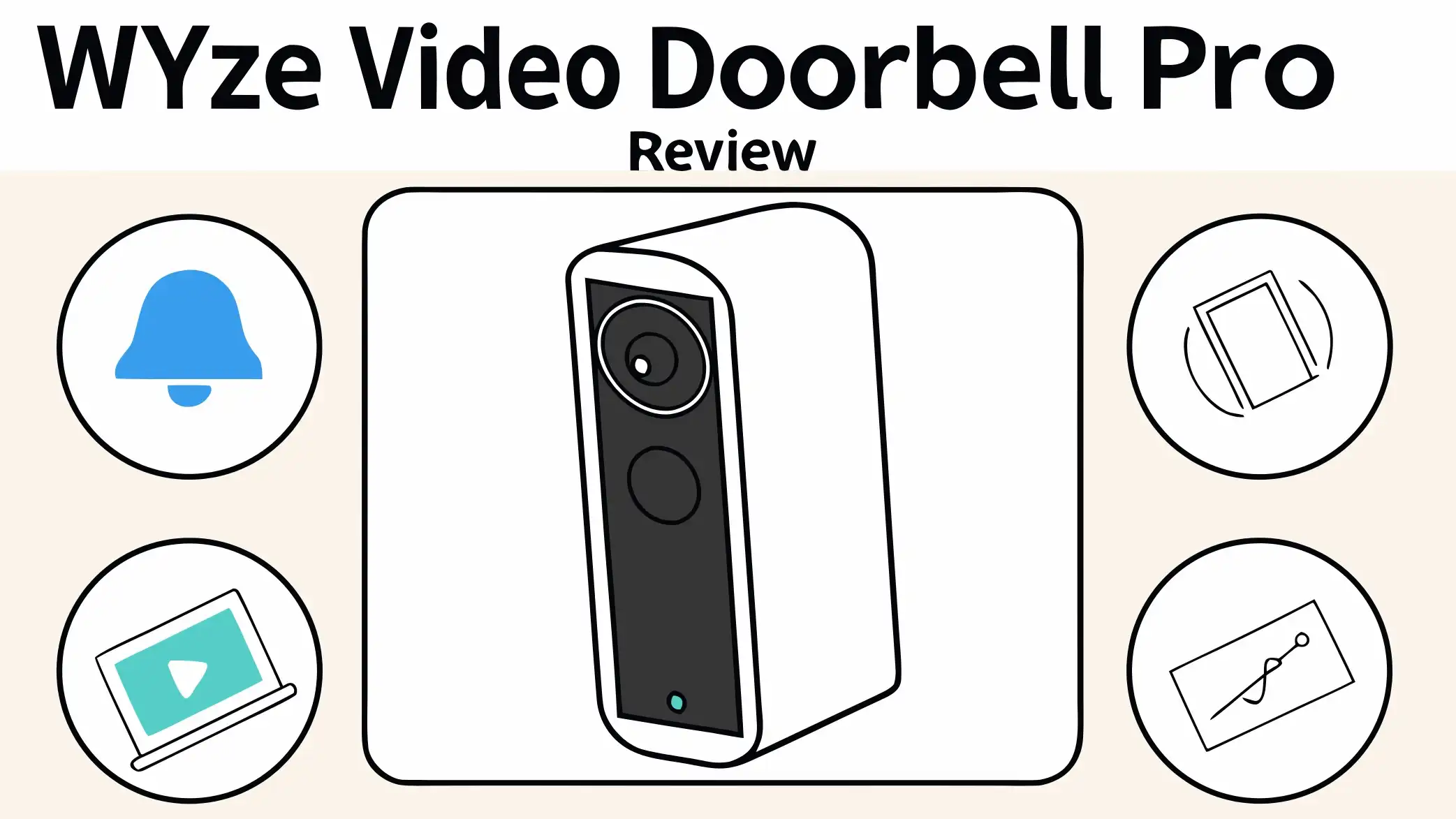
Wyze Video Doorbell Pro Review: Worth Your Money?
Your home security starts at your front door. The Wyze Video Doorbell Pro promises premium features without the premium price tag. This wireless wonder has been turning heads in the smart home community since its release. But does it really deliver on its promises?
The Wyze Video Doorbell Pro stands out in a crowded market. It offers 1440p HD video quality, a unique 1:1 aspect ratio that shows visitors from head to toe, and the flexibility to install it wirelessly or wired.
Many homeowners struggle to find quality video doorbells that do not break the bank. Traditional brands like Ring and Nest charge significantly more for similar features. Wyze enters this space with an aggressive pricing strategy.
Key Takeaways
- Affordable Premium Features: The Wyze Video Doorbell Pro costs around $90, which is significantly cheaper than competitors like Ring or Nest, while still delivering 1440p HD video quality and smart detection capabilities.
- Flexible Installation Options: You can install this doorbell wirelessly using the rechargeable battery or wire it to your existing doorbell system. This flexibility makes it work for almost any home setup.
- Unique 1:1 Aspect Ratio: Unlike traditional doorbells with wide horizontal views, this device uses a square viewing angle that captures visitors from head to toe, including packages at your doorstep.
- Free Chime Included: Wyze includes a plug-in wireless chime in the box at no extra cost, something competitors often sell separately for $30-50.
- Subscription for Full Features: While the doorbell works without a subscription, you need Cam Plus ($2-3 per month) to unlock AI detection features and full-length video recordings instead of just 12-second clips.
- Battery Life Consideration: The wireless battery typically lasts 3-6 months depending on usage, but heavy traffic areas may require more frequent charging.
Wyze Video Doorbell Pro

- Wire-Free. Screw-Free. Hassle-Free: Effortlessly mount Wyze Wireless Doorbell Pro for front porch...
- See the whole story - clearly: A 1440x1440 fuller than HD sensor means you'll see it all with...
Last update on 2026-10-25 / Affiliate links / Images from Amazon Product Advertising API
What Makes the Wyze Video Doorbell Pro Different
The smart doorbell market feels crowded these days. Wyze decided to shake things up with their Pro model. This doorbell brings something fresh to your front door. The company focused on solving real problems that homeowners face every day.
The 1:1 aspect ratio is the star feature here. Most video doorbells use a wide horizontal view that shows more of your yard than your actual visitor. Wyze flipped this concept. Their square viewing angle captures people from their face down to packages at their feet. You see everything that matters in a single frame without missing important details at the top or bottom.
Installation flexibility sets this doorbell apart from many competitors. You can mount it anywhere using the included battery pack. No existing doorbell wiring required. This opens up possibilities for renters or homes without doorbell infrastructure. If you prefer wired operation for continuous power, that option exists too. The device adapts to your home rather than forcing your home to adapt to it.
The included chime deserves attention. Many brands sell their wireless chimes separately, adding $30-50 to the total cost. Wyze bundles everything you need in one package. The chime plugs into any outlet and offers 20 different ringtone options. You can adjust volume across 8 levels to find the perfect sound for your space.
Weather resistance comes standard with an IP65 rating. This doorbell handles rain, snow, heat, and cold without breaking a sweat. The operating temperature range spans from minus 4 degrees Fahrenheit to 122 degrees Fahrenheit. Your doorbell keeps working through harsh winters and scorching summers.
Video Quality That Impresses
Video quality makes or breaks a security doorbell. The Wyze Video Doorbell Pro delivers 1440p resolution, which sits between standard 1080p and full 2K. This sweet spot provides clear, detailed footage without overwhelming your WiFi network or eating up storage space unnecessarily.
The camera performs well during daylight hours. You can clearly identify faces, read package labels, and see fine details like clothing patterns. Colors appear accurate and natural. The dynamic range handles different lighting conditions reasonably well, though bright backlighting can sometimes wash out faces.
Night vision uses six 850nm infrared LEDs to illuminate your porch after dark. The black and white footage remains surprisingly clear. You can recognize familiar faces and distinguish between people and objects. The IR range extends about 10-15 feet, which covers most standard porches and entryways adequately.
The viewing angle measures 150 degrees both horizontally and vertically. This ultra-wide field of view eliminates blind spots near your door. You see people approaching from the sides, not just directly in front. The square aspect ratio means you capture tall packages, short children, and everything in between without cutting off important parts of the scene.
Video quality does have some limitations. The footage lacks the crispness you get from premium 2K or 4K doorbells. Fast-moving objects can appear slightly blurry. Heavy compression becomes noticeable when you zoom in on recorded clips. For the price point, these compromises feel acceptable. The video quality exceeds what you typically find in budget doorbells while staying shy of premium offerings.
Smart Detection and AI Features
Smart detection separates modern doorbells from simple cameras with bells attached. The Wyze Video Doorbell Pro uses PIR motion sensors combined with AI algorithms to identify what triggered an alert. This approach reduces false notifications from passing cars, waving trees, or wandering cats.
The basic doorbell provides motion detection without a subscription. You receive notifications when something moves in front of your door. The system records a 12-second clip that captures the event. This works fine for basic security needs, but the real magic happens when you add Cam Plus.
Cam Plus subscription unlocks the full potential of the doorbell’s AI capabilities. The service costs about $2-3 per month depending on your plan. This small investment adds person detection, vehicle detection, package detection, and pet detection. The AI accurately distinguishes between these categories, sending specific alerts based on what it sees.
Package detection proves particularly useful. The doorbell notifies you when a delivery arrives at your door. You can check the footage to confirm the package landed safely. This feature helps prevent porch piracy and gives peace of mind when you expect important deliveries.
The AI performs impressively for a budget device. Person detection works reliably, triggering alerts when people approach while ignoring shadows and light changes. Vehicle detection catches cars in driveways. Pet detection identifies the neighborhood dogs without flooding you with notifications. The system occasionally misidentifies objects, but accuracy rates exceed 90% in typical use cases.
Cam Plus also enables full-length video recordings instead of 12-second clips. The doorbell captures the entire event from start to finish. You see the complete interaction rather than just a brief snapshot. This comprehensive recording proves valuable when you need detailed footage for security purposes.
Top 3 Alternatives for Wyze Video Doorbell Pro

- See more at your home or business — Get 66% more vertical coverage with the latest version of...
- Built-In Battery — Battery Doorbell includes a built-in battery, which charges with a convenient...

Last update on 2026-10-25 / Affiliate links / Images from Amazon Product Advertising API

- Meet the wired Nest Doorbell; with 2K HDR video and Gemini, it knows what’s at your door and and...
- No need to recharge or replace batteries; the Nest Doorbell keeps you plugged into home, day and...
Last update on 2026-10-25 / Affiliate links / Images from Amazon Product Advertising API

- Video Doorbell Camera for Complete Front Door and Entryway Protection: Monitor your front door with...
- Arlo Secure Early Warning System Unlocks Advanced Features: Get 60-day video history, AI detection...
Last update on 2026-10-25 / Affiliate links / Images from Amazon Product Advertising API
Installation Process Simplified
Installing the Wyze Video Doorbell Pro takes about 15-30 minutes for most people. The company designed the process to be DIY-friendly. You do not need professional installation or special tools to get started.
The wireless installation offers the simplest path. You mount the included backplate to your wall or door frame using the provided screws. The doorbell snaps onto this backplate magnetically. The strong magnets hold the device securely while allowing easy removal for battery charging. You download the Wyze app, follow the setup wizard, and start using your doorbell within minutes.
Wired installation requires a bit more work but provides continuous power. You connect the doorbell to your existing doorbell wiring. The device works with most standard doorbell transformers. However, you need a transformer that provides 16-24V AC and 10VA or higher. Lower voltage transformers will not power the doorbell properly. Check your transformer specifications before attempting wired installation.
The mounting hardware includes everything you need. Wyze provides screws, anchors, and a wedge mount for angled installation. The wedge helps if your doorframe sits at an angle or if you need to adjust the viewing angle. You can tilt the camera up or down to capture the optimal view of your entryway.
WiFi setup happens through the Wyze app. The doorbell connects to 2.4GHz WiFi networks only. It does not support 5GHz networks. This limitation rarely causes problems since 2.4GHz offers better range and wall penetration. Make sure your router broadcasts a 2.4GHz signal before installation. The app walks you through connecting to your network step by step.
Battery charging requires removal from the mounting plate. You pull the doorbell off the magnetic mount and plug in the included USB cable. A full charge takes about 4-6 hours. The battery level appears in the app so you can plan charging before it dies completely. Some users buy a second battery to swap in without downtime.
Battery Life and Power Management
Battery performance matters significantly for wireless doorbells. The Wyze Video Doorbell Pro promises 3-6 months of battery life on a single charge. Real-world results vary based on your usage patterns and environment.
High-traffic areas drain the battery faster. If your doorbell constantly detects motion from busy streets, passing pedestrians, or active driveways, expect battery life closer to the 3-month mark. Quiet locations with minimal activity can stretch to 6 months or longer. The doorbell goes into low-power mode between events to conserve energy.
Cold weather significantly impacts battery performance. Lithium-ion batteries lose capacity in freezing temperatures. You might see battery life drop to 6-8 weeks during harsh winters. The doorbell continues working in cold conditions, but you charge more frequently. Consider wired installation if you live in extremely cold climates.
The app provides detailed battery statistics. You see current charge level, estimated days remaining, and historical usage patterns. These insights help you plan charging sessions. The doorbell sends low battery notifications when charge drops below 20%. You get fair warning before the device shuts down.
Charging the battery requires physical removal. This design choice frustrates some users who prefer in-place charging. You walk outside, remove the doorbell, bring it inside, and plug it in. The process takes about 30 seconds but feels inconvenient compared to wired power. The magnetic mount makes removal easy, but you still need to repeat this every few months.
Power-saving features help extend battery life. You can adjust motion detection sensitivity to reduce false triggers. Activity zones let you mask areas that generate unnecessary motion events. Lowering video quality saves bandwidth and power. These optimization options give you control over the balance between features and battery longevity.
Two Way Audio Quality
Communication features turn a simple camera into an interactive security tool. The Wyze Video Doorbell Pro includes two-way audio so you can speak with visitors remotely. The feature works through the Wyze app on your smartphone.
The speaker quality falls into the average category. Your voice comes through clearly enough for normal conversations. Visitors can understand you without difficulty. The speaker lacks the richness and volume found in premium doorbells. It sounds slightly tinny and compressed. Background noise in your home can bleed through, though the app uses noise cancellation to minimize this.
Microphone performance exceeds the speaker quality. The doorbell picks up visitor voices clearly. You can hear normal conversation levels without asking people to speak up. Wind noise can interfere during blustery days. The microphone sometimes struggles with multiple people talking simultaneously. Overall, the audio input does its job adequately for security and delivery instructions.
Latency affects the conversation flow. A 1-2 second delay occurs between when someone speaks and when you hear them. This lag creates awkward pauses in conversations. You wait for responses longer than natural face-to-face interaction. The delay results from video compression, transmission over WiFi and cellular networks, and app processing. Most budget doorbells share this limitation.
Quick responses save time during routine interactions. The Wyze app lets you create preset voice messages. You tap a button to play pre-recorded responses like “Leave the package by the door” or “I will be right there.” These canned responses play instantly without the typical audio delay. Delivery drivers appreciate the quick, clear instructions.
The audio quality works fine for its primary purpose. You can tell solicitors you are not interested, give delivery instructions, or chat with expected guests. Do not expect the audio clarity needed for important conversations. Think of it as a functional security tool rather than a high-fidelity communication device.
Mobile App Experience
The Wyze app serves as your control center for the doorbell. The app design follows a clean, straightforward layout. You can navigate features without extensive technical knowledge. The home screen displays all your Wyze devices with their current status at a glance.
Live view loads reasonably fast, typically within 2-4 seconds. You tap the doorbell feed and see your front door in near real-time. The 1-2 second delay means live view works better for monitoring than active conversations. Video streams smoothly over good WiFi connections. Cellular data works but may buffer with poor signal.
Notifications arrive promptly when motion triggers or someone presses the doorbell button. The alert appears on your phone within 2-5 seconds of the event. You can customize notification types, choosing to receive alerts for specific detection categories. Do you want notifications for every motion but only persons at certain times? The app accommodates these preferences.
The event history stores recorded clips in chronological order. Thumbnail previews help you quickly scan for relevant footage. You can filter events by type (person, package, motion) to find specific incidents. The 12-second free clips or full-length Cam Plus recordings appear in the same feed. Downloading clips to your phone takes just seconds.
Activity zones let you draw custom detection areas. You might exclude the sidewalk while monitoring your porch steps. The app provides a simple drawing tool to outline zones. The doorbell only triggers alerts for motion within these defined areas. This feature dramatically reduces false notifications in high-traffic locations.
Settings menus feel well-organized. You can adjust video quality, motion sensitivity, notification preferences, and audio settings. Changes apply immediately without restarting the doorbell. The app explains each setting with helpful descriptions. You do not need a manual to figure out what options do.
Smart home integration works through the app. You can connect the doorbell to Alexa or Google Assistant. Voice commands let you view the doorbell feed on Echo Show or Google Nest Hub displays. The integration setup takes just a few minutes through the Wyze app.
App performance varies by phone. Newer smartphones run the Wyze app smoothly. Older budget phones may experience occasional lag or slow loading. The app requires a reasonably modern device for the best experience. Android and iOS versions function similarly with few platform-specific issues.
Smart Home Integration Options
Modern doorbells should work with your existing smart home ecosystem. The Wyze Video Doorbell Pro supports integration with major platforms, though the depth varies. You can incorporate the doorbell into automated routines and voice control systems.
Amazon Alexa integration offers the most robust features. You can ask Alexa to show your front door on Echo Show devices. The command “Alexa, show me the front door” displays the live feed. You can also create routines triggered by doorbell button presses. For example, pressing the doorbell might turn on your entryway lights automatically. The Alexa skill installation takes minutes and requires linking your Wyze account.
Google Assistant support functions similarly to Alexa. You can view the doorbell feed on Google Nest Hub or Chromecast-enabled displays. Voice commands like “Hey Google, show me the doorbell” work reliably. Google Home routines can respond to doorbell events. The integration feels natural within the Google ecosystem.
IFTTT compatibility opens additional automation possibilities. You can create custom applets that connect your doorbell to hundreds of other services and devices. Trigger smart lights, send text messages, log events to spreadsheets, or post to social media when specific doorbell events occur. IFTTT serves users who want advanced automation beyond standard smart home platforms.
Apple HomeKit support does not exist. This limitation frustrates iPhone users invested in the Apple ecosystem. You cannot add the doorbell to the Home app or use Siri voice commands. Wyze has not announced plans to add HomeKit compatibility. Apple users must rely on the Wyze app exclusively.
The lack of HomeKit Secure Video means iPhone users miss features like iCloud storage integration and face recognition through Apple’s system. This represents a significant gap for privacy-conscious Apple users who prefer keeping video footage within the Apple ecosystem.
Cloud Storage and Recording Options
Storing your doorbell footage requires a strategy. The Wyze Video Doorbell Pro offers multiple recording options to fit different needs and budgets. You choose between free limited storage, paid cloud subscriptions, or local storage.
Free cloud storage comes with every doorbell. Wyze provides 14 days of rolling storage for 12-second motion-triggered clips. You do not pay anything for this service. The clips upload automatically when motion occurs. You can review the past two weeks of activity without a subscription. This free tier works fine for casual monitoring and basic security needs.
The 12-second clip limitation frustrates users who need complete footage. You might miss important details that occur after the 12-second window closes. Critical events often last longer than 12 seconds. Delivery interactions, conversations with visitors, or security incidents may not fit within this brief window.
Cam Plus subscription removes the time limit. The doorbell records complete events from start to finish. A delivery might record for 45 seconds, a conversation for 2 minutes, or suspicious activity for however long it continues. Full-length recording provides comprehensive coverage. The subscription costs about $2-3 per month per camera. Annual plans offer modest discounts.
Cam Plus also unlocks AI detection features. Person detection, package detection, vehicle detection, and pet detection all require this subscription. The AI analysis happens in Wyze’s cloud, not on the device. The subscription pays for both the processing power and the enhanced recording features.
MicroSD card support enables local storage. You can insert a microSD card (sold separately) into the doorbell for continuous 24/7 recording. The doorbell writes footage directly to the card without internet dependence. This option appeals to privacy-conscious users who prefer keeping footage on-device. You can review local recordings through the app when connected to the same WiFi network.
Local recording has limitations. You cannot access recordings remotely when away from home without additional setup. The microSD card can fail or become corrupted over time. If someone steals the doorbell, they also take the microSD card and all stored footage. Cloud storage provides better security against theft and hardware failure.
Continuous recording with a microSD card generates huge amounts of footage. A 128GB card might hold several days of continuous 1440p video. The doorbell overwrites the oldest footage when the card fills up. This creates a rolling buffer of recent activity. You can review any moment from the past few days, not just motion-triggered events.
Weather Resistance and Durability
Outdoor devices face harsh conditions. The Wyze Video Doorbell Pro needs to survive rain, snow, heat, cold, humidity, and dust. The company designed the device with an IP65 weather-resistance rating. This certification means the doorbell resists water jets from any direction and keeps dust completely out.
Rain and snow do not faze this doorbell. Users report reliable operation through heavy rainstorms and winter snowfall. The camera lens stays clear thanks to the recessed design. Water droplets may occasionally land on the lens during torrential downpours, temporarily obscuring the view. The issue resolves once the rain stops and the lens dries.
Temperature extremes test the doorbell’s limits. The official operating range spans minus 4 degrees Fahrenheit to 122 degrees Fahrenheit. This range covers most climates worldwide. Extreme northern locations with extended subzero temperatures may experience issues. Desert environments with scorching summer heat generally work fine if the doorbell has some shade.
Battery performance suffers in cold weather. Below-freezing temperatures reduce lithium-ion battery capacity. The doorbell continues functioning but drains faster. Users in very cold climates often choose wired installation to avoid frequent battery charging during winter months.
The plastic housing feels solid but not premium. It resembles the build quality of mid-range electronics. The materials can withstand normal outdoor conditions but might not survive serious physical impacts. A baseball thrown at the door or aggressive porch thieves could damage the unit. The magnetic mount makes removal easy for both you and potential thieves.
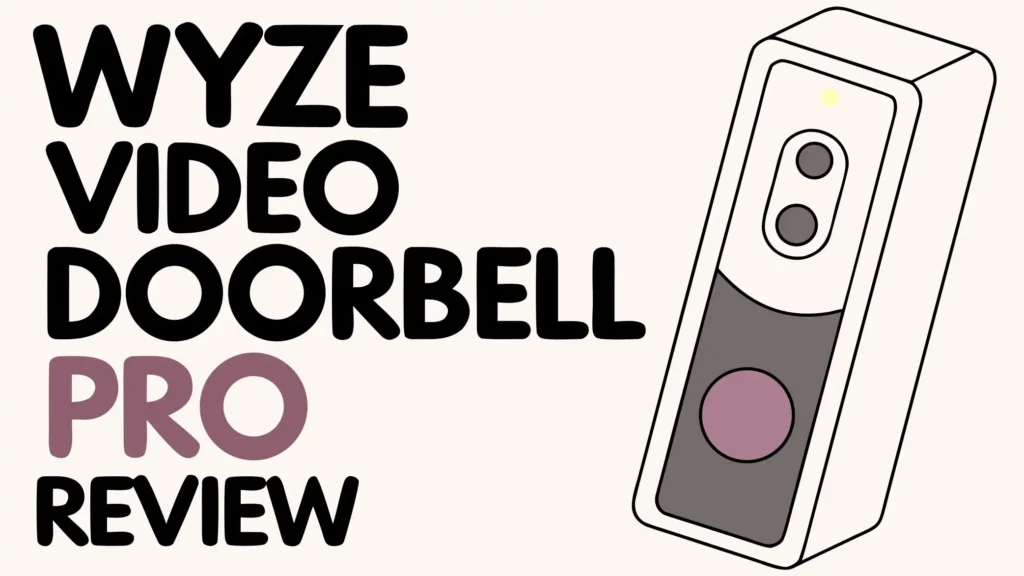
Color options remain limited to black or white. The design looks modern and minimalist. It blends reasonably well with most home exteriors. The rectangular shape with rounded corners appears similar to many competing doorbells. Nothing about the appearance screams “cheap” but it does not exude luxury either.
Sun exposure can affect longevity. Direct sunlight heats the device and may fade the plastic over years of use. The camera sensor handles bright sunlight adequately without washing out. Positioning the doorbell with some shade protection can extend its lifespan and maintain appearance.
Build quality feels adequate for the price point. You should not expect the rugged construction of industrial cameras or premium doorbells costing three times as much. For typical residential use with reasonable care, the doorbell should last several years without problems.
Privacy and Security Considerations
Security cameras raise important privacy questions. The Wyze Video Doorbell Pro handles your video footage and personal data. Understanding the privacy implications helps you make informed decisions about your home security.
Video encryption protects your footage during transmission. The doorbell encrypts video streams using industry-standard protocols before sending them to Wyze servers. This encryption prevents interception during WiFi and internet transmission. Your footage remains private from network eavesdroppers.
Wyze stores video clips on cloud servers located in the United States. The company follows standard cloud security practices including encryption at rest and access controls. Wyze employees do not routinely view your footage. They may access recordings with your explicit permission for troubleshooting purposes.
Two-factor authentication adds security to your Wyze account. You can enable this feature in the app settings. Two-factor authentication requires both your password and a verification code sent to your phone. This extra layer prevents unauthorized access even if someone steals your password.
The doorbell records public areas around your front door. This raises fewer privacy concerns than indoor cameras. However, if your camera captures neighbor’s properties, public sidewalks, or street activity, you may unintentionally record strangers. Consider adjusting camera angles and activity zones to focus on your property.
No end-to-end encryption exists for video storage. Wyze can theoretically access your stored video clips. This differs from some premium services that offer end-to-end encryption where only you can decrypt your footage. Privacy-focused users may prefer doorbells with stronger encryption options or stick with local storage only.
Data sharing with law enforcement can occur. Wyze has received government requests for user data and footage. The company evaluates requests for legal validity before complying. Wyze cannot share footage you deleted or footage stored only on local microSD cards. Cloud-stored footage remains accessible to Wyze and potentially to authorities with proper legal justification.
MicroSD card storage provides the highest privacy level. Footage stays on your device without uploading to the cloud. You control access completely. However, you lose remote viewing when away from home and risk losing footage if someone steals the doorbell.
Guest access features let you share doorbell viewing with family members. You can invite others to your Wyze account with limited permissions. This works great for households but requires careful management. Remove guest access when relationships change or people move out.
Privacy settings allow disabling recording during specific times. You might turn off the doorbell when you are home to avoid recording family members constantly entering and exiting. The schedule feature automates this process based on time or your phone’s location.
Comparing to Premium Competitors
The Wyze Video Doorbell Pro competes in a market dominated by established brands. Understanding how it stacks up against Ring, Nest, and Arlo helps you decide if the cost savings justify any trade-offs.
Ring Video Doorbell costs about $50-100 depending on the model. Ring offers slightly better app performance and more extensive smart home integration. The Ring ecosystem includes a wider range of compatible devices. However, Ring requires subscriptions for all video storage. There is no free tier. The Wyze provides free 12-second clips while Ring stores nothing without paying.
Google Nest Doorbell prices start around $180 for the battery model. Nest delivers superior video quality with richer colors and better dynamic range. The Nest ecosystem integrates perfectly with Google smart homes. Face recognition works better through Google’s advanced AI. The Nest Doorbell costs twice as much as the Wyze without offering twice the value. Casual users might not appreciate the premium features enough to justify the price difference.
Arlo Video Doorbell competes at around $60-150 depending on the model. Arlo provides excellent video quality and reliable performance. The Arlo app feels more polished than Wyze. However, Arlo also requires subscriptions for full features and storage. The Arlo costs more than Wyze while offering similar capabilities. The decision comes down to brand preference and ecosystem compatibility.
Premium doorbells offer better build quality, more responsive apps, and superior customer support. Companies like Ring and Nest invest heavily in user experience. You notice the polish in daily use. The Wyze app works but lacks the refinement of premium offerings.
Subscription costs add up over time. Ring and Nest charge $3-10 per month for cloud storage and features. After two years, you spend $72-240 on subscriptions alone. Wyze Cam Plus costs $2-3 monthly, totaling $48-72 over two years. The lower subscription fees partially offset the initial device savings.
The Wyze Video Doorbell Pro makes sense when budget matters or you want basic doorbell functionality without ongoing costs. The free tier works adequately for casual security needs. Premium doorbells suit users who want the absolute best performance and do not mind paying for it.
Common Problems and Solutions
No device works perfectly. The Wyze Video Doorbell Pro has some common issues that users encounter. Understanding these problems and their solutions prevents frustration.
WiFi connectivity problems top the complaint list. The doorbell may disconnect randomly or struggle to maintain a stable connection. This usually results from weak WiFi signal at the installation location. Solutions include moving your router closer, adding a WiFi extender, or upgrading to a mesh network system. The doorbell only supports 2.4GHz networks, so ensure your router broadcasts this frequency.
Motion detection sensitivity sometimes triggers too often or not enough. Excessive notifications result from high sensitivity or poorly configured activity zones. Lower the sensitivity setting in the app and draw activity zones that exclude areas with constant motion like streets or sidewalks. Under-sensitive detection requires increasing sensitivity and checking that nothing blocks the PIR sensor.
Battery drain faster than expected frustrates wireless users. High-traffic areas, cold weather, and frequent live viewing all reduce battery life. Solutions include adjusting motion zones to reduce unnecessary activations, switching to wired power if possible, or accepting more frequent charging as a trade-off for wireless convenience.
Video lag during live view affects real-time conversations. This results from network latency and video compression delays. Unfortunately, no perfect solution exists for budget doorbells. The delay affects all similar devices. Using strong WiFi and high-speed internet minimizes but does not eliminate lag.
Subscription confusion causes frustration when users expect features included for free. Many advanced features require Cam Plus. Review the feature list carefully before purchasing to set proper expectations. The basic doorbell works without subscriptions but with limited functionality.
Button press delay sometimes prevents immediate notification when someone rings the doorbell. This relates to server processing and network speed. Most presses trigger within 2-5 seconds. If delays exceed 10 seconds regularly, check your WiFi connection and internet speed.
App crashes occur occasionally on both Android and iOS devices. Keep the Wyze app updated to the latest version. Force-close and restart the app when problems occur. Reinstalling the app solves persistent crash issues.
Most problems have simple solutions or workarounds. Wyze provides decent customer support through email and community forums. The active user community often helps troubleshoot issues faster than official support channels.
Who Should Buy This Doorbell
The Wyze Video Doorbell Pro serves specific use cases excellently while disappointing others. Understanding your needs helps determine if this doorbell fits your situation.
Budget-conscious homeowners represent the ideal customer. You want solid security features without spending $200-300 on premium brands. The Wyze offers 80% of premium doorbell capabilities at 30-40% of the cost. This value proposition appeals to practical buyers who research products thoroughly.
Renters benefit from the wireless installation option. You can mount the doorbell without modifying the property. Taking it with you when moving requires just removing a few screws. The battery power eliminates complex wiring that landlords might prohibit.
Tech-savvy users comfortable troubleshooting occasional issues will appreciate the feature set. You understand that budget devices require patience and problem-solving sometimes. The active user community and detailed online resources help you optimize the doorbell’s performance.
Casual security needs match what this doorbell provides. You want to see who rings your bell, check delivery statuses, and deter porch pirates. You do not need mission-critical security with perfect reliability. The doorbell handles everyday monitoring without expensive subscriptions.
Multi-device homes where you already use Wyze products gain ecosystem benefits. The single app controls all your Wyze cameras and smart devices. Adding another Wyze device simplifies management. Cam Plus Unlimited subscriptions cover all cameras for one monthly fee.
Avoid this doorbell if you demand premium quality and perfect reliability. Users needing the absolute best video quality, fastest response times, and professional-grade build quality should consider premium alternatives. The Wyze cuts corners to achieve its low price point.
Apple HomeKit users should look elsewhere. The lack of HomeKit support forces iPhone users to use the Wyze app exclusively. You cannot integrate with Apple Home or use Siri commands. This limitation frustrates users invested in the Apple ecosystem.
Professional security systems require more robust solutions. Businesses, high-risk properties, or situations demanding legal-grade evidence need professional equipment. The Wyze serves residential applications but does not provide enterprise reliability.
The doorbell works best for practical homeowners seeking good value rather than status symbols or premium experiences. You save money without sacrificing essential features.
Value for Money Assessment
Value combines price and performance. The Wyze Video Doorbell Pro delivers impressive features at a budget price point. Determining whether it offers good value depends on your priorities and expectations.
The initial investment of around $90 includes the doorbell and wireless chime. Competitors often charge extra for chimes. Ring chimes cost $30-50 separately. This bundled approach reduces your total startup cost. The Wyze setup costs $120-150 less than comparable Ring or Nest packages.
Ongoing subscription costs remain low. The free tier provides basic functionality indefinitely. Cam Plus at $2-3 monthly adds advanced features. Compare this to Ring at $3-10 monthly or Nest at $6 monthly. Over three years, Wyze subscriptions cost $72-108 while Ring totals $108-360. The savings compound over time.
Feature parity with premium brands impresses. You get 1440p video, two-way audio, AI detection with subscription, smart home integration, and weather resistance. These features match or exceed what premium doorbells offered just a few years ago. The Wyze brings former luxury features to the budget market.
Build quality and reliability lag behind premium options. The materials feel cheaper, the app runs slower, and occasional glitches occur more frequently. You sacrifice some polish and reliability for the lower price. The doorbell works reliably enough for most users but does not feel premium.
Customer support provides basic assistance. Wyze relies heavily on community forums and email support. Response times vary. Premium brands offer phone support and faster service. The support experience reflects the budget positioning.
The value proposition becomes clear. You pay less and get a functional product with some compromises. Users who prioritize features over perfection find excellent value. Perfectionist buyers or those valuing premium experiences may feel disappointed.
For the target market of budget-conscious homeowners seeking solid functionality, the Wyze Video Doorbell Pro delivers exceptional value. The money saved allows purchasing multiple cameras or investing in other smart home devices.
Final Verdict and Recommendations
The Wyze Video Doorbell Pro represents smart home value done right. It packs features typically reserved for premium devices into an affordable package. This doorbell succeeds in making advanced home security accessible to budget-conscious buyers.
The standout features include the 1:1 aspect ratio that captures head-to-toe views, flexible wireless or wired installation, included chime, and affordable optional subscriptions. These elements combine to create a compelling offer. You get meaningful features that improve daily life without breaking the bank.
Weaknesses include average build quality, occasional connectivity issues, video lag during two-way conversations, and lack of Apple HomeKit support. These limitations prevent the doorbell from competing with truly premium offerings. The compromises feel reasonable given the price point.
The doorbell deserves consideration if you want functional home security without premium costs. It works reliably enough for typical residential use. Occasional glitches and missing polish rarely impact its core purpose of monitoring your front door.
Budget buyers should confidently consider this doorbell. You receive tremendous value for the price. The money saved compared to premium alternatives can fund other home improvements or additional security cameras.
Premium seekers should test the Wyze before dismissing pricier options. You might find the performance adequate and the savings compelling. However, users who value premium experiences and perfect reliability will likely prefer investing more in established brands.
The Wyze Video Doorbell Pro earns a strong recommendation for its target audience. It delivers on its promise of affordable, functional smart security. The doorbell succeeds by focusing on essential features and skipping unnecessary luxury elements.
Frequently Asked Questions
Does the Wyze Video Doorbell Pro require a subscription to work?
No, the doorbell works without any subscription. You receive motion alerts, live view access, two-way audio, and 12-second event clips stored free for 14 days. However, the Cam Plus subscription unlocks AI detection features like person, package, vehicle, and pet detection. It also enables full-length video recording instead of just 12-second clips. The subscription costs $2-3 monthly, which remains optional based on your needs.
How long does the battery last on a single charge?
Battery life typically ranges from 3-6 months depending on usage patterns and environmental conditions. High-traffic areas with frequent motion triggers drain the battery faster, closer to 3 months. Quiet locations with minimal activity can stretch beyond 6 months. Cold weather significantly reduces battery performance, sometimes down to 6-8 weeks during winter. The app shows remaining battery percentage and estimated days left before charging becomes necessary.
Can I use the doorbell without existing doorbell wiring?
Yes, the wireless operation requires no existing doorbell wiring. You mount the device anywhere you can drill a few screws. The rechargeable battery powers the doorbell for months between charges. The included wireless chime plugs into any electrical outlet inside your home. This flexibility works perfectly for renters, homes without doorbell infrastructure, or locations where wiring proves difficult. Wired installation remains optional if you prefer continuous power.
Does the doorbell work with Alexa and Google Assistant?
Yes, the doorbell integrates with both Amazon Alexa and Google Assistant. You can ask Alexa or Google to show your front door camera feed on Echo Show or Google Nest Hub displays. Voice commands enable hands-free viewing. You can also create routines triggered by doorbell button presses or motion events. The integration setup takes just minutes through the Wyze app. However, the doorbell does not support Apple HomeKit.
What video quality can I expect during day and night?
The doorbell records in 1440p resolution during daylight, providing clear, detailed footage. You can identify faces, read text on packages, and see clothing details. Colors appear natural and accurate. Night vision switches to infrared mode, capturing black and white footage using six IR LEDs. The night vision remains clear enough to recognize familiar faces and distinguish objects up to 10-15 feet away. Heavy rain can temporarily obscure the lens, but clarity returns once conditions improve.
How do I access recorded videos from the doorbell?
Recorded videos appear in the Wyze app under the Events tab. The app organizes clips chronologically with thumbnail previews. You can filter events by type such as person, motion, or package detection. Free accounts receive 12-second clips stored for 14 days. Cam Plus subscribers get full-length event recordings. You can download any clip to your phone for permanent storage. Local recordings on microSD cards appear in a separate section when connected to the same WiFi network.
Can the doorbell record continuously like a security camera?
Yes, continuous recording requires installing a microSD card (sold separately) into the doorbell. The device records 24/7 to the card without internet dependence. A 128GB card stores several days of footage before overwriting the oldest recordings. This creates a rolling buffer of recent activity. You can review any moment, not just motion-triggered events. However, you cannot access local recordings remotely unless you set up additional network configuration. Cloud storage only captures motion-triggered events.
Is the doorbell weatherproof for outdoor installation?
Yes, the doorbell carries an IP65 weather-resistance rating. This certification means it resists water jets from any direction and completely prevents dust entry. The device operates reliably through rain, snow, heat, and humidity. The official operating temperature range spans minus 4 degrees Fahrenheit to 122 degrees Fahrenheit. The doorbell handles typical outdoor conditions without problems. Battery performance decreases in extreme cold but the device continues functioning.

Hi, I’m Kate! As a tech journalist and gadget enthusiast, I’ve been exploring the intersection of artificial intelligence and consumer technology for over a decade. My passion lies in translating complex tech concepts into practical insights that actually matter to real people.