Kodak PixPro C1 Compact Digital Camera Review 2026: Is This Worth Buying?
The Kodak PixPro C1 has become one of the most talked about pocket cameras of the year. It promises retro charm, simple controls, and a price tag that fits most budgets.
Many buyers want a small camera that slips into a jacket pocket without the bulk of a smartphone gimbal or a mirrorless rig.
This review breaks down every feature, every flaw, and every reason this camera keeps trending on social media in 2026.
You will learn what the camera does well, where it falls short, and which alternatives may suit you better. Read on to decide if the PixPro C1 belongs in your bag.
In a Nutshell
- The Kodak PixPro C1 uses a 13MP 1/3 inch BSI CMOS sensor with a fixed 26mm equivalent F2.0 wide angle lens, giving you crisp daylight shots in a tiny shell.
- This camera shoots Full HD 1080p video at 30fps, which is fine for casual clips and social media reels but not for professional video work.
- The 2.8 inch flip up LCD screen tilts 180 degrees, making it a strong pick for vlogging, selfies, and overhead shooting angles.
- Battery life sits at around 200 shots per charge under CIPA standards, with built in USB charging and microSD card support up to 512GB.
- The PixPro C1 weighs only 115 grams, which makes it one of the lightest digital cameras you can buy in 2026 at this price point.
- It does not include optical image stabilization, so steady hands or a small tripod help a lot in low light scenes.
What Is the Kodak PixPro C1 Compact Digital Camera?

- Thirteen Megapixel Sensor: Captures detailed photos with a thirteen MP BSI CMOS sensor and a bright...
- Digital Zoom: Four times digital zoom with a twenty six mm wide angle fixed lens for flexible...

Last update on 2026-08-04 / Affiliate links / Images from Amazon Product Advertising API
The Kodak PixPro C1 is a basic point and shoot camera built for casual users. Kodak markets it as a friendly zoom camera that anyone can pick up without reading a manual. The body is plastic, the controls are minimal, and the menu system is easy to learn within minutes.
The camera ships in three colors, including black, brown, and tan, which gives it a retro film camera look. It targets students, travelers, content creators, and people who miss the simple joy of using a real camera. Kodak placed a flip up screen on the back, which sets it apart from older compact cameras.
You get a fixed focal length lens, a 4x digital zoom, and a built in flash. The price hovers around 99 dollars to 120 dollars, which puts it in the same range as toy cameras and instant film cameras. It is not a replacement for a DSLR, but it is a fun second camera.
Design and Build Quality
The PixPro C1 feels light in the hand because the shell uses lightweight plastic. At only 115 grams, it slips into a shirt pocket or small purse without weighing you down. The matte finish gives a soft grip, which helps during one handed shooting.
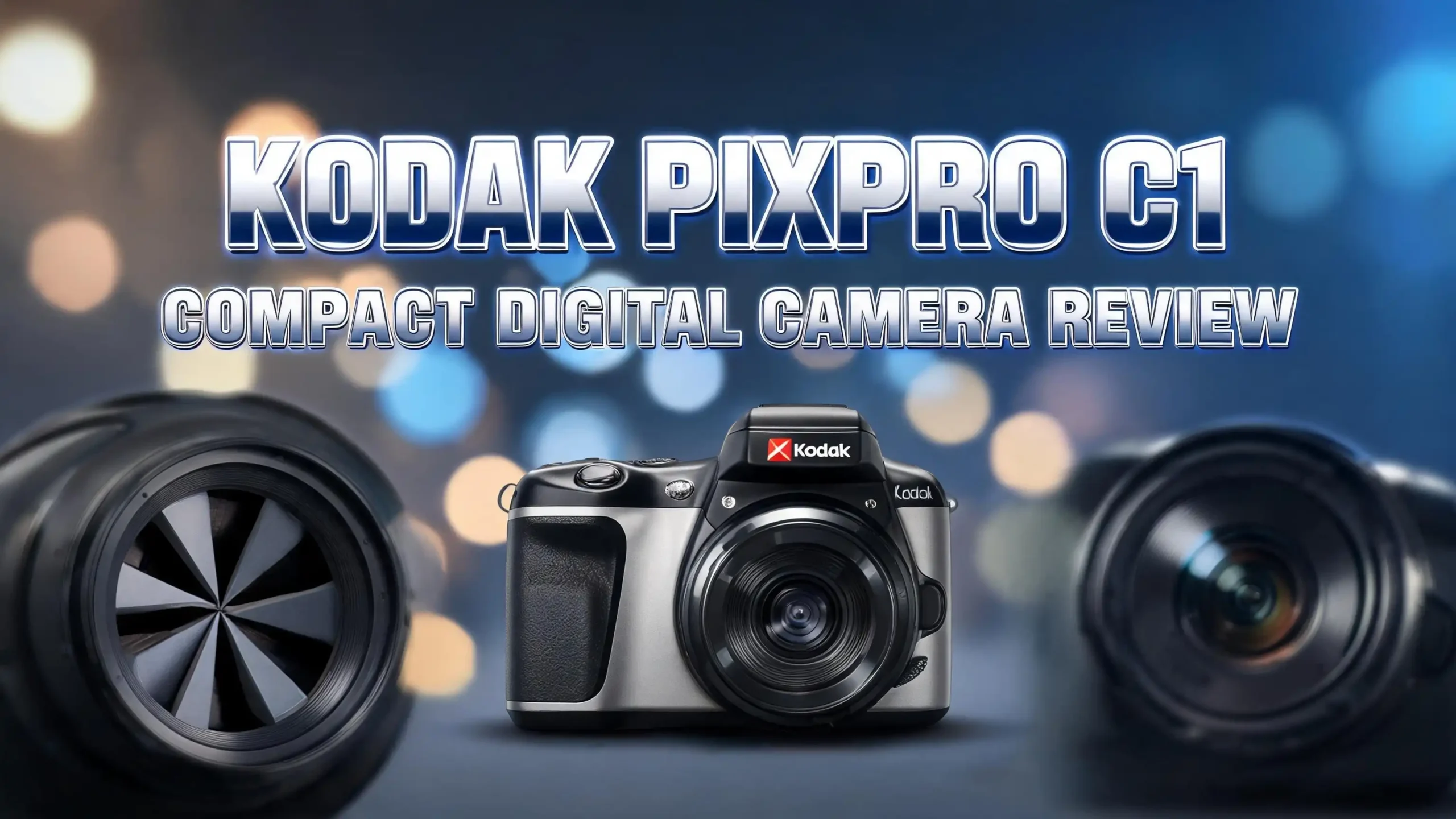
The front of the camera shows a small lens, an LED flash, and a Kodak logo. The top houses the shutter button and power switch. The back panel holds the 2.8 inch flip screen, a four way directional pad, and a record button for video.
Build quality matches the price. The buttons feel a bit clicky, and the flip screen mechanism feels delicate. You should treat the camera with care because it does not include weather sealing or shockproof rating. Still, the retro design and pastel color options make it a stylish accessory for everyday outings. It looks great in photos when paired with a wrist strap.
Sensor and Image Quality Performance
The PixPro C1 packs a 13MP 1/3 inch BSI CMOS sensor behind a 26mm F2.0 lens. The sensor size is small, similar to what you find inside many older smartphones. This means image quality is best in bright daylight conditions.
In good light, photos show decent color, a slightly warm tone, and that classic digicam softness many users love. Skin tones come out natural, and outdoor scenes pop with a film like character. The 26mm wide angle helps with group shots and landscapes.
In low light, the sensor struggles. Noise creeps in fast, and details fade. The lack of image stabilization makes things worse because shutter speeds drop. The f/2.0 aperture helps gather light, but you still need to hold steady or use the flash. Many users on Reddit say the lo fi look is exactly why they bought the camera, so the grain becomes part of the appeal.
Video Recording Capabilities
The Kodak PixPro C1 records video at 1080p Full HD at 30 frames per second using H.264 compression. This resolution covers most casual needs, including TikTok clips, YouTube Shorts, and family memories. It does not support 4K, so professional creators should look elsewhere.
The flip up screen helps a lot when you record yourself. You can frame the shot, check focus, and make sure your face stays in view. The built in microphone captures basic audio but picks up wind noise outdoors. There is no microphone input jack, which limits audio upgrades.
Battery life during video sits at about 1 hour and 30 minutes on a full charge. Storage uses microSD cards up to 512GB, so you can shoot for hours without swapping cards. The footage looks soft and slightly compressed, but it has a charming early 2010s vibe. Many vloggers chasing nostalgic content love this exact look for their channels.
Top 3 Alternatives for Kodak PixPro C1
If the PixPro C1 does not match your needs, these three alternatives offer more zoom, more megapixels, or more brand trust. Each option sits in the same affordable price range and targets casual shooters.

- Sixteen Megapixel Sensor: Captures detailed photos with a sixteen MP CMOS sensor for everyday...
- Optical Zoom: Five times optical zoom with a twenty eight mm wide angle lens for flexible framing...
Last update on 2026-08-04 / Affiliate links / Images from Amazon Product Advertising API

- Preserve the moment with stunning high-resolution photos suitable for cropping or enlarging with the...
- Gives your video greater vividness and clarity than standard-definition video with the 2.7 Quad HD...
Last update on 2026-08-04 / Affiliate links / Images from Amazon Product Advertising API

- 8x Optical Zoom with Optical Image Stabilizer helps you capture images with flexibility and ease
- 20.0 Megapixel CCD sensor combines with the DIGIC 4 plus Image Processor to help deliver stunning...
Last update on 2026-08-04 / Affiliate links / Images from Amazon Product Advertising API
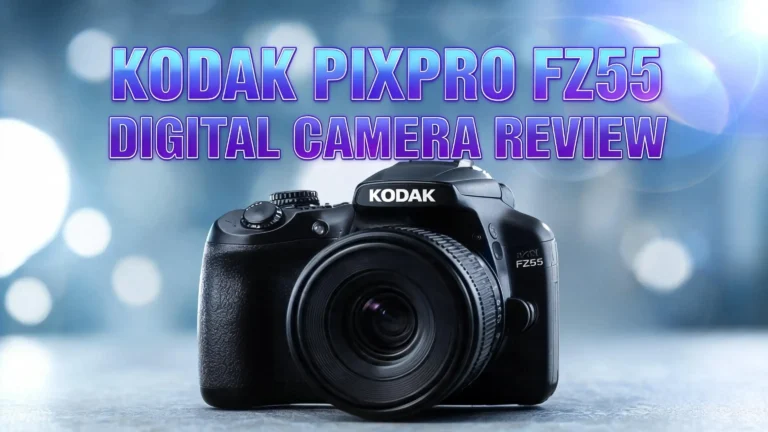
The Kodak PixPro FZ55 offers a 16MP sensor and 5x optical zoom, which beats the C1 in reach and resolution. The Minolta MND20 delivers a higher 44MP resolution and shoots 2.7K Ultra HD video for users who want more detail. The Canon PowerShot ELPH 180 brings 20MP, 8x optical zoom, and Canon image stabilization, which makes it a stronger low light shooter. All three serve as solid backups or upgrades depending on your style.
The 180 Degree Flip Screen for Selfies and Vlogs
One standout feature on the PixPro C1 is the 2.8 inch LCD that tilts up 180 degrees. This puts the C1 ahead of most cameras in its price range. You can flip the screen forward to frame your face, check your hair, and adjust your pose before pressing the shutter.
Vloggers love this design because it removes the guesswork of front facing recording. The screen brightness is average, so you may struggle to see it in direct sunlight. Most users tilt the camera slightly or shade the screen with one hand to view their shot.
The flip mechanism feels light but works smoothly through hundreds of uses. You can also flip it for low angle shots near the ground or for high angle shots above crowds. This single feature pushes the C1 ahead of the older Kodak FZ45 and FZ55 in selfie friendliness. Content creators often pick the C1 just for this flip up screen advantage alone.
Zoom and Lens Details
The Kodak PixPro C1 uses a 26mm equivalent fixed lens with F2.0 aperture. This wide angle works well for landscapes, group photos, and indoor scenes where you cannot back up. The bright f/2.0 aperture lets in more light, which helps when the room is dim.
The camera offers 4x digital zoom, not optical zoom. Digital zoom crops into the image, which lowers quality the more you zoom in. Reviewers note that the zoom feels almost useless past 2x because details fall apart fast.
If you need real reach, the PixPro FZ55 with its 5x optical zoom is the better Kodak pick. The C1 works best as a wide angle camera for close subjects and street scenes. Treat the digital zoom as a backup feature, not a main tool. Most users keep the lens at its widest setting and crop later in editing apps. This approach gives the cleanest results from the sensor.
Battery Life and Storage Options
Kodak built the PixPro C1 with an internal 700mAh lithium ion battery. You cannot swap the battery in the field, which is a small drawback for travel users. The camera charges through a USB cable, and you can top it up using a power bank during long trips.
A full charge gives you about 200 shots by CIPA standards, or roughly 1.5 hours of video recording. This is fine for a day of casual shooting but tight for a full weekend trip. Carrying a small power bank solves this problem easily.
Storage uses a microSD card slot, and the camera supports cards up to 512GB. A 64GB card holds thousands of photos and many hours of HD video. The internal storage is minimal, so a memory card is a must on day one. Kodak does not include a card in the box for most bundles, so plan to buy one separately to start shooting.
Ease of Use for Beginners
The PixPro C1 is one of the easiest cameras to learn in 2026. Kodak removed most manual settings, which keeps the menu short and friendly. New users can press the power button, point, and shoot within seconds of unboxing it.
The four way directional pad lets you change basic settings like flash, self timer, and shooting mode. There is a retro filter mode that many users prefer for its film like color tone. Other filter options include black and white, vivid, and sepia.
Auto focus is single point and locks on quickly in good light. In dim rooms, focus hunts a bit, and shutter lag becomes noticeable. Beginners and kids will not feel overwhelmed by buttons or menus. This simplicity is exactly why parents buy it as a first camera for children, and why students pick it up for casual photo journals. The learning curve is almost flat from day one.
Pros of the Kodak PixPro C1
The PixPro C1 brings several clear advantages for the price. First, the ultra light 115 gram body makes it the most pocketable camera in its class. You forget it is in your bag until you need it.
Second, the flip up screen puts it ahead of competitors like the FZ55 for selfies and vlogs. Third, the F2.0 wide aperture lens captures more light than typical kit lenses on cheap cameras. Fourth, the retro filter mode delivers that trending digicam aesthetic without extra editing apps.
Fifth, the affordable price near 99 dollars makes it an easy gift or impulse buy. Sixth, the USB charging removes the need for proprietary chargers. Seventh, the simple controls make it kid friendly and senior friendly. Eighth, Kodak offers it in fun colors like brown and tan, which fits the current retro fashion trend. These wins explain why the camera went viral on TikTok and Instagram during late 2025.
Cons and Limitations to Consider
No camera is perfect, and the PixPro C1 has clear weak spots. The biggest issue is the lack of optical image stabilization. Your hands must stay steady, especially in low light or while walking.
The digital zoom is almost useless past 2x. Details break down fast, and the cropped image loses sharpness. The shutter lag also frustrates users who try to catch fast action like kids playing or pets running. You often miss the moment by half a second.
The internal battery cannot be swapped, which limits long shooting days. Low light performance is poor, with heavy noise and slow focus. The build feels cheap in spots, and the flip screen mechanism may wear out with heavy use. Audio recording lacks an external mic input. Finally, there is no Wi Fi or Bluetooth, so you must use the USB cable to transfer photos to your phone or computer. These trade offs come with the budget price tag.
Who Should Buy the Kodak PixPro C1?
The PixPro C1 is not for everyone, but it fits certain users perfectly. Casual creators chasing the digicam look will love its lo fi charm and retro filters. The grainy daylight shots match the viral aesthetic on social media right now.
Travel users who want a backup camera will enjoy the tiny size and light weight. It fits in any pocket without adding bulk. Parents and students looking for a first real camera get a simple, sturdy enough device that does not break the bank.
Gift buyers can grab the C1 for under 120 dollars in fun colors, making it a popular birthday or holiday present. Vloggers who shoot short selfie videos for TikTok or YouTube Shorts benefit from the flip screen. However, serious photographers and low light shooters should skip this camera. The small sensor, lack of stabilization, and digital only zoom will frustrate users who need pro level results.
Kodak PixPro C1 vs PixPro FZ55: Which Is Better?
Many shoppers compare the C1 to its sibling, the Kodak PixPro FZ55. Both cameras sit in the same budget range, but they target slightly different users. The FZ55 packs a 16MP sensor and 5x optical zoom, which beats the C1 in resolution and reach.
The C1 wins on portability and the flip up screen. It is smaller, lighter, and easier to carry every day. The FZ55 lacks a flip screen, so selfies and vlogs feel harder. The FZ55 uses AA batteries, which some travelers prefer because you can swap them anywhere.
For zoom lovers and casual photographers, the FZ55 is the smarter pick. For vloggers, selfie fans, and retro style chasers, the C1 is the winner. Both cameras share similar image quality in good light, with the FZ55 having a slight edge in detail. The choice comes down to whether you value zoom or a flip screen more. Many YouTubers and social creators favor the C1 for its modern selfie friendly design.
Price and Where to Buy
The Kodak PixPro C1 sells at a sweet spot price range of 99 dollars to 122 dollars depending on color and bundle. Amazon, Best Buy, Walmart, and Adorama all carry it in multiple shades. Bundles often include a microSD card, a wrist strap, and a small case for around 130 to 150 dollars.
Amazon usually offers the fastest shipping and easiest returns, which is helpful for a budget electronic. Sales during Black Friday, Prime Day, and back to school season can drop the price below 90 dollars in some bundles.
Always check the seller and confirm it is sold by Kodak or a trusted retailer to avoid counterfeit units. The tan and brown versions sometimes sell out faster because of their viral retro appeal. Black remains the easiest color to find in stock. Buying a bundle saves money on accessories, especially the memory card, which the basic package does not include. Compare prices across stores before checkout to grab the best deal.
Tips to Get the Best Shots from Your PixPro C1
Getting great shots from the PixPro C1 takes a few small tricks. First, shoot in bright daylight for the cleanest results. The small sensor loves sunshine and outdoor scenes.
Second, hold the camera with both hands to reduce blur, since there is no image stabilization. Tuck your elbows close to your body for extra stability. Third, use the retro filter mode if you want the trendy digicam look without editing later.
Fourth, get close to your subject instead of using digital zoom. The wide angle lens captures sharp detail when you fill the frame. Fifth, use the built in flash indoors to freeze motion and brighten faces. Sixth, carry a small power bank for long days because the battery is not removable. Seventh, buy a class 10 or UHS-1 microSD card for fast write speeds during video. Following these tips turns the C1 from a basic point and shoot into a fun creative tool you reach for daily.
Final Verdict on the Kodak PixPro C1
The Kodak PixPro C1 is a small camera with big personality. It does not compete with mirrorless cameras or smartphones on pure image quality, and it never tries to. Instead, it offers a simple, fun, pocket sized shooting experience that brings back the joy of early 2000s digital photography.
For under 120 dollars, you get a flip up screen, a wide F2.0 lens, and a retro design in cool color options. The lack of stabilization, weak digital zoom, and short battery life are real drawbacks. Still, these flaws fit the lo fi character many buyers want.
If you are a creator chasing the viral digicam look, a student wanting a fun first camera, or a traveler needing a tiny backup, the C1 earns its place in your bag. Serious photographers should keep looking. Overall, the Kodak PixPro C1 earns a solid recommendation for its target audience and stands out as one of the most enjoyable budget cameras of 2026.
Frequently Asked Questions
Is the Kodak PixPro C1 good for vlogging?
Yes, the PixPro C1 works well for casual vlogging thanks to its 180 degree flip up screen. You can frame yourself easily and record at 1080p Full HD. It lacks an external microphone input, so audio quality is basic.
Does the Kodak PixPro C1 have optical zoom?
No, the PixPro C1 only offers 4x digital zoom. Digital zoom crops into the image and reduces quality. If you need real reach, the Kodak PixPro FZ55 with 5x optical zoom is a better pick.
How long does the Kodak PixPro C1 battery last?
The internal 700mAh battery delivers about 200 shots per charge under CIPA standards. Video recording lasts roughly 1.5 hours on a full charge. The battery is not removable, so a power bank helps on long trips.
Can the Kodak PixPro C1 shoot in low light?
Low light performance is weak because the sensor is small and there is no image stabilization. The f/2.0 aperture helps a bit. For best results, use the built in flash or shoot in well lit areas.
What memory card works with the Kodak PixPro C1?
The PixPro C1 supports microSD cards up to 512GB. A class 10 or UHS-1 card is best for smooth video recording. Most bundles do not include a card, so plan to buy one separately.
Is the Kodak PixPro C1 worth buying in 2026?
Yes, for casual users, students, and content creators chasing the digicam aesthetic, the C1 is worth its 99 to 120 dollar price. Serious photographers should choose a larger sensor camera with optical zoom and stabilization instead.

Hi, I’m Kate! As a tech journalist and gadget enthusiast, I’ve been exploring the intersection of artificial intelligence and consumer technology for over a decade. My passion lies in translating complex tech concepts into practical insights that actually matter to real people.